
Sell Your iPad Near Me in Trenton, NJ: Same-Day Cash
By syedladen ·
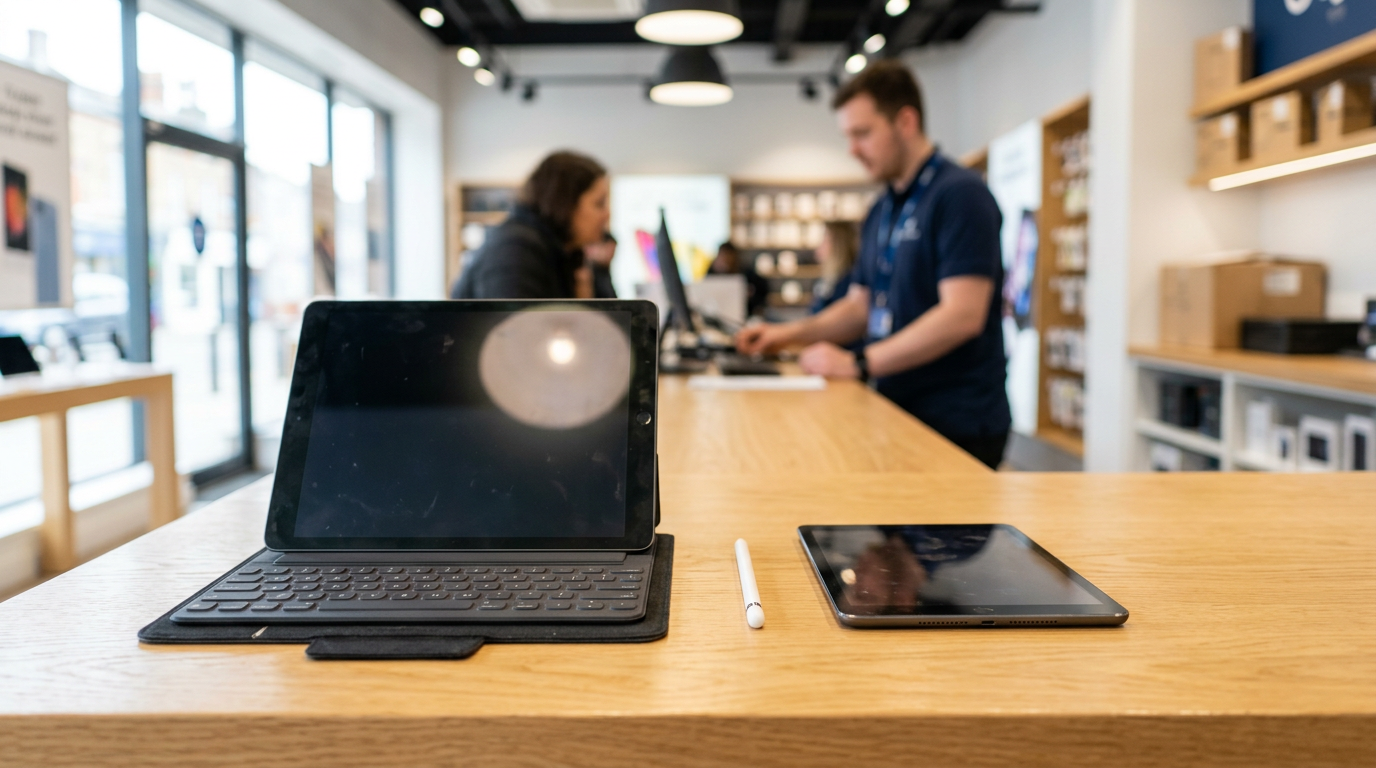
If you want to sell an iPad near you in Trenton, NJ, the fastest route is to get a free quote and walk your tablet into Sell Your Gadgets Trenton on Nottingham Way, where it is inspected and you are paid cash on the spot. The same goes for Android tablets, whether they are in perfect shape or have a cracked screen.
This guide is written the way an experienced buyer would explain it to a friend. It covers where to sell an iPad, what moves the offer up or down, how to sign out of your account properly, and what to expect at the counter. We never publish prices, because the real number depends on the exact tablet in your hand. The free quote is how you find it.
Where to sell an iPad: your real options
Most people searching where to sell ipad end up choosing between four routes. Each one has a trade-off.
| Option | Speed | Main upside | Main downside |
|---|---|---|---|
| Local buyback store (walk-in) | Same day, often within minutes | Cash in hand, in-person inspection, no shipping | You have to travel to the counter |
| Mail-in buyback site | Days to a week or more | Convenient from your couch | Offer can be revised after the device arrives; you trust the mail with your tablet |
| Online marketplace or classifieds | Varies widely | You set the asking price | Messages, no-shows, haggling, and meeting strangers |
| Manufacturer or retailer trade-in | Quick to start | Simple if you are buying a new device from them | Often store credit rather than cash, and the terms are set by the program |
If you want cash today and do not want to deal with strangers or shipping boxes, a local buyback counter is the most direct path. You can read more about our process on the sell your iPad or tablet page.
What drives tablet value
Every buyer looks at the same handful of factors. Understanding them helps you judge whether a quote is reasonable, and it tells you what is worth checking before you come in.
Model and generation
The specific model matters most. A recent iPad Pro generally holds its value noticeably better than an older entry-level iPad, and a newer generation of any line beats an older one. Check Settings, then General, then About, and look at the model name or model number. If you are not sure which generation you have, send us the model number in your quote request.
Chip and performance tier
Within a generation, the chip tells buyers how long the tablet will stay useful. Tablets with Apple's M-series chips, found in many iPad Pro and iPad Air models, sit in a different tier from tablets with older A-series chips. On the Android side, flagship Samsung Galaxy Tab models sit above budget tablets in the same way. Higher performance tiers generally bring a stronger offer.
Storage capacity
More storage usually means a better offer than the base capacity of the same model. The difference is usually noticeable but smaller than the gap between models. Your storage size is listed in the same About screen.
Wi-Fi only versus cellular
Cellular models carry extra hardware and can appeal to more buyers, so they often command more than the Wi-Fi version of the same iPad. Mention it when you ask for a quote. Remove your SIM card before you come in, and if your tablet uses an eSIM, make sure the plan is deactivated with your carrier.
Screen and body condition
Condition is the other big lever. A clean screen, straight frame, and no deep dents or bends will always be valued above a tablet with heavy wear. Screen issues such as cracks, dead spots, or burn-in lower the offer, but they rarely end the conversation. More on that below.
Apple Pencil, keyboard, and other accessories
An Apple Pencil, Magic Keyboard, Smart Keyboard Folio, or the original charger can add to the overall package, especially with iPad Pro and iPad Air. Bring them so they can be inspected alongside the tablet. Third-party cases are usually not a factor, but it never hurts to ask.
A quick summary of the factors
| Factor | What tends to raise the offer | What tends to lower it |
|---|---|---|
| Model | Newer generation, Pro or higher tier | Older or entry-level model |
| Chip | Current-generation or M-series chip | Older chip |
| Storage | Larger capacity | Base capacity |
| Connectivity | Cellular version | Wi-Fi only |
| Screen and body | Clean glass, straight frame | Cracks, dead spots, bends |
| Extras | Pencil, keyboard, original charger | Missing accessories |
| Account status | Signed out, lock removed | Still tied to your Apple ID or Google account |
Want to see where your own tablet lands? The free quote takes a minute: get a free cash quote online, or text or walk in.
Removing Apple ID, Activation Lock, or your Google account
This is the step that trips people up most, so do it before you leave the house. A tablet that is still linked to your account cannot be wiped and reset for the next owner, and that is a problem for any legitimate buyer.
On an iPad
- Back up your iPad to iCloud or your computer if you want to keep your files and photos.
- If you use an Apple Pencil, keyboard, or Bluetooth accessories, unpair them or simply keep them with you.
- Go to Settings, tap your name, and choose Sign Out. You will be asked for your Apple ID password, and signing out also turns off Find My and Activation Lock.
- Go to Settings, General, Transfer or Reset iPad, and choose Erase All Content and Settings.
- If you cannot do it on the tablet, sign in to your Apple account on another device, find the iPad in your device list, and remove it from your account.
We also perform a free data wipe in store, but the Apple ID sign-out has to come from you, because only you have the password.
On an Android tablet
- Back up what you need to your Google account or another service.
- Remove your Google account under Settings, then Accounts. If your tablet is a Samsung, remove your Samsung account as well.
- Turn off any screen lock, PIN, or biometrics that you do not want to carry over.
- Run a factory reset from the system settings.
Newer Android versions use Factory Reset Protection, which asks for the last Google account used on the device. Removing the account before you reset avoids that lock entirely.
School, work, or managed devices
If your tablet came from an employer or school, it may be enrolled in a management program. Those devices generally need to be released by the organization that manages them before anyone can buy them. Check with your IT contact first.
Cracked screens still sell
A cracked iPad is not a worthless iPad. Sell Your Gadgets buys new, used, and broken devices, which includes tablets with cracked glass, bad touch response, or a failing battery. The offer will be noticeably lower than for a clean one, because repair costs come out of the equation, but it is very often better than leaving the tablet in a drawer.
- Cracked glass that still works: Common, and generally still very sellable.
- Dead pixels, lines, or touch problems: These reduce the offer more, but the device can still have value for its parts and its chip.
- Bent frame or heavy damage: Bring it in anyway. Inspection is quick and there is no cost to ask.
- Won't power on: Still worth a quote, since some of the components have value.
Be honest about the damage when you request your quote. The in-person inspection confirms what you described, and a straightforward description means fewer surprises at the counter.
Selling an Android tablet: same process, different details
People searching sell tablet near me often have a Samsung Galaxy Tab or another Android model rather than an iPad. We buy those too. The value drivers are the same: the model and its tier, storage, cellular versus Wi-Fi, and screen condition. Two Android-specific notes: remove your Google account before you reset, and bring the stylus if your tablet has one, such as the S Pen on many Samsung tablets.
If your tablet is an older model with a low-tier chip, do not assume it has no value. Send the model details through the quote form and you will get a straight answer.
How same-day cash works at our Trenton counter
- Get a free quote. Use the online form, text us, or simply walk in.
- Bring the tablet. Add the Pencil, keyboard, and charger if you have them. No appointment is needed.
- Quick inspection. We check the screen, body, buttons, battery, and account status in front of you.
- Get paid on the spot. If you accept the offer, you leave with cash.
You must bring a valid government photo ID for every sale. That is the standard secondhand-dealer rule, and it applies to everyone. Be sure the name on the ID is the person selling the device.
If you are selling an iPad, our Sell iPad in Trenton page has details for the standard line, and the Sell iPad Pro in Trenton page covers the Pro models. You can also look at selling electronics in Trenton if you are clearing out more than a tablet.
Getting to our store
Our store is at 1469 Nottingham Way #5, Trenton, NJ 08609, in the Hamilton Township area. It is close to the Hamilton Township Municipal Building, Veterans Park, Kuser Farm Park, Grounds For Sculpture, and the Sams Club on Route 33, which makes the location easy to find if you already know that part of Mercer County.
If you do not drive, NJ Transit bus routes run along Route 33 and Nottingham Way. We are also about 10 minutes from NJ Transit Hamilton Station on the Northeast Corridor Line. Check current schedules with NJ Transit before you go. Details on the location, hours, and contact options are on the Sell Your Gadgets Trenton store page.
Selling an iPad from nearby towns
We see sellers from all over central Mercer County. Here is how it usually works for each area.
Ewing
Ewing is minutes from our counter, so TCNJ students and local families cash in used devices the same day before their next upgrade. If you have an older iPad from a class or a household that has moved to a new one, it is an easy quick trip. See our Ewing page for more.
Hopewell
Hopewell Borough sellers make an easy run down Route 31 to turn upgraded devices into cash without trusting anything valuable to the mail. A tablet that has sat in a drawer since the last upgrade is a good candidate. You get an in-person inspection and an answer right there.
Pennington
Pennington households bring phones, tablets, and MacBooks a short drive south for a free, in-person cash offer with no shipping involved. If you are clearing out several devices at once, bring them together and we can go through them in one visit.
Hightstown
Hightstown sellers head west on Route 33 to cash in old electronics on the spot instead of mailing them off for an online estimate. For a tablet, that means you see the inspection and the offer yourself, rather than waiting on a revised number later.
East Windsor
East Windsor residents along the Route 130 corridor get a same-day cash offer on phones, consoles, and laptops close to home, and tablets fit right into that trip. If you are already bringing a console or laptop, add the iPad to the pile.
West Windsor
West Windsor and Princeton Junction commuters swap upgraded iPhones and MacBooks for cash on a quick drive down Route 571. An iPad that mostly lived in a commute bag or on the train is worth bringing along too. Our West Windsor page has more local details.
Frequently asked questions
Can I sell my iPad for cash without the box?
Yes. The original box is nice to have but not required. What matters most is the model, the condition, and that the tablet is signed out of your account. A charger and any Pencil or keyboard can help.
Do you buy iPads with cracked screens?
Yes. We buy new, used, and broken devices. A cracked screen lowers the offer compared with a clean tablet, but it does not stop the sale. Request a free quote and describe the damage honestly.
How fast will I get paid?
If you come to the store, the process is a quick inspection followed by cash on the spot. You do not need an appointment, so the time is mostly your trip and the inspection.
What do I need to bring?
Bring the tablet, a valid government photo ID, and any accessories you want included, such as the Apple Pencil, keyboard, and charger. Sign out of your Apple ID or Google account before you come, and remove your SIM if you have one.
Is it better to trade in my iPad or sell it for cash?
It depends on what you want. A manufacturer or retailer trade-in can be convenient when you are buying a new device from that company, but you should check whether it pays in credit or cash. Selling to a buyback store gives you cash in hand. Compare by getting a free quote from us first so you know the number to beat.
What if I forgot my Apple ID password?
Recover it through Apple's account recovery process before you come in. Without it, the tablet cannot be signed out or wiped cleanly, and a device still locked to your account is difficult for any buyer to take.
Do you also buy iPhones, MacBooks, and Apple Watches?
Yes. We buy iPhones and Android phones, MacBooks and laptops, Apple Watches, game consoles, cameras, drones, and more. You can start with our New Jersey locations page or go straight to the quote form.
Ready to turn an old tablet into cash? Get your free quote or come straight to Sell Your Gadgets Trenton at 1469 Nottingham Way #5, Trenton, NJ 08609. We are open Monday through Saturday from 10:00 AM to 7:00 PM and Sunday from 11:00 AM to 5:00 PM, or call 609-900-7867 with any questions.
Hear from a real customer
A real customer on their experience. Working or broken, get a free quote and walk out with cash the same day.
Compare your options
See how selling to us stacks up against other ways to sell, side by side.





