Can I Sell a Phone That Is Not Paid Off? Financed Phone Guide
By syedladen ·
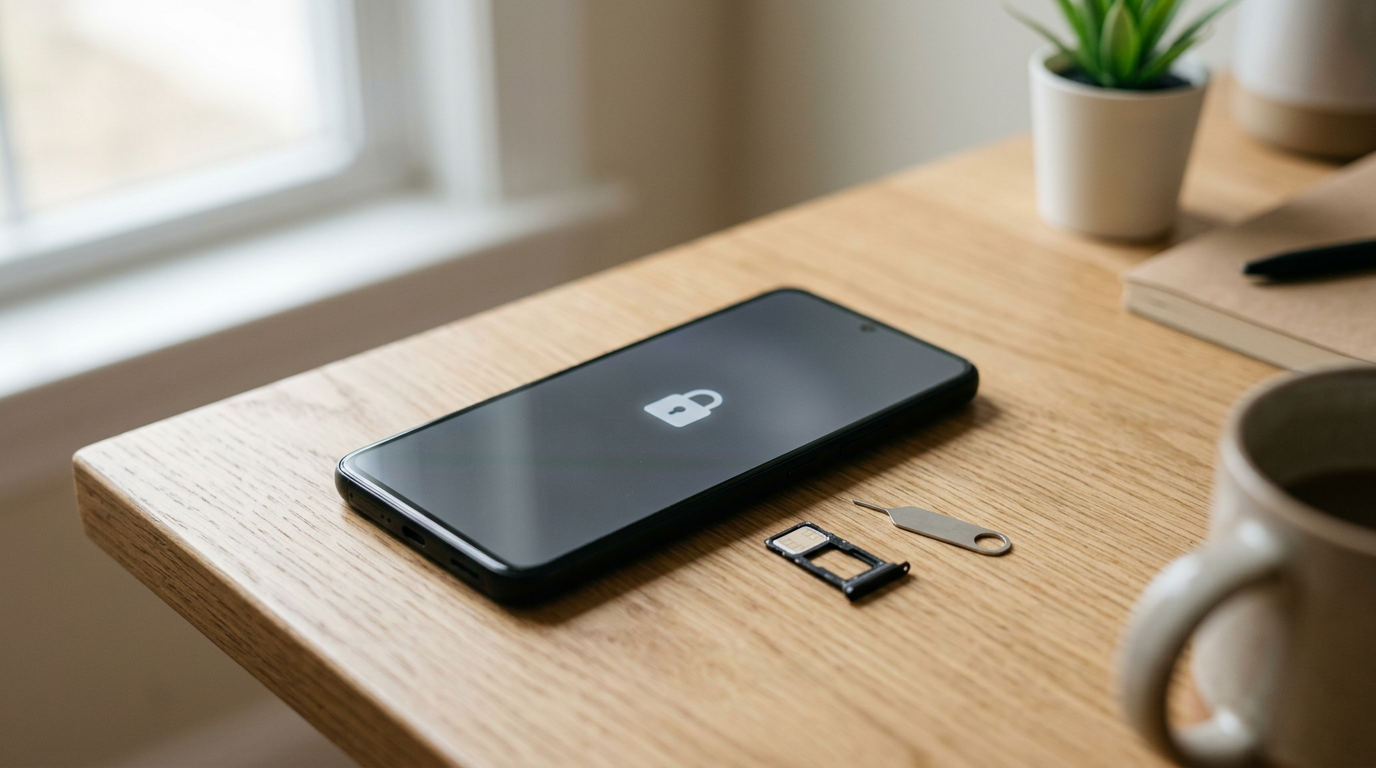
Yes, you can sell a phone that is not paid off, but the smart way is to clear the balance first. A phone with an open installment plan usually stays tied to the carrier's account and lock, and buyers who do things properly will not take the risk of a device that could be locked or blacklisted later.
This guide explains what a balance really does to a phone, how to check and clear it, how to request the unlock, and what to expect when you sell. If you are still deciding whether to go ahead, you can always get a free cash quote to see what the phone is worth before you touch your carrier account.
What "not paid off" actually means for your phone
When you finance a phone through a carrier, you are paying for it in installments. The phone is in your hand, but the carrier still holds a financial interest in it until the last payment lands. That is why the phone can be carrier-locked, and why the carrier can take action on the device if the account goes unpaid.
Three situations get lumped together, and they behave differently:
- Installment plan with a balance: you agreed to pay the price over time. You still owe the remaining amount whether you keep the phone or not.
- Promotional bill credits: the carrier applies monthly credits against your bill to offset the phone price. Leave the plan early and the credits usually stop, which can make the remaining balance due.
- Lease or lease-to-own: you may not own the phone at all until you pay a purchase option. Selling a leased phone is the riskiest version of this problem.
Check which of these describes your plan before you do anything else. The answer changes how much you need to pay and how the carrier will treat the phone.
What happens if you sell a financed phone
Selling a financed phone does not cancel the debt. Your installment agreement is a contract between you and the carrier, and it does not transfer to whoever buys the phone. Here is what tends to follow if you sell with a balance and keep the account open:
- You still owe every remaining payment. The bill keeps coming for a phone you no longer have.
- If payments stop, the carrier can act on the device. Many carriers can flag a phone tied to an unpaid balance so it cannot be activated on their network, and that flag can be shared with other networks.
- The buyer can end up with a phone that stops working. That is bad for them and can come back on you, especially if you sold it to a private buyer who then asks for a refund or disputes the sale.
- Early exit can trigger the balance in full. If you close the line or leave the carrier, the remaining amount and any lost promotional credits can be due at once.
In short, you can hand over a financed phone, but you cannot hand over the obligation. That mismatch is exactly why reputable buyers screen for it.
Why financed phones get blacklisted or stay carrier-locked
Carrier locks protect the loan
A carrier lock keeps the phone tied to that carrier's network while the device is being paid for. It is a safeguard against someone taking a subsidized or financed phone and leaving with it. Once the plan is paid and the carrier's own conditions are met, the lock can be removed. Until then, the phone may only work properly on the original network.
Blacklisting is a different thing
A lock limits which network the phone can use. A blacklist goes further: the phone's IMEI (its unique hardware ID) is flagged so networks can refuse it. Phones typically end up blacklisted because they were reported lost or stolen, or because the account tied to them has an unresolved problem such as an unpaid balance or fraud. A blacklisted phone may power on and look fine, yet fail to connect to a cellular network.
What that means to a buyer
A buyer who resells or recycles phones needs every device to be usable by the next owner. A phone with a balance, a lock that has not been cleared, or a blacklist flag is a risk they cannot fully see from the outside. They have to assume the phone might be unusable later. That is why serious buyers decline blacklisted devices outright and why a balance or lock can reduce what a buyer is willing to do. To be clear about us: Sell Your Gadgets does not buy devices that are blacklisted, reported lost or stolen, or iCloud/Activation locked.
How to check your remaining balance
You need two numbers: how much you still owe, and what it costs to pay it off today. They are not always the same.
- Open your carrier app or log in to your account online. Look for a section called something like Device payments, Installments, or Equipment plan.
- Find the remaining balance for this specific phone. If you have several lines or devices, make sure you are looking at the right one. The plan details often show the phone model and the last digits of the IMEI.
- Look for active promotional credits. Note whether the credits stop when you pay off or leave the plan. If credits are still running, ask whether paying off now forfeits any of them.
- Ask for a payoff quote. The payoff amount can include taxes or fees that do not show in the simple balance. Ask how long that figure is valid.
- Check the device status. Many carriers will tell you whether the phone is currently locked and what conditions must be met for an unlock. Ask directly.
Verify the IMEI yourself
You can find the IMEI by dialing *#06# on most phones, or in the phone's settings under About. Keep it handy. Free IMEI lookup tools from public sources can show whether a device has been reported lost or stolen. They are not perfect for every carrier, so treat them as a sanity check, not a guarantee, and confirm with your carrier.
How to pay off a financed phone
Paying off is usually simple. The details depend on your carrier, but the options look like this:
- Pay it off in the app or online. This is usually the fastest route and gives you a receipt or confirmation screen immediately.
- Pay at a carrier store or by phone. Useful if you want a rep to confirm the payoff figure and the lock status at the same time.
- Pay through a third-party financing company. If you bought through a retailer or finance partner, the loan may be with them rather than the carrier. Pay them directly and ask for a written payoff confirmation.
Before paying, compare the payoff cost with what you expect to receive. The simplest way to do that is to request a free quote first. You are not committed by asking, and the number tells you whether selling is worth it, or whether keeping the phone a few more months makes more sense.
Keep your proof
Screenshot or save the payoff confirmation and any email from the carrier. If anything later looks wrong with the unlock or the phone's status, this paper trail helps.
The unlock request process after payoff
Paying off the balance does not always unlock the phone on its own. Some carriers unlock automatically once conditions are met. Others require you to ask. The exact steps and waiting periods vary, but the general path is the same everywhere:
- Confirm the balance is zero and that any final payment has posted. Give the account time to update after a payoff.
- Check the carrier's unlock eligibility rules. These typically cover things like the device being paid for, the account being in good standing, and the phone not being reported lost or stolen.
- Submit the unlock request. Most carriers have an online form, a chat option, or a phone line. You will usually need the IMEI and account holder details.
- Wait for confirmation. The carrier will tell you by email, text, or in your account when the device is unlocked. Some phones then need a restart or a SIM from another carrier to finish the process.
- Test it if you can. If you have a SIM from a different carrier, put it in and confirm the phone connects. If you cannot test, at least keep the carrier's unlock confirmation.
If the carrier refuses or stalls, ask for the specific reason. Common causes are a payment that has not posted yet, a remaining credit condition, or an account flag. Ask what needs to change and get the answer in writing where possible.
iPhone-specific note
For iPhones, the carrier lock is separate from Activation Lock, which is tied to your Apple account. Before selling, turn off Find My and sign out of your Apple ID. A phone still signed in cannot be properly reset, and we cannot buy it. If you are selling an iPhone, our iPhone selling page covers what we look at.
What a reputable buyer will and will not accept
Every buyer has slightly different rules, but the logic is consistent: the buyer needs to be certain the phone is legitimately yours to sell and will work for the next person. Here is how common situations break down in general:
| Situation | Why it matters to a buyer | What to expect |
|---|---|---|
| Paid off, unlocked, clean IMEI | No financial claim, works on any compatible network | The easiest case. The best path to a smooth sale and a strong offer for the condition. |
| Paid off, still carrier-locked | Usable, but tied to one network until unlocked | Often still sellable, but may affect the offer. Request the unlock first if you can. |
| Active balance remaining | The carrier still has a claim and can flag the phone | Reputable buyers are cautious. Clear the balance before you sell. |
| Unpaid account or flagged IMEI | Likely to be blacklisted or already is | Not accepted by us or by most legitimate buyers. |
| Reported lost or stolen | Cannot legally be resold and will not activate | Not accepted. |
| iCloud or Activation Lock on | The phone cannot be reset or used by the next owner | Not accepted until the lock is removed by the account owner. |
This is also why a valid government photo ID is required for every sale with us. It protects you and us by confirming the seller is the actual owner. For a device-specific answer, send us the model and condition through our smartphone selling page or a free quote, and we will tell you where it stands.
Step-by-step: from financed to sellable
- Find out what you owe. Check your carrier account for the balance, credits, and payoff amount.
- Get a quote on the phone. Request a free quote online, by text, or in store so you know what the phone is worth relative to the payoff.
- Decide if it makes sense. If the balance is small compared with the phone's value, paying off and selling is straightforward. If the balance is larger, consider waiting, because the payoff may eat most of the sale.
- Pay off the balance. Use the payoff quote and save the confirmation.
- Request the unlock. Follow the carrier's process and wait for written confirmation.
- Check the IMEI status. Confirm it is not reported lost, stolen, or blacklisted.
- Back up and clean the phone. Back up photos and data, sign out of your Apple or Google account, and turn off Find My or Factory Reset Protection.
- Remove your SIM and any cases or accessories you want to keep.
- Bring it in with your ID. Visit a Sell Your Gadgets store, get a quick inspection, and get paid on the spot. We wipe the data for free. Far from a store? Ask about the mail-in option on how selling works.
Should you sell before the phone is paid off?
Sometimes people want to sell a financed phone to fund its own payoff. That can work, but only if the sale and the payoff both happen cleanly. A few honest considerations:
- Payoff first is the safer order. If you sell first and promise to pay the carrier later, you are relying on the carrier not flagging the phone in between.
- Watch the value curve. Phones tend to lose value as newer models arrive. If the gap between your payoff and the phone's worth is tight, getting a quote now helps you time it.
- Protect the credits. If your plan gives monthly credits, compare the cost of paying off early against simply finishing the plan and selling later.
- Do not rely on a private buyer to "take over" the plan. Carriers generally do not let you transfer device payments that way, and informal arrangements put both sides at risk.
Get the most out of the sale once it is clean
Once the phone is paid off and unlocked, what you get depends mostly on model, storage, and condition. Some small habits help:
- Be honest about condition. Cracks, battery wear, or a non-working camera all show up in inspection. Accurate details get you a quote that does not change at the counter.
- Keep the unlock confirmation and payoff receipt handy. You may not need them, but they settle questions fast.
- Do not skip the account sign-out. It is the most common reason a sale stalls.
- A broken phone can still be sold. We buy new, used, and broken devices, so a cracked screen is not a reason to skip the quote, though the balance and lock status still have to be sorted out.
Frequently asked questions
Can I sell a phone that is not paid off?
You can physically sell it, but the carrier still holds a claim until the balance is cleared, and you remain responsible for the remaining payments. Reputable buyers generally want a paid-off phone so the next owner is not left with a device that gets locked or blacklisted. Clear the balance first for the smoothest sale.
What happens if you sell a financed phone and stop paying?
The carrier can treat the account as delinquent and may flag the phone so it cannot be activated on networks. That can leave the buyer with an unusable phone and leave you with collections or account problems. It is not a path worth taking.
Can I sell a phone with a balance to Sell Your Gadgets?
We do not buy blacklisted, lost or stolen, or iCloud/Activation locked devices, and a phone with an unresolved balance can end up in one of those categories. The best step is to get a free quote with your exact model and situation, and we will tell you what applies. Paying off first keeps things simple.
Does paying off my phone automatically unlock it?
Not always. Some carriers unlock automatically after payoff, and others require a request. Confirm with your carrier and wait for written or in-account confirmation before you sell.
How do I know if my phone is blacklisted?
Look up the IMEI with a public checker and ask your carrier whether the device is flagged. If the phone was reported lost or stolen or the account has an unresolved problem, it may be blacklisted. A blacklisted phone may turn on normally but fail to connect to cellular service.
Will I lose my promotional credits if I pay off early?
Often the credits stop when the plan ends or the line is closed, and the remaining balance can become due. Ask the carrier exactly how credits are handled at payoff before you pay.
Do I need my ID to sell a phone?
Yes. A valid government photo ID is required for every sale with us. It confirms ownership and keeps the process safe for everyone.
Ready to see what your phone is worth? Get a free cash quote online or by text, or walk into a Sell Your Gadgets store near you with your ID. No appointment is needed, and you are paid on the spot once the phone is clean and ready.
Hear from a real customer
A real customer on their experience. Working or broken, get a free quote and walk out with cash the same day.
Compare your options
See how selling to us stacks up against other ways to sell, side by side.