How to Check if a Phone Is Blacklisted Before You Sell It
By syedladen ·
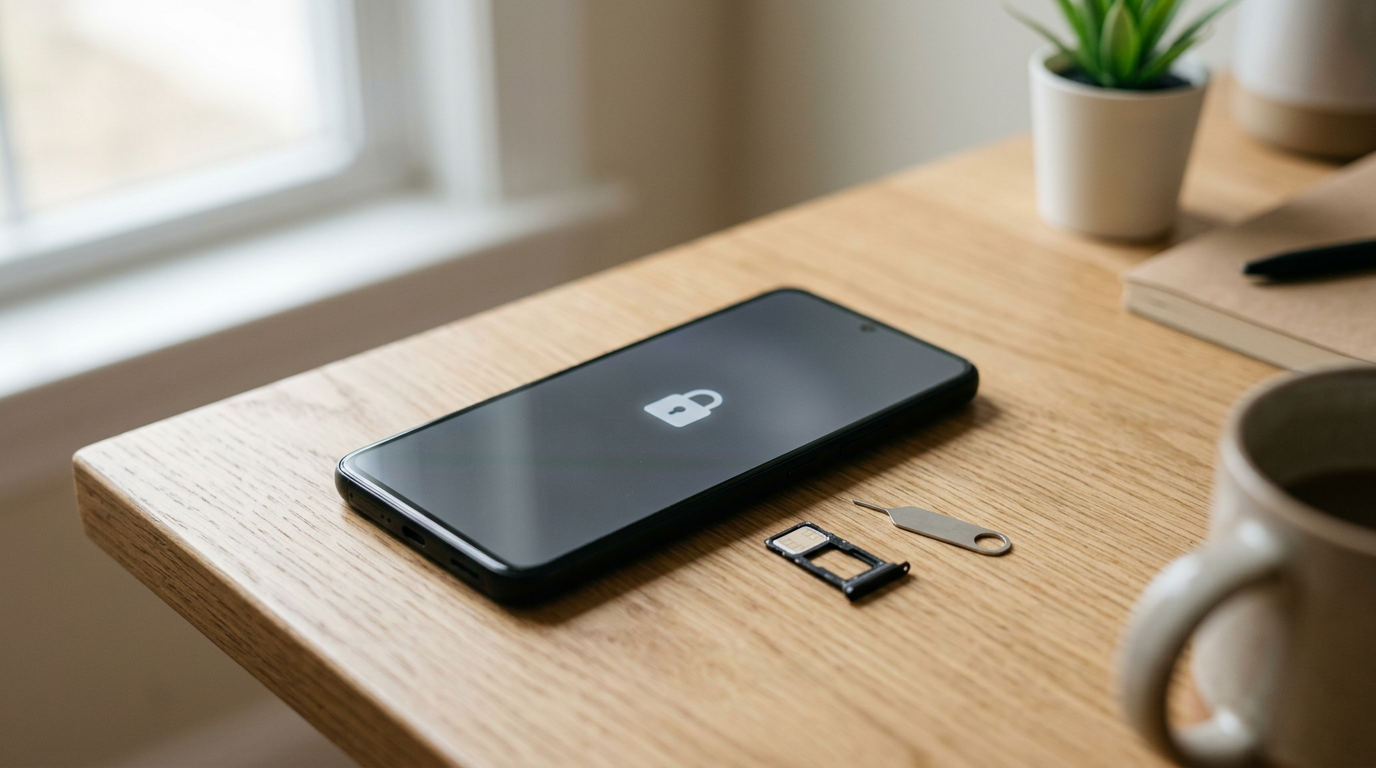
To check if a phone is blacklisted, find its 15-digit IMEI (dial *#06# or look in Settings), then run it through your carrier's IMEI checker or the CTIA stolen phone checker and confirm there is no loss, theft, or unpaid-balance flag. A phone with a clean IMEI can be activated and resold normally, while a blacklisted one is worth dramatically less to any legitimate buyer and will be turned away by most of them, including us.
What an IMEI is and why it decides resale
The IMEI (International Mobile Equipment Identity) is a 15-digit number that identifies one specific handset, much like a VIN identifies a car. Carriers and industry databases use it to decide whether a phone is allowed on a cellular network. Your phone number and SIM card can change; the IMEI stays with the hardware.
That is why the IMEI matters so much when you sell. The number is tied to a status record, and that record follows the phone to the next owner. If the status is good, the next person can insert a SIM and get service. If it is flagged, the phone may still power on, run apps over Wi-Fi, and look perfect, but it will not work as a phone on a network that honors the flag.
IMEI vs. ESN vs. MEID
You will see these terms used almost interchangeably, so here is the quick version:
- IMEI: the 15-digit identifier used by virtually all modern phones. Dual-SIM and eSIM phones may show more than one.
- ESN (Electronic Serial Number): an older identifier from the CDMA network era. Most phones sold today don't use it, but the phrase lives on in buying and selling.
- MEID: the successor to ESN on CDMA devices, a longer hexadecimal identifier that some phones still list alongside the IMEI.
When someone says a phone has a bad ESN, they almost always mean the device is flagged in a carrier or industry database. That usually means it was reported lost or stolen, or the account tied to it has an unpaid balance or fraud issue. The flag is on the device, so a new owner inherits the problem. The opposite, a clean IMEI phone, is one with no flags, no outstanding balance, and no report against it.
How to find your IMEI (four reliable ways)
Always pull the IMEI from more than one place if you can. The number on the box or a receipt can belong to a different phone than the one in your hand, especially if you've swapped devices or had a repair or replacement.
1. Dial code
Open the phone app and dial *#06#. The IMEI appears on screen immediately, with no call needed. This works on iPhone and nearly every Android phone, and it reads the number from the phone's own software, which makes it the best source of truth.
2. Settings
- iPhone: Settings, General, About. Scroll to the IMEI entry (you may see two on dual-SIM models). Tap and hold to copy it.
- Android: Settings, About phone (sometimes under System or About device). Look for IMEI or Status information. Samsung and Pixel phones both list it there, though the menu wording varies by brand.
3. SIM tray or back of the phone
Many iPhones have the IMEI engraved on the SIM tray, and some older models have it etched on the back. Several Android phones print it on a label under the back cover or on the SIM tray. Check that the number matches the one from the dial code. A mismatch can mean a swapped tray or a replaced part, which is worth understanding before you try to sell.
4. Original box, receipt, or carrier account
The retail box usually has a sticker with the IMEI and serial number. Your carrier account and your Apple or Google account also list devices tied to you. These are helpful backups, but treat them as secondary to what the phone itself reports.
| Where to look | Best for | Watch out for |
|---|---|---|
| Dial *#06# | Fastest, most accurate check | Dual-SIM phones show two numbers; check both |
| Settings menu | Copying the number to paste into a checker | Menu names differ by Android brand |
| SIM tray or back | Phones that won't power on or unlock | Trays can be swapped between devices |
| Box or receipt | Cross-checking paperwork | Box may belong to a different phone |
Clean vs. blacklisted vs. financed: what each status means
These three categories cover most of what you'll run into. They are not the same thing, and mixing them up leads to bad surprises at the counter.
Clean
A clean IMEI has no loss or theft report, no unpaid balance, and no fraud flag. It can be activated on a compatible network. This is the status every buyer wants and the one that supports the strongest resale value.
Blacklisted
A blacklisted IMEI has been added to a database that carriers use to block devices from their networks. Reasons include a loss or theft report, unpaid device balances, or fraudulent account activity. Blacklist details vary by carrier and country, and shared databases don't always cover every network, but a flagged phone is a risk that reputable buyers will not take on.
Financed or still under a payment plan
A financed phone still has a balance owed to a carrier or retailer. It is not automatically blacklisted, and plenty of financed phones are perfectly normal. But many carriers reserve the right to restrict or blacklist a device if payments stop, so a financed phone has a real risk of turning into a blacklisted one. Pay off the balance before you sell and let the carrier confirm the device is fully yours.
| Status | Can it be activated? | Effect on resale | Would we buy it? |
|---|---|---|---|
| Clean, paid off, unlocked from accounts | Yes | Best value for the model and condition | Yes, get a free quote |
| Financed, balance remaining | Usually, for now | Risky; buyers worry about later blacklisting | Pay it off and clear the status first |
| Blacklisted or bad ESN | No, on networks that honor the flag | Severely reduced, if sellable at all | No |
| Reported lost or stolen | No | Cannot be legitimately resold | No |
| iCloud or Activation locked | Not without the owner's credentials | Effectively a brick to the next owner | No |
How to check if a phone is blacklisted, step by step
- Get the IMEI from the phone itself. Dial *#06# and write down or copy the number. If the phone has two IMEIs, note both.
- Run it through your carrier's checker. Most major US carriers offer an online tool or an account page that tells you whether a device is eligible for activation, financed, or flagged. Use the carrier that originally activated the phone if you know it.
- Use an industry stolen-phone checker. The CTIA's stolen phone checker lets you look up an IMEI for lost or stolen reports. Results reflect the participating databases, so treat a clean result as a good sign rather than an absolute guarantee.
- Check the Apple or Google lock separately. A blacklist check does not tell you about iCloud Activation Lock or Google Factory Reset Protection. On iPhone, confirm Find My is turned off and you're signed out of your Apple ID. On Android, remove your Google account before resetting.
- Confirm the balance. Log into your carrier account or contact them to verify there is no remaining installment balance or lease on the phone.
- Screenshot or save the results. If something looks wrong later, dated proof that you checked helps you sort it out.
If you're checking a phone you don't own yet, for example a private-party purchase, be extra careful. Ask the seller for the IMEI before you meet and check it yourself. Don't rely on a screenshot someone else sends you.
How a phone ends up blacklisted
Most blacklistings trace back to a few causes. Understanding them helps you know whether your own phone is at risk.
- Reported lost or stolen. The owner reports the phone to a carrier, which adds the IMEI to a blocklist. This is the most common cause, and it is the reason buyers check so carefully.
- Unpaid balance. If a phone was financed or leased and payments stopped, the carrier may block the device until the balance is settled.
- Fraud. Phones obtained through fraudulent accounts, identity theft, or chargebacks can be flagged even if they have since changed hands.
- Insurance claims. A phone reported lost or stolen for an insurance claim is usually blocked. If it turns up later and is sold, the next owner is stuck with a blocked device.
- Cloned or altered IMEIs. Tampered IMEIs can be rejected by networks and are a red flag for illegal modification.
One honest caution: a phone you bought secondhand can still be blacklisted after you buy it, if the previous owner had a balance that later went unpaid or reported it lost. That's another reason to check the IMEI before you buy and again before you sell.
How legitimate owners clear a blacklisted or flagged phone
If you own the phone outright and it's flagged, the fix depends on why it was flagged. The clearing process always runs through the carrier or the party that made the report.
Flagged because of an unpaid balance
Pay the remaining balance in full, then ask the carrier in writing to remove the restriction. Ask how long the database update takes, because it can take a few days to propagate. Re-check the IMEI afterward rather than assuming it's done.
Reported lost, then found
Contact the carrier that took the report and ask them to reverse it. You may need to verify your identity and account details. If you filed an insurance claim and received a replacement, the insurer may have an interest in the recovered device, so ask before you try to sell it.
Reported stolen and sold to you
If you bought a phone that turns out to be reported stolen, you generally can't clear the flag yourself, because only the original reporting party can do it. Keep your purchase records and consider contacting local law enforcement and the seller's platform. Don't try to pass it along to someone else, since that simply moves the problem.
Fraud flags
These are the hardest to resolve and typically require the carrier's fraud department. Bring documentation showing how you acquired the device.
Be wary of anyone who offers to "unblacklist" or "clean" an IMEI for a fee. Legitimate removal comes from the carrier that placed the flag. IMEI-changing services are illegal in many places and don't hold up.
Why buyers check your IMEI and your ID
Every reputable electronics buyer checks device status for two reasons: it protects the next owner, and it keeps stolen goods out of the resale market. A phone that can't be activated is worth little to the person who ends up holding it, and buying stolen property creates legal exposure for the buyer.
That's also why we require a valid government photo ID for every sale. The ID ties a real person to each transaction, which discourages theft and gives everyone a paper trail if a device is ever questioned. We don't buy devices that are iCloud or Activation locked, reported lost or stolen, or blacklisted, and the IMEI check plus ID is how we keep that line clear. If you're curious how the whole process works in a store, see how selling to us works.
None of this is meant to make honest sellers feel suspected. If you own a clean phone, the checks take a minute and you're paid on the spot. The process is designed to be fast for legitimate sellers and difficult for everyone else.
Checklist: check your IMEI before selling
Running through this list before you head to a store or request a quote saves the most common delays.
- Dial *#06# and confirm the IMEI matches the SIM tray or label.
- Check the IMEI with your carrier and an industry stolen-phone checker.
- Confirm the balance is zero. If you financed the phone, make sure it is fully paid and no lease or installment plan remains.
- Turn off Find My iPhone and sign out of your Apple ID, or remove your Google account from Android.
- Back up your data. Use iCloud, Google, or a computer. We offer a free data wipe in store, but you want your photos and messages saved first.
- Remove your SIM card and any memory cards.
- Take off cases, screen protectors, and accessories you want to keep.
- Gather your government photo ID. It is required for every sale.
- Note the model, storage size, and any damage so your quote is accurate. See our page on how to sell your smartphone for what we accept.
- Get a free quote online, by text, or by walking in. Start with a free cash quote, then visit a store or mail in your device.
Does a clean IMEI help your payout?
Yes, in the sense that it makes a sale possible at all, and it lets the phone be valued on its merits. Once status is clean, value comes down to the usual things: model, storage, carrier lock status, condition, and current demand. A cracked screen or weak battery will lower a quote, but those are ordinary condition factors. A blacklisted or locked phone is different because it isn't just worth less; it often can't be bought at all.
We never quote prices publicly because values shift with the market and depend on the exact device in front of us. The fastest way to see what yours is worth is to ask for a free quote. Broken phones are also welcome as long as the status is clean, since damage and blacklisting are very different problems.
If you can't sell the phone, what are your options?
Sometimes the check turns up a problem. Here is what to do for each case:
- Balance owed: pay it off or ask the carrier about payoff options, then recheck and sell.
- Activation Lock or FRP: sign in with the original account and remove the device. If you forgot the credentials, use the account recovery process from Apple or Google. Proof of purchase may help.
- Lost or stolen flag on your own phone: contact the carrier to remove the report if the phone is back in your hands.
- Bought used and flagged: go back to the seller or platform, with your receipt and communication records.
- Can't be fixed: keep it as a Wi-Fi device, for parts, or as a media player. Don't sell it to someone without telling them the status.
You can also find the nearest store on our store locator if you'd like someone to look at the device in person. A clean device is a quick transaction, and we'll tell you plainly if something blocks the sale.
Frequently asked questions
Can I check if a phone is blacklisted for free?
Yes. Your carrier's IMEI checker and the CTIA stolen phone checker are both free to use. You only need the IMEI, which you can get by dialing *#06#. Be cautious about paid sites that promise instant, detailed reports. Some are helpful, but the carrier and official checkers are the best starting point.
What does bad ESN mean?
Bad ESN means the device's identifier is flagged in a carrier or industry database, usually because the phone was reported lost or stolen, has an unpaid balance, or is linked to fraud. The term comes from the older ESN system, but people use it for modern IMEI problems too. A bad ESN phone generally can't be activated on networks that honor the flag.
Is a blacklisted phone the same as an iCloud locked phone?
No. A blacklist is a network-level block tied to the IMEI. iCloud or Activation Lock is an account-level lock tied to the owner's Apple ID. A phone can have one, both, or neither, which is why you should check both. We don't buy devices that are either blacklisted or Activation locked.
Can a blacklisted phone still be used?
It may still turn on and work over Wi-Fi for apps, games, and media, but it typically can't make calls, send texts, or use cellular data on networks that honor the blacklist. It may work on a network that doesn't share the flag, but that isn't something you can count on, and it's not a legitimate way to resell the phone.
Does a financed phone count as blacklisted?
No, financed and blacklisted are different statuses. A financed phone has a balance owed but may be perfectly functional. The concern is that nonpayment can lead to a block. Pay off the balance and confirm with the carrier before you sell so the phone stays clean.
Should I check the IMEI before selling my phone?
Yes, always. Checking your IMEI before selling takes a minute and catches issues like an unpaid balance or an old loss report you forgot about. It also avoids wasted trips, because a flagged device will be declined at a store.
How long does it take to clear a blacklist once I pay off a balance?
It varies by carrier. Some update quickly, while others take a few days to reflect the change. Ask the carrier for a timeline, get written confirmation, and re-run the IMEI check before trying to sell.
Ready to see what your phone is worth? Get a free quote online or by text, or bring a clean, unlocked phone and your photo ID to a Sell Your Gadgets store and get paid on the spot.
Hear from a real customer
Why they chose Sell Your Gadgets. Working or broken, get a free quote and walk out with cash the same day.
Compare your options
See how selling to us stacks up against other ways to sell, side by side.