How Much Is My Samsung Galaxy S25 Ultra Worth? Value Guide
By syedladen ·
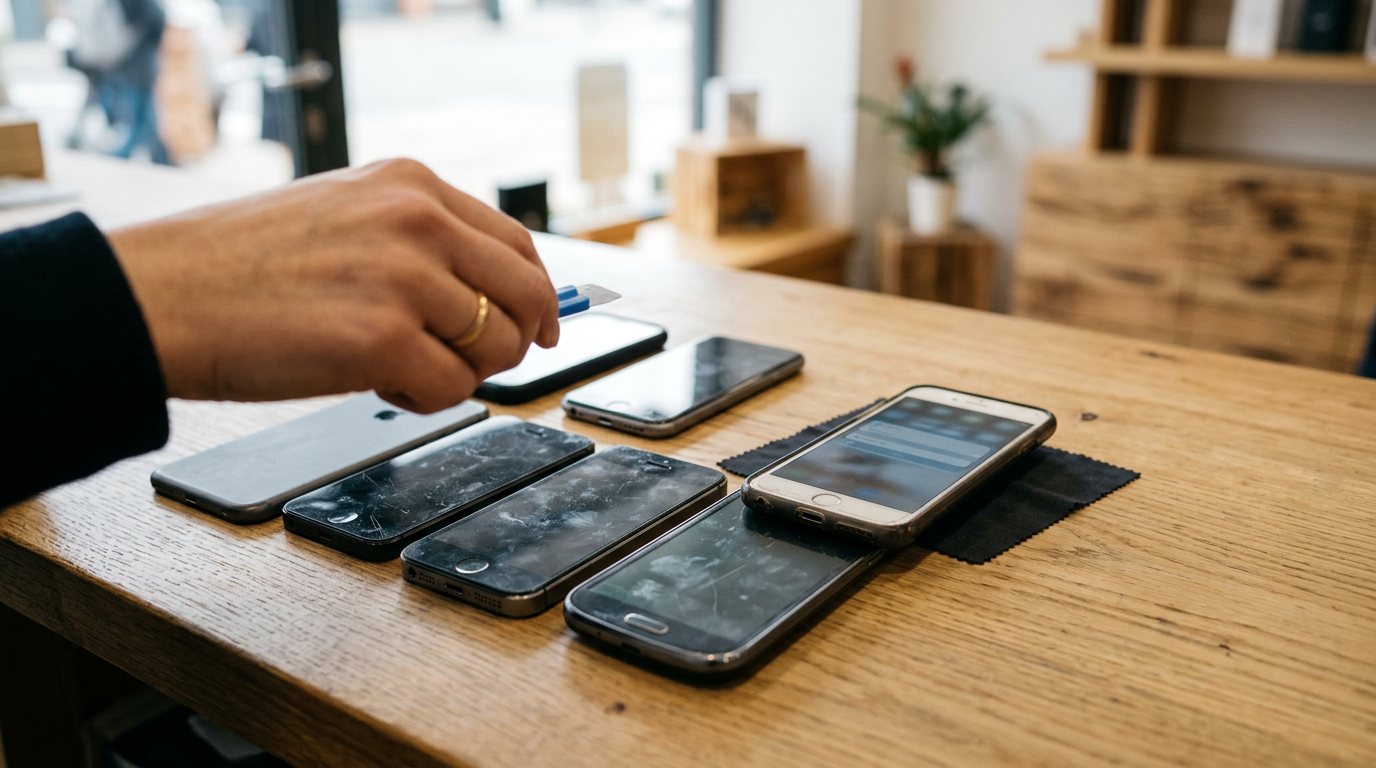
Your Samsung Galaxy S25 Ultra is worth more the larger its storage, the cleaner its screen and body, and the fewer strings (carrier lock, account lock) are attached to it. The only way to get the exact number is a live quote, because offers move with demand, so get a free cash quote for your specific configuration and condition rather than trusting any static price list.
This guide covers every factor that shifts a Galaxy S25 Ultra offer, in rough order of impact, plus how to check what you actually own, how to grade your phone honestly, when to sell, and how cash buyback compares with trade-in and private sales. We do not publish prices, and neither should any article that can't see your phone. What we can do is show you what a buyer looks at so nothing surprises you at the counter.
The factors that move a Galaxy S25 Ultra offer, in order of impact
Think of the offer as a starting point set by the model and storage, then adjusted up or down by condition and eligibility. The first three items below change the number. The last two can decide whether there is a number at all.
1. Storage capacity
The S25 Ultra has been sold in 256GB, 512GB, and 1TB versions. Storage is the biggest built-in variable because it is the one thing you can't change after purchase. Higher-capacity units generally command a noticeably higher offer than the base model, though the gap between tiers is not always proportional to the original price difference. Buyers price on what the next customer will pay, and most shoppers of used phones gravitate to the mid and base tiers, so the very top tier has a smaller pool of buyers even though it is worth more in absolute terms.
What this means for you: do not assume the storage size you paid a premium for will return the same premium. Confirm your capacity in settings (steps below) and mention it when you request a quote.
2. Screen condition and burn-in
The S25 Ultra has an AMOLED display, and AMOLED panels can show burn-in or retention: faint ghost outlines of a navigation bar, a keyboard, or a frequently used app. Burn-in is a hardware fault, and buyers treat it as a significant deduction because it is expensive to fix and impossible to hide from the next owner. A phone with visible burn-in is usually graded well below an otherwise identical phone with a clean panel.
Check for it yourself:
- Open a solid gray, then a solid white, then a solid black image in full screen at high brightness. Look for ghost shapes, tinted patches, or uneven tone.
- Look for green, pink, or purple vertical lines. Those are a different display fault, often from impact or a failing panel, and they count against the phone as well.
- Test the edges of the curve-free flat screen for dead pixels or dark spots.
- Check touch response across the whole surface, including corners.
Cracked glass is a separate issue from burn-in and is covered in the grading table. A scratch you can feel with a fingernail is treated more seriously than light hairline marks that only show under direct light.
3. S Pen presence and function
The S Pen is part of what makes an Ultra an Ultra. A phone with its original S Pen seated in the slot is worth more than the same phone without one, because the next buyer expects it and a replacement costs money. A missing S Pen typically lowers the offer modestly rather than drastically, but a damaged pen or one that does not register on the screen counts as a functional fault.
Before you sell, pull the pen out, check the tip for wear, and test it on the screen by writing in a notes app. If you have the original pen, keep it in the phone. If you swapped in a third-party pen, mention it honestly; a non-original one does not carry the same weight as the original.
4. Carrier lock status
An unlocked S25 Ultra works on any compatible network, so it appeals to the widest range of buyers and usually receives a stronger offer than a version still tied to one carrier. Carrier-locked phones are still sellable, and a locked phone that is fully paid off is generally fine to sell, but expect a lower offer than for an unlocked equivalent because the next owner's options are limited.
A phone that still has an outstanding balance or an installment plan attached is a different situation. If the carrier has the device flagged for unpaid balance, it can end up blacklisted, and we do not buy blacklisted devices. Pay off your plan and confirm the status with your carrier before you sell.
5. Samsung account and Google (FRP) status
This is a gate, not a slider. If a Google account or Samsung account is still linked to the phone, Factory Reset Protection and Samsung's Reactivation Lock can make the device unusable to the next owner. That makes it effectively unsellable. We do not buy devices that are activation locked, reported lost or stolen, or blacklisted, and a phone you cannot sign out of falls into the same practical problem. Remove both accounts before you come in; the prep checklist below walks you through it.
Condition grading table: how your phone will be judged
Every buyer uses its own scale, but they all map to the same four ideas. Use this table to grade your phone honestly before requesting a quote. If you land between two grades, assume the lower one, and you will be pleasantly surprised more often than disappointed.
| Grade | What it looks like | How it affects the offer |
|---|---|---|
| Like new | No visible scratches on screen or frame at normal viewing distance. No burn-in, no dents, clean charging port. Battery holds up through a normal day. Original S Pen present and working. Everything functions. | Top of the range for your storage tier and lock status. Original box and accessories can help a little but rarely change the outcome much. |
| Good | Light hairline scratches on the screen or minor marks on the frame that you only notice in certain light. No cracks, no burn-in, everything works. Possibly a worn case-edge rub or small scuffs on the back glass. | A clear step down from Like new, but still a strong offer. This is where most carefully used phones land. |
| Fair | Noticeable scratches, dents on the frame or corners, scuffs you can feel, light screen discoloration, or a weak battery. Missing S Pen fits here too. Fully functional but visibly well used. | Noticeably lower. Buyers are pricing in cosmetic refurbishment or a part replacement before resale. |
| Broken | Cracked screen or back glass, dead zones, lines, significant burn-in, non-working camera, speaker, port, or buttons, or water damage. May still power on. | Much lower, but still not zero in most cases. We buy broken devices, and a cracked Ultra can still have valuable parts. The offer depends on which components still work. |
Two grading mistakes people make
- Grading with a screen protector on. Peel it back at a corner and look at the glass underneath. Buyers will.
- Ignoring the camera glass. The Ultra's lens rings and camera glass scratch and crack separately from the main screen, and a cracked lens cover is easy to miss until a buyer points at it.
How to check your exact model, storage, and battery health
Quote accuracy depends on giving correct details, and a two-minute check removes the guesswork.
Model and storage
- Open Settings and go to About phone. The model name should read Galaxy S25 Ultra, and the model number usually begins with SM-S938.
- The last characters of the model number hint at the market version. A U suffix generally points to a US model and a U1 generally means a US unlocked variant, while a B suffix usually means an international version. If yours is an international model, say so when you request a quote because it can affect how a buyer treats it.
- Go to Settings > Battery and device care > Storage. The total shown will be slightly lower than the marketed size because the system takes space. A total in the range of the 256GB, 512GB, or 1TB tier tells you which one you have.
- Dial *#06# to see the IMEI. Keep a note of it. It is what carriers and buyers use to check lock and blacklist status.
Battery and device health
On recent versions of One UI, look under Settings > Battery for battery information or a battery health indicator. The exact menu path varies by software version. If you can't find it, the Samsung Members app has a diagnostics section that tests the battery, touchscreen, sensors, cameras, speakers, and more. Many Samsung phones also respond to *#0*#, which opens a hardware test menu with screen color, touch, and sensor checks.
Battery health is less decisive on an S25 Ultra than on an older phone because it is relatively new, but a battery that drains abnormally fast, swells, or causes the back panel to lift is a real fault and a safety concern. Tell the buyer about it up front.
Carrier lock check
The simplest test is to insert a SIM from a different carrier. If it gets a signal and can make a call, the phone is unlocked. Alternatively, your carrier can confirm lock status by IMEI. Confirming this before you ask for a quote keeps the quote from changing later.
How the S25 Ultra's value changes over time, and when to sell
Flagship phones follow a recognizable pattern. Understanding it helps you decide whether to sell now or wait, without anyone needing to promise you a number.
The big drops: new-model announcements
The most predictable pressure on the value of any flagship is the release of its successor. When the next Galaxy S Ultra is announced, and especially when it ships, the market shifts: many owners upgrade at once, used supply rises, and buyers have a newer model to compare against. Used prices for the previous generation tend to soften in that window. If you plan to upgrade anyway, selling shortly before the new model lands often beats selling in the weeks after, when everyone else is selling too.
Seasonal demand
- Holiday season: demand for unlocked flagships is typically strong as gift buying picks up, which supports resale values.
- Right after new launches: supply spikes as people trade in their old phones, which tends to put pressure on values.
- Back-to-school and tax-refund periods: many shoppers are looking for a reliable used phone, which generally helps demand for clean, unlocked units.
The steady decline: age and wear
Outside of release events, value erodes gradually with age. Condition compounds this. A phone with a clean screen today can pick up scratches and battery wear tomorrow, so holding a phone you've already decided to replace costs you in two ways at once. Flagships in top condition with original accessories hold value better than heavily used ones, and Ultras with higher storage hold value better than base models in absolute terms.
A simple decision rule
- If you have already chosen your next phone, sell the S25 Ultra as soon as the replacement is in your hands or sooner, not months later.
- If you are undecided, get a quote now so you know your baseline, then compare it again in a few weeks.
- If the screen is cracked or the phone has a fault, sell sooner. Damage tends to worsen, and a small problem can become a larger deduction.
Cash buyback vs trade-in vs private sale
Each route suits a different priority. None is best for everyone, and the honest trade-offs are below.
| Route | Strengths | Trade-offs |
|---|---|---|
| Cash buyback (like Sell Your Gadgets) | Paid on the spot, no shipping wait, no haggling with strangers, and broken or cosmetically worn phones are accepted. Free data wipe in store. A quote is free and you can decline. | The buyer has to resell the phone, so the offer is below what a perfect private buyer might pay. Valid government photo ID is required. |
| Manufacturer or carrier trade-in | Convenient when buying your next phone from the same place. The credit can be applied directly to a new device or bill. | Often paid as store credit or bill credit rather than cash, and may be tied to a new purchase, a specific plan, or a multi-month payout. Strict condition rules can mean a reduced credit or rejection for damage. Read the conditions before committing. |
| Private sale (marketplaces, social, classifieds) | Potentially the highest price if you find the right buyer and your phone is in very good condition. | Takes time, brings scams, payment reversals, lowball offers, no-shows, and questions from strangers. You are responsible for disputes if the buyer claims the phone is not as described. Safety when meeting in person is a real concern. |
Which one fits you?
- You want cash today and no hassle: cash buyback.
- You are buying another phone from the same carrier or brand and the credit is competitive: compare the trade-in credit to a cash quote before you decide. Always compare the same way: credit and cash are not the same thing.
- You have time and a pristine phone: a private sale can pay more, if you are comfortable with the risk and effort.
- Your phone is damaged: cash buyback is usually the easiest, since private buyers and many trade-in programs are harsh on damage.
You can sell your smartphone to us with a free quote first, and you can read how selling to us works before you commit to anything.
Prep checklist before you sell your S25 Ultra
Do these in order. The sequence matters because signing out of accounts has to happen before the final reset.
- Back up your data. Use Samsung Smart Switch, Samsung Cloud, or Google Backup. Confirm your photos, contacts, messages, and app data have actually synced, and check that your authenticator apps are transferred to the new phone before you wipe this one.
- Move your eSIM or SIM. Transfer your eSIM to your new phone or remove the physical SIM. Do not sell a phone with your line still active on it.
- Turn off Find My Mobile and remove your Samsung account. Go to Settings > Accounts and backup > Manage accounts, tap your Samsung account, and remove it. Turn off Reactivation Lock if it is enabled.
- Remove your Google account. In the same accounts menu, remove every Google account so Factory Reset Protection is not triggered after the reset.
- Remove screen locks and Samsung Pass or Wallet cards. Clear your PIN, pattern, and biometrics, and remove any payment cards from the Wallet app.
- Factory reset. Go to Settings > General management > Reset > Factory data reset. If you'd prefer, we wipe data for free in store. Either way, finish the account sign-outs first.
- Clean the phone. Wipe the screen and frame with a soft microfiber cloth, and clear lint from the charging port and speaker grilles with a soft brush. A clean phone is graded more favorably because marks that look like scratches are sometimes just grime.
- Gather accessories. Put the S Pen back in the slot. Collect the original box, cable, and any other accessories you still have. They are not always required, but they help.
- Confirm the phone is paid off and not blacklisted. Check with your carrier if you financed the device.
- Bring valid government photo ID. Every sale requires it.
What to expect when you sell to us
The process is deliberately short. You request a quote online, by text, or by walking in. A team member inspects the phone, checks the screen, body, S Pen, functionality, and lock status, and confirms the offer. If you accept, you are paid on the spot. No appointment is needed. If you would rather not wait, start with a free quote so you know where you stand before you leave the house.
We have walk-in stores in New York, New Jersey, Florida, Texas, Maryland, Arizona, Georgia, and Virginia, and you can find a store near you. If you live far from one, there is a mail-in option.
Why the in-person offer can differ from the quote
A quote is based on what you tell us. The final offer is based on what the inspector sees. The most common reasons for a change are:
- Condition graded lower than described, such as scratches or frame dents that were missed at home.
- Storage tier or model variant that does not match the quote.
- Burn-in or display lines that only show on solid colors.
- A missing or non-working S Pen.
- A carrier lock or account lock that was not mentioned.
The fix is honest grading and accurate details at the quote stage.
Mistakes that quietly cost Galaxy S25 Ultra owners
- Waiting for the next launch to decide. By then, the same phone is usually worth less to buyers.
- Forgetting to remove accounts. A phone locked to your account can't be bought, and a last-minute scramble at the counter wastes your time.
- Skipping the S Pen. A phone handed over with the pen left at home is a needless deduction.
- Assuming a case means no damage. Cases protect the body, not always the corners and camera glass. Check under it.
- Comparing credit with cash as if they were equal. A trade-in credit can look bigger than a cash offer, but it only has value if you spend it where the credit is issued.
- Trusting a single number from a website. Any tool that shows a fixed price without asking about condition and lock status is giving you a guess.
Frequently asked questions
How much is my Samsung Galaxy S25 Ultra worth today?
It depends on the storage tier, condition, lock status, and whether the S Pen and accounts are in order. Unlocked, higher-storage, clean phones with a working S Pen sit at the top of the range; damaged or locked ones sit lower. Get a free quote to see a live figure for your exact phone.
Does a cracked screen make my S25 Ultra worthless?
No. A cracked screen lowers the offer significantly, but the phone still has valuable components such as the camera system, processor, and frame. We buy broken devices, so get a quote and compare it with the cost of a screen repair before you decide whether to fix it first.
Should I fix my screen before selling?
Usually not, unless the repair is cheap and done with genuine parts. Repair costs on a modern Ultra are often comparable to or higher than the extra value a repaired screen adds, and non-genuine parts can themselves be a deduction. Compare a quote for the phone as it is with a quote after repair pricing before you spend money.
Will my S25 Ultra sell for more if it's unlocked?
Generally yes. Unlocked phones work on any compatible network, so the buyer pool is wider and the offer is typically stronger than for a carrier-locked version. A locked phone that is fully paid off can still be sold.
Can I sell an S25 Ultra I'm still paying off?
It is best to pay off the balance first. Phones with unpaid balances can be flagged by the carrier and become blacklisted, and we do not buy blacklisted devices. Ask your carrier for the payoff amount and confirm that the device is clear before you sell.
Do I need the original box to sell my Galaxy S25 Ultra?
No, the box is not required. It can make a modest positive difference for a phone in very good condition, but the screen, body, storage, S Pen, and lock status matter far more.
What do I need to bring to sell my phone in store?
Bring the phone, the S Pen in its slot, a valid government photo ID, and any accessories you want to include. Sign out of your Samsung and Google accounts before you arrive. We can wipe the data for free in store, and no appointment is needed.
Ready to find out what your Galaxy S25 Ultra is actually worth? Get your free cash quote online or by text, or walk into your nearest store and get paid on the spot.
Hear from a real customer
Real experience, real cash. Working or broken, get a free quote and walk out with cash the same day.
Compare your options
See how selling to us stacks up against other ways to sell, side by side.