Is It Worth Selling an Old Phone With No Updates?
By syedladen ·
Yes, it is often worth selling an old phone that no longer gets updates, as long as it is not locked to someone's account or reported lost or stolen. The offer will usually be lower than for a current model, but working phones, cracked phones, and even dead ones can carry real value, and the only way to know how much is a free quote for that exact device.
If you have a drawer of retired phones, the question is not whether they are "too old" in general. It is which ones are worth a few minutes of effort, which ones are better recycled, and how to move the whole batch in one trip. This guide walks through exactly that.
Why old phones still have value after updates stop
A phone that stops receiving software updates is not a phone that stops working. Most of the hardware is still perfectly good, and that is what a buyback company is paying for. There are a few reasons an old phone keeps some value.
Parts have a second life
Repair shops and refurbishers constantly need screens, batteries, cameras, charging ports, back glass, and logic boards to fix other people's phones. A phone with a cracked screen and a healthy motherboard is a donor for parts. A phone with a perfect screen and a dead board is a donor too. This is why even broken devices are worth asking about.
Refurbishment turns working phones into budget devices
Plenty of people do not want or need the newest model. They want a dependable phone for a child, a backup phone, a work line, a phone for a relative, or a cheap secondary device for travel. Refurbished older phones fill that demand. A phone that is a few generations behind can still run messaging, maps, calls, music, and the camera perfectly well for these buyers.
Demand does not vanish on the day support ends
Update support ending is a gradual shift in desirability, not a cliff. Value slides over time, and the slope depends on the brand, the model, the storage size, and the condition. Some older models stay in demand longer because they were popular, well built, or easy to repair. Others fade faster. That variation is why a quote beats guessing.
How age and update support affect what you are offered
Without quoting numbers, here is how the main factors tend to push an offer up or down. Think of these as relative directions, not a formula.
| Factor | Tends to raise the offer | Tends to lower the offer |
|---|---|---|
| Age of the model | Recent generations, still widely used | Several generations back, small buyer pool |
| Update support | Still receiving security updates | No longer supported, noticeably lower demand |
| Storage size | Higher storage tiers | Entry-level storage |
| Condition | Clean screen and body, good battery | Deep cracks, bent frame, swollen or weak battery |
| Carrier status | Unlocked or easily unlockable | Tied to a carrier or an unpaid balance |
| Function | Everything works | Faulty camera, speaker, buttons, or no power |
| Popularity | Flagship models that sold in high volume | Obscure or low-volume models |
Update support matters because it influences who wants to buy the phone next. Someone shopping for a daily driver may care about security updates and app compatibility. Someone shopping for a spare, a kids' phone, or parts may not. So a phone without updates reaches fewer buyers and generally commands a noticeably lower offer than the same model still supported. It rarely drops to zero just because support ended.
Selling an old iPhone that can't update
Searching "sell old iPhone that can't update" usually means one of two situations: the phone is stuck on an older iOS version because the hardware is no longer supported, or it will not complete an update because of storage, a battery issue, or a software fault. Both can still be sold.
Stuck on an old iOS version
This is the most common case. Apple stops offering new major iOS versions to older models, but the phones continue to function. Buyers know this and price it in. Your iPhone will typically be valued below a newer iPhone, but it can still have meaningful value for refurbishment or parts, especially if the screen and body are clean. You can start with our iPhone selling page to see how we handle different models.
Won't update because of a fault
If the phone freezes mid-update, boot loops, or says it cannot be verified, it may have a hardware or software fault. That usually reduces the offer, but a phone that does not update is still a candidate for parts or repair, so it is worth a quote rather than the trash.
The one thing that kills a sale: Activation Lock
If an iPhone is still tied to an Apple ID through iCloud, we cannot buy it. The same goes for any phone that is activation locked, reported lost or stolen, or blacklisted. Before you do anything else, make sure Find My is turned off and the phone is signed out of your Apple ID. On Android, remove your Google account and any screen lock so factory reset protection does not block the next owner.
Check these things before you sell any old phone
A few minutes of prep saves a lot of friction at the counter and can protect your data. Work through this list for each phone.
- Charge it. Old batteries can be sluggish. Plug it in for a while and see whether it powers on. A dead phone can still be sold, but knowing its state lets you describe it accurately.
- Find out whose account it is on. If it was a family phone or a hand-me-down, confirm which Apple ID or Google account is signed in, and get credentials if it is not yours.
- Turn off Find My iPhone or remove your Google account. This is the most important step for avoiding a locked device.
- Back up what you want to keep. Old photos and messages often live only on old phones. Copy them to a cloud service or computer before you part with the device.
- Note the model and storage size. You can usually find these in Settings, under About, or on the back of the phone or the original box.
- Look honestly at the condition. Check the screen, edges, back glass, camera lens, charging port, buttons, and speakers. Mention cracks and faults upfront so the quote matches reality.
- Remove the SIM card and any memory card. Keep them or recycle them yourself.
- Bring valid government photo ID. It is required for every sale in store.
You do not have to be perfect about wiping the device. We offer a free data wipe in store, so if you are unsure, bring it as it is and we will take care of it as part of the process. Just do not skip the account sign-out, since that part has to come from you.
Sorting a drawer of old phones: sell, repair, keep, or recycle
Not every phone in the drawer deserves the same treatment. Use this table as a quick triage.
| What you have | Best first move | Why |
|---|---|---|
| Works, clean, signed out of accounts | Get a quote and sell | Strongest candidate for refurbishment |
| Works, cracked screen or back | Get a quote and sell | Still useful for repair and parts; do not fix it first |
| Will not power on | Get a quote anyway | Boards, cameras, and other parts may be usable |
| Swollen or bulging battery | Handle carefully, ask before transporting | Safety first; do not charge it or pierce it |
| Still locked to someone's account | Unlock it first or recycle it | We cannot buy iCloud or Activation locked devices |
| Reported lost, stolen, or blacklisted | Resolve with the carrier or owner | We do not buy these devices |
| Very old feature phone or heavily corroded device | Ask for a quote, then recycle if it is not wanted | Some are worth little, but a quote costs nothing |
One tip: do not pay to repair a phone you plan to sell. Repair costs rarely come back in the offer, and buyers who refurbish phones can fix them more cheaply than you can.
Selling several old phones at once
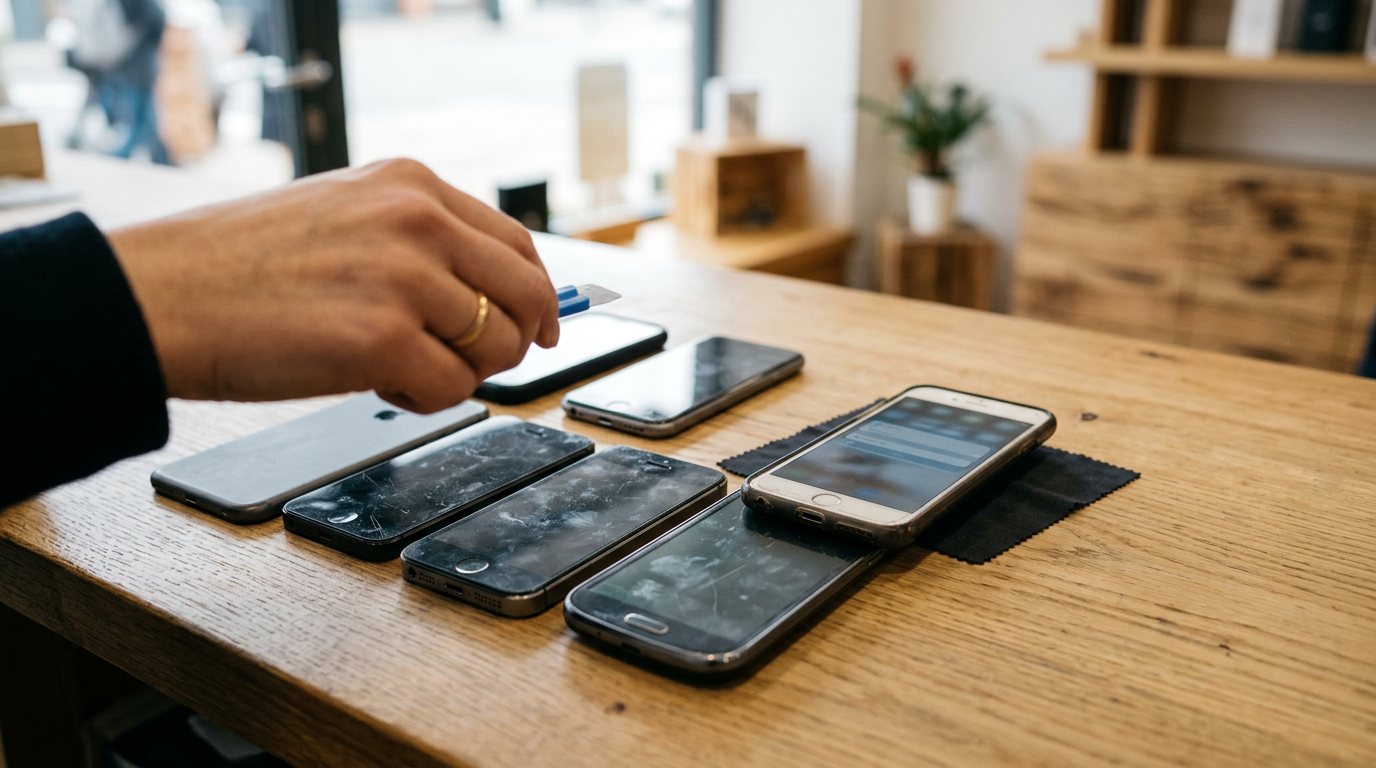
Most people with a drawer of old phones have a mixed bag: a couple of iPhones, an Android or two, maybe a tablet or an old smartwatch hiding underneath. Selling them together is easier than it sounds.
Get a quote for every device, not just the best one
It is tempting to bring only the newest-looking phone. Resist that. Older phones that seem worthless are sometimes worth more than expected, and the cost of asking is nothing. List them all, then decide based on the quotes.
Gather accessories and extras
Original chargers, cables, and boxes are nice to have, but they are not essential. Bring them if you have them. If a phone is missing a charger, say so, since that is a common situation with older devices.
Prep in batches
Do the account sign-outs for all of the phones in one sitting. Label each phone with a sticky note listing the model, storage, and any known faults. When you walk in, you will be able to move through the inspection quickly.
Mix in other gadgets
If the drawer also holds iPads, laptops, smartwatches, AirPods, or game consoles, bring those too. We buy a wide range of electronics in any condition, so one visit can clear out the whole pile. For phones specifically, our smartphone page covers both iPhone and Android.
Plan for ID
Every sale needs valid government photo ID, and the devices need to be yours to sell. If you are clearing out a relative's phones, make sure you have the right to sell them and that the accounts are removed.
Do buyback stores take old phones?
Yes, many do, but policies vary a lot. Some buyback shops only want recent models, some only buy working phones, and some mainly offer store credit. Big-box trade-in programs and carrier programs often focus on recent devices and may pay in credit or require a purchase. Those are legitimate options for people upgrading, but they are narrower than a dedicated buyback business.
At Sell Your Gadgets, we pay cash for used, new, and broken devices, including older phones, subject to inspection and a quote. The exceptions are devices that are iCloud or Activation locked, reported lost or stolen, or blacklisted. To see how a visit goes from start to finish, read how selling to us works, or use our store locator to find a walk-in location in New York, New Jersey, Florida, Texas, Maryland, Arizona, Georgia, or Virginia. No appointment is needed.
Recycling vs selling: which makes sense?
Recycling is better than a drawer or a trash can, but it is not the same thing as selling. Here is how they compare.
| Question | Selling to a buyback store | Recycling |
|---|---|---|
| Do you get paid? | Yes, if the device qualifies | Usually not |
| What happens to the phone? | Refurbished, repaired, or used for parts | Broken down for materials |
| Best for | Phones with any working or reusable parts | Truly obsolete, damaged, or locked devices |
| Effort | Quote, inspection, ID | Drop-off |
| Data handling | Free data wipe in store | Varies; wipe it yourself first |
A sensible approach is to get a quote first. If a phone has value, selling it keeps a usable device in circulation and puts cash in your pocket. If it is a locked device you cannot unlock, a corroded relic, or a device with a safety concern like a swollen battery, recycling through a certified e-waste program may be the right outcome. Whatever you choose, never throw lithium batteries into household trash.
What to do with old phones if you do not want to sell
Sometimes the best answer to "what to do with old phones" is not selling. If you would rather keep one, a few uses are actually practical:
- Backup phone: keep one charged and wiped in case your main phone breaks.
- Kid's first device: Wi-Fi only, with parental controls, for games, music, and video calls.
- Dedicated camera or baby monitor: an old phone with a decent camera does this well.
- Music player or car device: load it up and leave it in the car or dock.
- Smart-home remote: use it as a control panel for lights, speakers, or cameras.
The catch is that a phone with no security updates should not hold sensitive accounts or banking apps. If you are going to keep using it, treat it as a low-trust device. And remember that unused phones lose value over time and their batteries can degrade in a drawer, so if you are not going to use it, selling sooner usually beats selling later.
Far from a store? Sell your old phones by mail
If the nearest store is a long drive, you do not have to give up. Our mail-in option lets you sell without visiting a location. The general flow is simple: request a free quote, pack the devices securely, ship them in, and wait for inspection and payment. Details on packaging and timing are on the mail-in page.
A few tips for shipping old phones:
- Sign out of all accounts and turn off Find My or remove the Google account before you pack.
- Back up and, if you want, factory reset the phone.
- Wrap each phone separately and use a sturdy box with padding.
- Do not ship a phone with a visibly swollen battery without checking with us first.
- Take photos of each device and keep your tracking information.
Mail-in is also useful if you have a big batch to move and do not want to carry them around, or if you are clearing out an estate or an office stockpile.
The quick path from drawer to cash
- Lay out every phone and identify the model and storage size.
- Sign out of Apple ID or Google accounts and turn off Find My.
- Back up anything you want to keep.
- Request a free cash quote online, by text, or by walking in.
- Bring the devices and valid government photo ID to a store, or choose mail-in.
- Get a quick inspection and, for in-store sales, get paid on the spot.
Frequently asked questions
Is an old phone worth anything if it no longer gets software updates?
Often, yes. Lack of updates lowers the offer compared with a supported phone, but working hardware still has value for refurbishment, and broken hardware has value for parts. A free quote will tell you what your specific model is worth.
Can I sell an old iPhone that can't update to the latest iOS?
Yes. Being stuck on an older iOS version is normal for older models and does not prevent a sale. What does prevent a sale is Activation Lock, so sign out of iCloud and turn off Find My first.
Should I fix a cracked screen before selling?
Usually no. Repair costs are rarely recovered in the offer, and buyers can repair devices more cheaply than you can. Sell it as is and describe the damage honestly.
Will you buy a phone that won't turn on?
You can ask for a quote. Dead phones can still have usable parts, though the offer will be lower than for a working phone. We do not buy devices that are locked, reported lost or stolen, or blacklisted.
Do I need to wipe my phone before bringing it in?
It is a good habit to back up and sign out of your accounts, but we also provide a free data wipe in store. The account sign-out is the part you must do yourself so the phone is not locked.
Can I sell multiple old phones at the same time?
Yes. Bring them all, along with any other old electronics, and get a quote on each. Having them labeled and signed out speeds things up. Valid government photo ID is required.
What if I live far from a Sell Your Gadgets store?
Use the mail-in option. You get a quote, ship your devices, and they are inspected on arrival. The mail-in page explains how to pack and send them.
Ready to find out whether that drawer is worth emptying? Get your free quote online, by text, or just walk into a store near you, and we will tell you what your old phones are worth.
Hear from a real customer
A real customer on their experience. Working or broken, get a free quote and walk out with cash the same day.
Compare your options
See how selling to us stacks up against other ways to sell, side by side.