Sell Apple Watch Near Me in Tucson, AZ: Cash Same Day
By syedladen ·
If you want to sell an Apple Watch near you in Tucson, the fastest route is to get a free quote, bring the watch to a local buyback store, and get paid cash on the spot. Sell Your Gadgets Tucson on East Broadway buys Apple Watch, AirPods, Galaxy Watch and other smartwatches in any condition, with no appointment needed.
Wearables are easy to sell but easy to undersell too. The watch generation, case material, size, cellular capability, and battery health all move the offer, and so does whether the watch is still locked to your Apple ID. This guide explains each factor so you walk in prepared.
Where to sell an Apple Watch near you in Tucson
Sell Your Gadgets is a buyback store, which means we pay customers for devices and do not sell them. You can start with a free quote by online form or text, or just walk in. A quick in-person inspection follows, and if you accept the offer you are paid cash on the spot.
Our Tucson store is at 5604 E Broadway Blvd, Tucson, AZ 85711. Our transit and parking note points to the Broadway/Leonora area on the northwest side of that intersection. You can see the details on the Tucson store page. We are open Monday through Saturday, 10:00 AM to 7:00 PM, and closed Sunday.
What you need to bring
- The watch itself, ideally with its band.
- A valid government photo ID. This is required for every sale under standard secondhand-dealer rules.
- The charger, if you still have it. It is not always essential, but it helps us confirm the watch powers up and charges normally.
- Your phone, in case you still need to unpair the watch (more on that below).
We also do a free data wipe in store, so you are not left worrying about what remains on the device.
What drives Apple Watch value
Buyers price a used watch by comparing a handful of traits. We never publish set prices because the numbers shift with the market and with the exact unit in your hand. The free quote is where you get the real figure. Here is how each factor usually plays out.
| Factor | What matters | Effect on your offer |
|---|---|---|
| Series / generation | Newer models get current software support longer and stay in demand. | Newer generations hold value noticeably better than older ones. |
| Model line | Standard, SE, and Ultra are positioned differently. | Ultra and higher-tier models generally sit above the entry-level lines. |
| Case material | Aluminum, stainless steel, and titanium. | Steel and titanium cases typically carry a premium over aluminum of the same generation. |
| Size | Case sizes differ by model generation. | Usually a smaller factor than generation, but it can nudge the offer. |
| Cellular vs GPS | Cellular models include an eSIM radio. | Cellular versions often come in higher, as long as they are not carrier-locked to an unpaid plan. |
| Battery health | Shown in the Watch settings as a maximum capacity reading. | A healthy battery helps. A heavily degraded one lowers the offer. |
| Screen and case condition | Cracks, deep scratches, dents, and a lifted screen edge. | Cosmetic wear lowers the offer. Cracked glass lowers it more, but we still buy it. |
| Bands and accessories | Original bands and charger. | A small plus, not a deal-maker. |
Series and model line
The biggest driver is how new the watch is. A recent generation is still what most buyers want, and it will receive software updates for longer. Older watches still sell, but the offer falls off faster than it does for a recent model. If you are not sure which one you own, open the Watch app on your iPhone, go to General, then About. You can also flip the watch over and read the model details on the back.
Material and size
Materials matter more than people expect. Stainless steel and titanium watches are built to a higher standard and are priced that way when new, so they tend to hold value better than aluminum versions of the same year. Size is a smaller swing factor, and we judge it alongside condition.
Cellular and battery
A cellular watch can work without your phone nearby, so there is real demand for it. Before you sell, remove the cellular plan through your carrier so the watch is clean. For battery health, check the reading in Settings and note it. A watch that lasts a full day is far easier to resell than one that struggles by mid-afternoon.
Selling a Galaxy Watch and other smartwatches
We do not only buy Apple. If you want to sell a Galaxy Watch, Pixel Watch, or another Android-compatible smartwatch, we inspect those too. The same logic applies: newer generation, cleaner screen, and healthy battery all help. Our sell your smartwatch page gives a broader look at which wearables we take.
Galaxy Watch specifics
- Factory reset: Reset the watch from its settings menu, and then remove it from the Galaxy Wearable app on your phone.
- Samsung account: Sign out so the watch is no longer tied to your account.
- LTE vs Bluetooth: As with Apple, LTE-capable versions can be worth more, but only if the line is cancelled with your carrier.
- Rotating bezel or classic designs: If yours has a physical bezel, check that it still turns smoothly.
Fitness trackers and other wearables follow a similar rule of thumb. If it has a working screen, charges, and is reset, we can usually quote it. If it is broken, ask anyway, because we buy broken devices too.
Unpairing your watch and removing Activation Lock
This is the step that trips up more sellers than anything else. Apple Watch uses Activation Lock, which ties the watch to your Apple ID. If it is still locked when you bring it in, we cannot complete the purchase, and no one else could use the watch either. Doing it properly takes a few minutes.
How to unpair an Apple Watch
- Keep the watch and your iPhone close together.
- Open the Watch app on the iPhone and tap All Watches.
- Tap the info button next to the watch you are selling.
- Choose Unpair Apple Watch. For a cellular model, you will be asked whether to keep or remove your plan. If you are selling, remove it.
- Enter your Apple ID password when prompted. That step turns off Activation Lock.
Afterward, the watch is erased and returns to its setup screen. You can confirm the lock is gone by signing into your Apple ID account online and checking your device list. The watch should no longer appear there.
If you no longer have the iPhone
You can still erase the watch directly. On the watch, go to Settings, General, Reset, and choose Erase All Content and Settings. You will still need your Apple ID credentials to clear Activation Lock, which you can also do by removing the device from your Apple account online. If you forgot your Apple ID password, recover it first before you come in.
Why this protects you
A watch that is wiped and unlocked leaves nothing personal behind: no health data, messages, or payment cards. We also do a free data wipe in store as a backstop, but the Activation Lock step has to be yours because it is tied to your account.
Selling AirPods for cash: pairs, single buds, and cases
If you want to sell AirPods for cash, the condition of the set matters as much as the model. Our AirPods selling page covers models in more detail, but here is how the pieces break down.
Full pairs with the case
A complete set, meaning both earbuds plus the charging case, is the most valuable configuration by a clear margin. Everything works together, and it is the easiest kind to resell. If you still have the original box or cable, bring it, though it is not required.
Single buds and lone cases
Lost one? You can still sell what you have. A single AirPod, or a case by itself, has real value, since people look for replacements. Just expect the offer to be noticeably lower than for a complete set, because the buyer is getting a partial product. Match the model correctly: left and right buds from different generations do not pair properly with each other.
Hygiene and cleaning
Earwax and lint are the usual reasons an AirPod looks rough. Before you come in:
- Wipe the buds and case with a dry, soft, lint-free cloth.
- Use a dry, soft-bristled brush on the speaker mesh. Avoid liquids near the openings.
- Clean the charging contacts inside the case gently so the buds sit and charge properly.
A clean set inspects better. It also shows you looked after it. We were told by one reviewer that we were patient and transparent while examining their AirPods, and that is how we try to run every inspection: we explain what we see and why it affects the quote.
Reset before you sell
Remove the AirPods from your Apple ID through Find My, then reset them by holding the button on the back of the case until the light flashes. That clears the pairing and, for newer models, any Find My lock.
Prep checklist before you sell any wearable
- Back up first. Save your workout and health history to your phone or cloud account before unpairing.
- Remove payment cards. Take cards out of Apple Pay or Samsung Pay.
- Cancel cellular plans. Do this through your carrier before you bring the watch in.
- Sign out of accounts. Apple ID, Samsung, Google, and any fitness apps.
- Charge it. A charged watch lets us confirm the screen, sensors, and battery behavior right away.
- Gather the extras. Bands, charger, and box if you have them.
Selling a phone at the same time? Many customers do. Our iPhone selling page explains how to bundle it into the same visit.
Selling locally versus trade-in or online listings
You have a few honest options, and each suits a different person. Manufacturer and retailer trade-in programs, such as Apple's own, are convenient if you are buying a new device anyway, and they typically apply credit toward that purchase. Online marketplaces such as eBay can reach a wide audience, though you handle photos, listing, shipping, buyer questions, and the risk of disputes or returns.
A local buyback store sits in between. You skip the listing and shipping, get an answer the same day, and leave with cash rather than store credit. The trade-off is that a buyer needs room to resell, so a patient private sale to an individual can sometimes reach a higher figure. If convenience and speed matter more, local cash is usually the better fit. The simplest way to compare is to get a free quote and weigh it against whatever else you are considering. There is no cost and no obligation.
Coming from nearby: Tucson neighborhoods and towns we serve
People bring wearables in from all over the Tucson area. Here is how the trip looks from the neighborhoods we serve most.
Broadway/Northeast
If you live along the Broadway corridor or in the northeast side, you are already close. The store is on East Broadway Blvd, so you can often stop in on the way to errands. Bring your watch, your ID, and your unpaired device, and the visit is typically quick.
Dietz
Dietz residents are a short drive from our Broadway location. It is an easy lunch-break trip, especially since no appointment is needed. If you want to line up your quote first, text or fill out the online form and have it ready when you arrive.
Stella Vann
From Stella Vann, the store is a straightforward trip over to Broadway. Many people combine it with other errands in the area. Come with the watch charged and unpaired so the inspection goes smoothly.
Davis-Monthan
If you are in the Davis-Monthan area, including people who are moving or rotating out and want to clear out old gear, selling locally saves you from shipping anything. Remember that we need a valid government photo ID for every sale, so have it on hand. Our hours run Monday through Saturday, which leaves room to come by after your day ends.
Catalina Foothills
Coming down from the Foothills, it is a drive into central Tucson, but many people find it worth it for same-day cash. We also keep a dedicated page for selling electronics from Catalina Foothills. It is worth bringing several items at once, such as a watch, AirPods, and an old phone, so the trip pays off.
Casa De Carlos
From Casa De Carlos, plan a short drive to East Broadway. It helps to send your watch details ahead for a quote, so you know the store will take the model you have. Then bring it in, finish the inspection, and leave with cash.
How the in-store process works
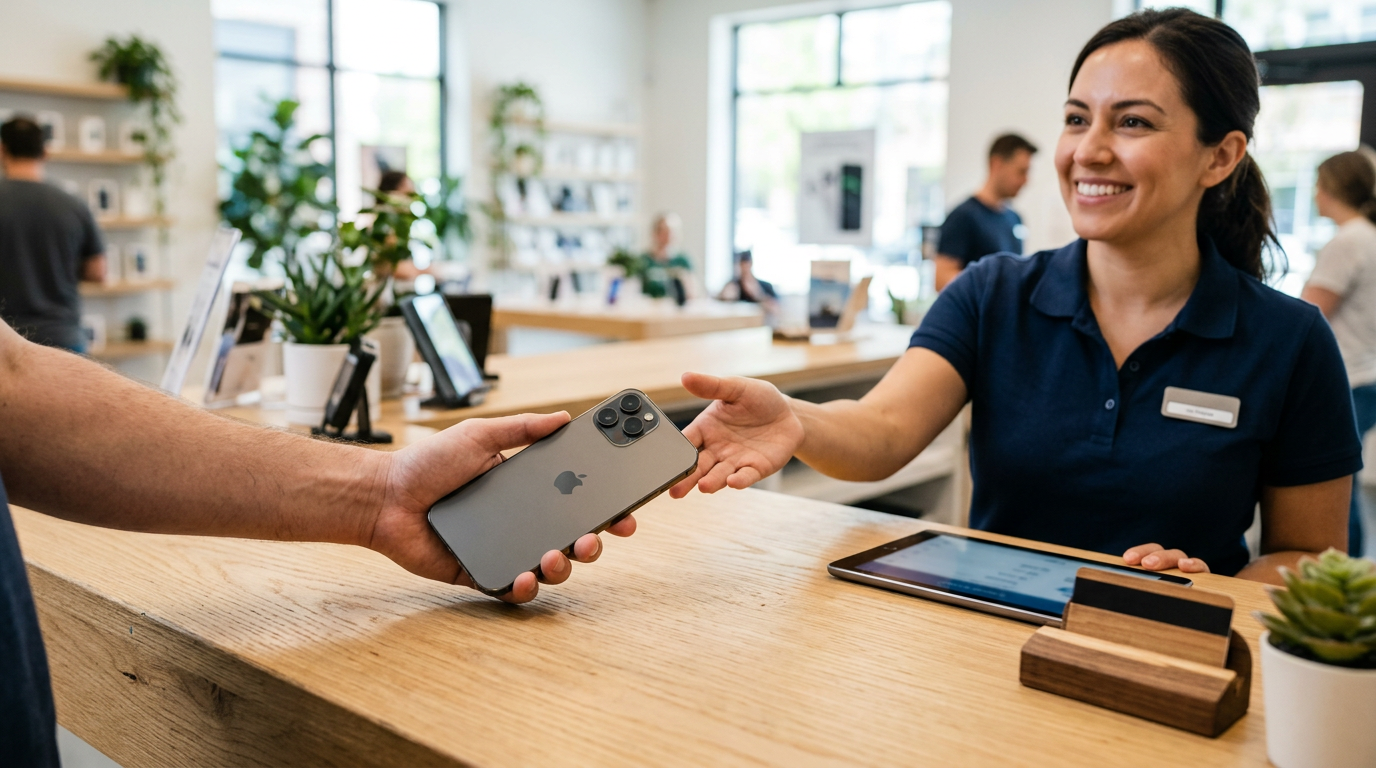
Once you are here, the process is simple. We look over the watch or earbuds, check screen and case condition, test the battery and functions, and confirm it is unlocked and reset. We explain the reasoning behind the offer so nothing is a mystery. If you agree, we pay you in cash right then.
Customers often mention how patient and clear our team is. That matters when you are handing over something personal like a watch. Our Google rating is 4.9 from 459 reviews, with people regularly mentioning friendly service and straightforward explanations. You can read more about the location on our Tucson store page.
Frequently asked questions
Can I sell an Apple Watch in Tucson if it has a cracked screen?
Yes. We buy new, used, and broken devices. A cracked screen lowers the offer compared with a clean watch, but it does not usually mean the watch has no value. The fastest way to know is a free quote with a photo or a walk-in inspection.
Do I need to unpair my Apple Watch before I come in?
Yes, it is best to. The watch must be removed from your Apple ID so Activation Lock is off. Unpairing from your iPhone does that automatically when you enter your Apple ID password. If you get stuck, bring your phone with you and we can point you in the right direction.
Can I sell one AirPod or just the case?
Yes. Single buds and standalone cases have value, though the offer is lower than for a complete pair with its case. Make sure you know which model you have, since the left and right pieces must match.
Do you buy Galaxy Watch and other non-Apple smartwatches?
Yes. We buy Galaxy Watch models and other smartwatches. Factory reset the watch and sign out of your Samsung or Google account first. See our smartwatch page for more.
How much will I get for my Apple Watch?
We do not publish prices, because the offer depends on the exact model, material, battery, and condition. A free quote gives you a real answer for your specific watch, and there is no obligation to accept it.
What ID do I need to sell a wearable?
A valid government-issued photo ID is required for every sale. This is a standard secondhand-dealer rule, and it applies no matter what you are selling.
Do I need an appointment?
No. You can walk in during store hours, or get your quote first online or by text to save time.
Ready to sell? Get your free quote or stop by Sell Your Gadgets Tucson at 5604 E Broadway Blvd, Tucson, AZ 85711. We are open Monday through Saturday, 10:00 AM to 7:00 PM, and closed Sunday. Call (520) 719-2888 with questions, or see the store page for details.
Hear from a real customer
Why they chose Sell Your Gadgets. Working or broken, get a free quote and walk out with cash the same day.
Compare your options
See how selling to us stacks up against other ways to sell, side by side.