Sell Business Laptops Near Me in Downtown Brooklyn, NY
By syedladen ·
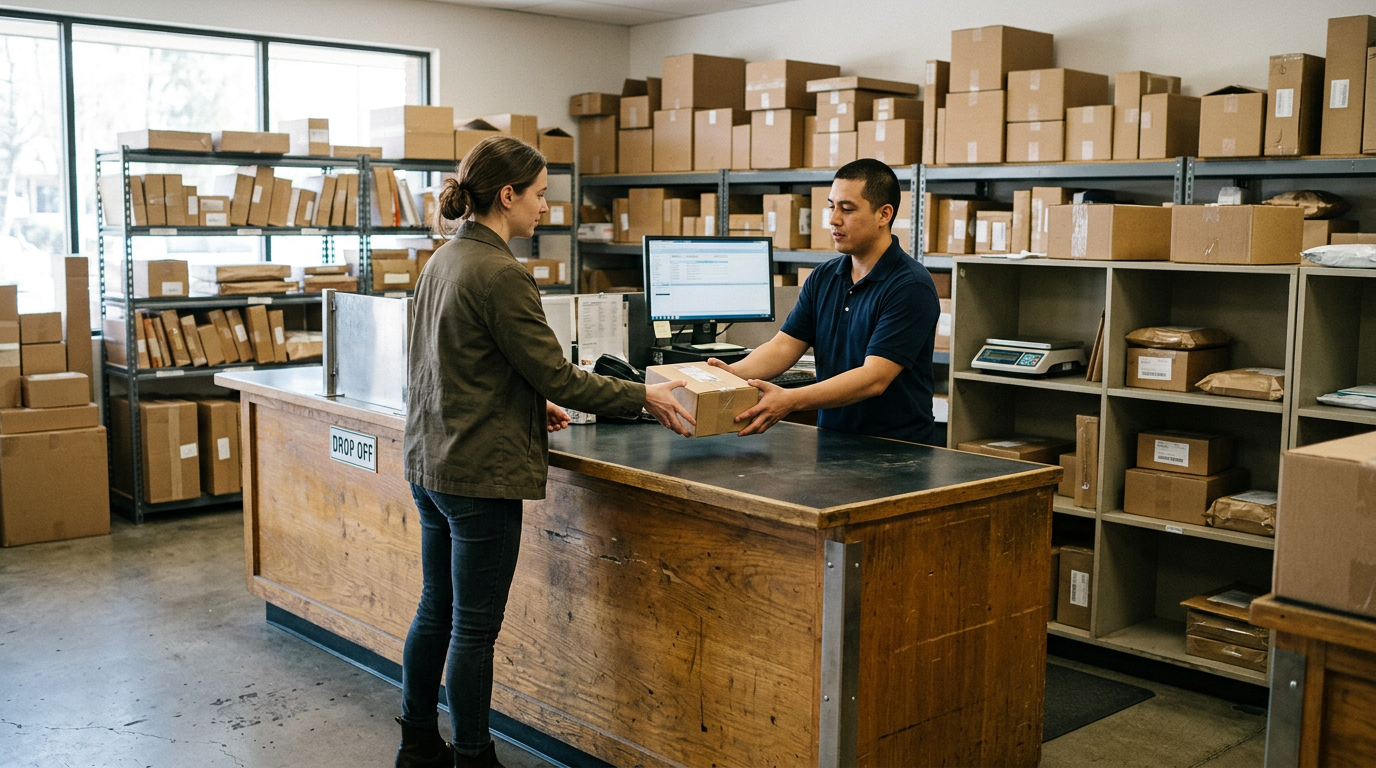
If you want to sell business laptops near you in Downtown Brooklyn, send us your device list for a free quote, release the devices from your management tools, and bring them to Sell Your Gadgets at 375 Dean St. We are a buyback store, so we pay cash for office computers, company phones, tablets and other IT equipment. Schools, offices and local businesses can clear out a whole closet of retired gear in one visit.
This guide walks through how a bulk sale works: the quote, the prep, the MDM and Autopilot release that trips up most business sellers, and the paperwork for data destruction. It is written the way an experienced buyer would explain it to a friend who has just been handed the job of clearing out the IT storage room.
What counts as a bulk sale, and what we buy
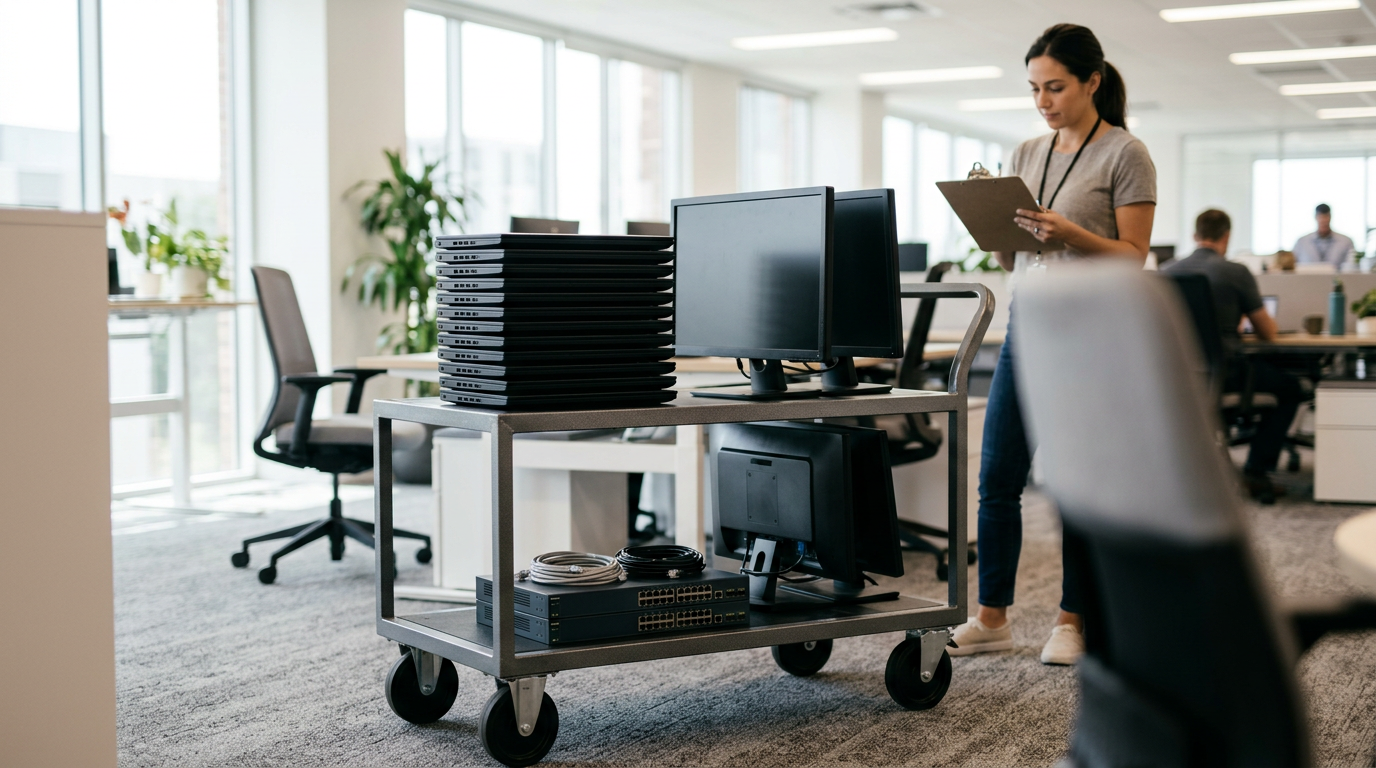
There is no magic number that turns a sale into a bulk sale. If you have more devices than one person would carry in a single bag, treat it as bulk and tell us up front. That could be ten laptops from a refresh cycle, a classroom set of tablets, or a drawer of old company phones from a team that has moved to newer models.
As a bulk electronics buyer, we work with the categories businesses actually retire:
- MacBooks and Windows laptops, including business-class models
- Desktops, gaming PCs and monitors that used to sit on office desks
- iPhones and Android phones such as Samsung Galaxy and Google Pixel
- iPads and Android tablets, including classroom and field-service units
- Apple Watch and other smartwatches
- Cameras, lenses, drones and VR headsets from marketing or media teams
- AirPods and headphones, game consoles, and power tools from facilities or maintenance
We buy new, used and broken devices. A cracked screen or a dead battery does not automatically mean a device is worthless. It just changes the quote. We never publish prices, because condition, model, storage and release status all change the number, so the only honest answer comes from a real quote.
How the bulk quote process works
The process is simple, and the most useful thing you can do is give us information before you show up.
- Build a list. Model, year or generation if you know it, storage or RAM, condition, and whether it has a charger. A spreadsheet export from your asset system works well.
- Request a free quote. Use the free cash quote form, text us, or walk in. For larger lots, read the bulk device sales page and send the list ahead of time.
- Get the quote in relative terms of condition. We tell you which items are strong, which are marginal, and which are better handled another way.
- Bring the devices in. No appointment is needed, but for a large lot a quick heads-up helps us give your batch proper attention.
- Inspection and payment. We inspect the devices, confirm they match the list, and pay cash on the spot. Valid government photo ID is required for every sale, which is the standard secondhand-dealer rule.
If a large payout is involved, ask before you visit how payment will be handled so there are no surprises at the counter. A short call to (718) 500-3450 settles that.
Prepare your inventory so the quote holds up
The gap between a quote and the final number usually comes from surprises at inspection. A little prep prevents almost all of them.
| What to check | Why it matters | What to do |
|---|---|---|
| Model and configuration | Storage, memory and processor generation change the value a lot | List them per device, or export from your asset tool |
| Physical condition | Cracks, dents and swollen batteries affect the quote | Note each flaw honestly; we will see it anyway |
| Management status | Locked devices cannot be resold as normal | Release from MDM, Apple Business Manager or Autopilot first |
| Activation and account locks | Find My, Google account locks and firmware passwords block reuse | Sign out and remove them before drop-off |
| Chargers and accessories | Original accessories help a device sell through | Bring them if you still have them |
| Sensitive data | Company data must not leave with the device | Wipe or have us wipe it, and record that you did |
Sort the pile into three groups: working and clean, working but worn, and broken. A quick sort saves time at the counter and makes the quote easier to compare against the final result.
MDM, Apple Business Manager and Autopilot release
This is the step that matters most for a business seller. A device still tied to your organization is a problem for any buyer, and if it reaches a stranger still enrolled in your tenant, it becomes a liability for you. Release first, then bring it in.
Apple devices: Apple Business Manager and MDM
For iPhones, iPads and Macs bought through your organization, remove each device from your MDM server, then release it from Apple Business Manager or Apple School Manager so it no longer auto-enrolls on the next setup. Turn off Find My and Activation Lock using the signed-in Apple Account, or use your MDM to clear the Activation Lock bypass where it is supported. If the device is supervised, an erase from your MDM or a factory reset comes after the release, not before.
Windows laptops: Autopilot and Intune
For Windows business laptops, delete the device from Windows Autopilot so the hardware hash is no longer registered to your tenant. Then retire or delete it from Intune or your endpoint manager, and remove it from Entra ID or your directory. If you skip the Autopilot step, the laptop can try to rejoin your organization the next time someone sets it up.
Android phones and Chromebooks
For Android Enterprise or Samsung Knox devices, unenroll them from your management console and remove any work profile. Sign out of Google accounts so factory reset protection does not lock the device. For Chromebooks, deprovision the device in your admin console.
Firmware and BIOS passwords
Do not forget firmware-level locks. A BIOS or UEFI password on a corporate laptop is easy to overlook, and it can make a good machine nearly unusable for the next owner. Clear it before you bring the device in.
If you are not sure a device is fully released, bring it anyway and tell us. We would rather catch it at the counter than have you find out later. For laptops in particular, our sell your laptop page lists what to do before you come in.
Data destruction and documentation
Businesses, schools and offices carry obligations that individual sellers do not. Student records, client files, saved passwords and email caches can all sit on a retired machine, so you need to be able to show what you did about it.
We offer a free data wipe in store, and you are welcome to watch it happen. For a fuller picture of what we do and what you can request, see our certified data destruction page. Here is how to handle the paper trail yourself:
- Keep a device list with serial numbers. This is the backbone of any disposal record.
- Record the date, the location and who handed the devices over.
- Note the method. Factory reset, full wipe, or physical destruction for drives that should never be reused.
- Ask for the documentation you need before you drop off. If your policy, insurer or school district requires a specific format, tell us when you request the quote so we can confirm what we can provide.
- Remove drives you cannot risk. If a machine held especially sensitive data, pulling the drive and destroying it yourself is a reasonable choice, and we can still quote the rest of the machine.
Do your own pass too. Signing out of accounts, removing saved Wi-Fi profiles and unenrolling from management are your responsibility even when we wipe the storage afterward.
Selling office computers and company phones: practical notes
Office computers
When you sell office computers, laptops usually attract the most interest because they travel well and are easy to reset. Desktops and all-in-ones can still be worth selling, and monitors often sell alongside them. If the lot is mixed, we quote by device so you can see which ones carry the most weight.
Company phones
When you sell company phones, carrier status and account locks matter. Make sure each phone is off any business plan balance or financing agreement you control, removed from MDM, and signed out of every account. Phones that hold value better tend to be recent models in clean condition, but a free quote is the only way to know where your batch sits.
Schools and nonprofits
For schools, check your district or board rules on disposing of assets before you sell. Some require a written approval or a certain method of disposal. Having that settled before you request a quote means the sale itself is quick.
How a local buyer compares with the other options
There is more than one sensible route for retired IT equipment, and the right one depends on the size of the lot and how much paperwork you need.
- Manufacturer trade-in programs can be convenient if you are buying new devices from the same brand, but they generally cover that brand only and follow their own terms.
- Marketplace listings can sometimes bring a higher price for a single item, but every device means messages, meetups and returns. That does not scale to a whole office.
- Large IT asset disposition companies are built for big enterprise volumes and formal compliance programs. If you are retiring thousands of devices under a strict contract, that may be the right fit.
- A local buyback store fits the middle: a handful to a few dozen devices, a quote before you commit, inspection in person, and payment without waiting on shipping or a long process.
We do not claim to be the answer for every lot. If your batch needs something different, we will tell you. Customers describe the store as honest and quick, and our Google rating is 4.9 from 403 reviews. One reviewer noted that the buyer gave full attention even while other customers came in behind them, which matters when you are bringing in a large batch.
Visiting the Downtown Brooklyn store
You will find us at Sell Your Gadgets Downtown Brooklyn, 375 Dean St, Downtown Brooklyn, NY 11217. The closest reference point for transit is Dean St and 4 Av, and nearby spots include North Pacific Playground, Sixteen Sycamores Playground and the Brooklyn 99 Building. If you are carrying a lot of devices, plan your drop-off with parking and loading in mind, and consider bringing a second person.
| Day | Hours |
|---|---|
| Monday | 12:00 PM – 7:00 PM |
| Tuesday to Friday | 10:00 AM – 7:00 PM |
| Saturday | 12:00 PM – 5:00 PM |
| Sunday | Closed |
Weekday mornings and early afternoons tend to be easier for larger lots. Bring valid government photo ID, your device list, and any chargers you still have. If you sell from several boroughs, our New York locations page shows where else we operate.
Selling from nearby neighborhoods
Manhattan
Offices in Manhattan often retire equipment on a refresh schedule, and Downtown Brooklyn is a short trip across the East River by subway or car. Send the list first, then bring the devices in a single trip rather than making several. Weekday afternoons work well after the office day wraps up.
Williamsburg
Studios, startups and creative shops in Williamsburg tend to have laptops, cameras, monitors and phones all in the same closet. Bring the whole mix and we will quote each category separately. It is a straightforward ride into Downtown Brooklyn from north Brooklyn.
Bushwick
Bushwick has small businesses, workshops and warehouses that accumulate older computers and tools. Power tools are on our buy list too, so facilities and maintenance gear can go in the same visit as the office equipment.
Stuyvesant Heights
Schools, community organizations and small offices around Stuyvesant Heights often hold tablets, laptops and donated hardware that has outlived its use. Confirm any approval rules your organization has, release the devices, and bring them along with your list.
Crown Heights
Crown Heights is close enough that many local businesses can drop off on a lunch break. If you only have a few devices, walk in without an appointment. For a bigger batch, text or submit the list first so we can prepare a quote.
Flatbush
Flatbush Avenue leads toward Downtown Brooklyn, which makes the trip simple for shops, clinics and offices in Flatbush. Bring the devices with their chargers and your ID, and plan for a little extra time if the lot includes a mix of phones and laptops.
Frequently asked questions
Can I sell business laptops without an appointment?
Yes. No appointment is needed, and you can walk in during store hours. For a large lot, send a list or request a free quote beforehand so the inspection goes faster.
Do I need to remove MDM before selling?
Yes, and do it before you bring the devices. Release Apple devices from Apple Business Manager and MDM, delete Windows laptops from Autopilot and Intune, and unenroll Android devices. Managed devices can be locked, which changes what we can offer.
Will you wipe the data for me?
We provide a free data wipe in store. You should still sign out of accounts and unenroll from management yourself. See the data destruction page for more detail on documentation.
Do you buy broken or old office computers?
Yes. We buy new, used and broken devices. Condition affects the quote, so list any cracks, dead batteries or power problems and ask for a free quote.
What do I need to bring to sell a batch?
Bring valid government photo ID, the devices, a list with serial numbers if you have one, and chargers. ID is required for every sale.
How do I find out what my equipment is worth?
We do not post prices, because every device is different. The quickest route is the online form, a text, or walking in. Details for larger lots are on the bulk device sales page.
Is it worth selling equipment that is several years old?
Often, yes, especially for laptops and phones that still power on and are clean. Older or heavily worn devices are quoted noticeably lower, but they are still worth checking before you pay to recycle them.
Ready to clear out the IT closet? Get a free quote or come to Sell Your Gadgets Downtown Brooklyn at 375 Dean St, Downtown Brooklyn, NY 11217. We are open Monday 12 PM to 7 PM, Tuesday to Friday 10 AM to 7 PM, and Saturday 12 PM to 5 PM, closed Sunday. Call (718) 500-3450 with questions about your lot.
Hear from a real customer
Why they chose Sell Your Gadgets. Working or broken, get a free quote and walk out with cash the same day.
Compare your options
See how selling to us stacks up against other ways to sell, side by side.