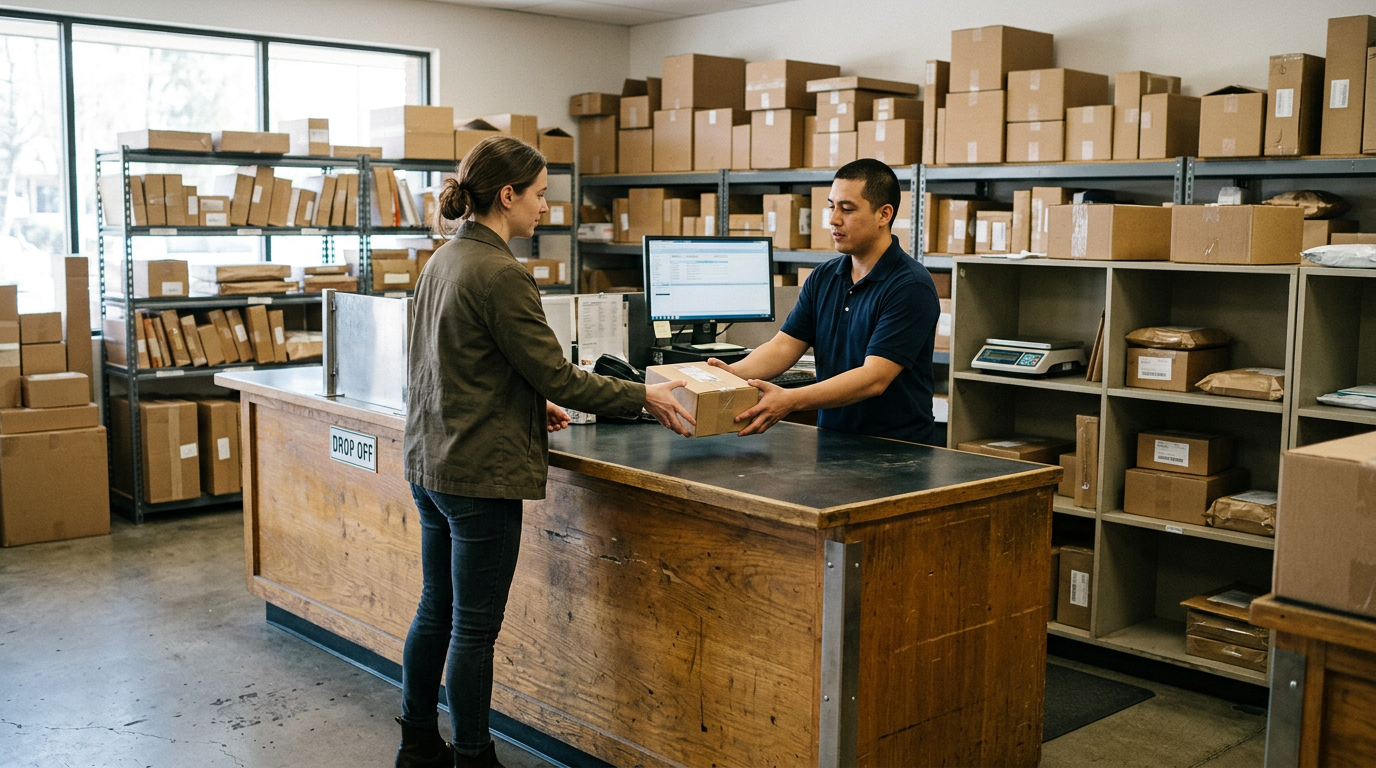
Sell Business Laptops Near Me in Glen Burnie, MD – Bulk Buyer
By syedladen ·

If you want to sell business laptops near you in Glen Burnie, MD, Sell Your Gadgets buys them, along with office computers, company phones, tablets, and other IT equipment, for cash. Start with a free quote, send us a simple list of what you have, and we'll tell you how to bring it in and what to prepare first.
We are a buyback store, not a reseller, so we only care about one thing: a fair, clear offer on the equipment you are retiring. Here is how a bulk sale works for local businesses, schools, and offices, including the parts that trip people up, like MDM locks, Apple Business Manager, Windows Autopilot, and data wipe paperwork.
Who sells to us in bulk
Most bulk sellers are not large enterprises. They are the people who finish a refresh cycle and find a closet or cart of hardware that still has value:
- Small and mid-size businesses replacing a batch of employee laptops
- Schools and after-school programs retiring tablets, Chromebooks, and teacher laptops
- Offices closing down, consolidating, or moving to a different platform
- Contractors and field teams upgrading company phones
- Nonprofits and churches clearing out donated or aging equipment
- IT managers and MSPs handling decommissioned gear for clients
If you searched for a bulk electronics buyer and found mostly national mail-in services or recyclers, a local walk-in buyer is a different option. You can see a person, hand over the devices, and leave with the matter settled, without boxing and shipping pallets.
What business equipment we buy
Our store buys new, used, and broken devices. For business and institutional lots, the common categories are:
- Laptops: MacBooks and Windows business laptops. Our sell your laptop page covers how laptop quotes work.
- Company phones: iPhones and Android phones, including Samsung Galaxy and Google Pixel.
- Tablets: iPads and Android tablets, often from school or field deployments.
- Wearables: Apple Watch and other smartwatches.
- Displays and workstations: Gaming PCs and monitors, and higher-end desktops when they fit what we buy.
- Extras: Cameras, lenses, drones, VR headsets, and headphones such as AirPods.
If you want to sell office computers like towers, all-in-ones, or monitors, include them on your list and tell us the make, model, and condition. Not every piece of older hardware will carry value. The quote is how you find out before you haul anything.
The bulk quote process, step by step
Our bulk device sales page gives the overview. Here is the practical version:
- Build a quick inventory. A spreadsheet is ideal, but a text message with a list works too. For each device, note make, model, approximate year or generation, storage size for phones and tablets, and condition (working, cracked, won't power on).
- Request your free quote. Use the free quote form, text us, or walk in. You do not need an appointment.
- Flag anything managed. Tell us which devices are still enrolled in MDM, tied to Apple Business Manager, or registered in Autopilot (more on this below).
- Bring the lot in for inspection. We check each device against your list. Condition at inspection is what finalizes the offer.
- Review the offer and get paid. If the offer works for you, you are paid cash. For larger lots we'll explain timing and payment details when we quote, so there are no surprises at the counter.
For a handful of laptops, inspection is fast. For a very large lot, testing takes longer, and one reviewer noted how carefully a big stack of items was sorted and tested. Giving us a heads-up before you come lets us plan the time.
MDM, Apple Business Manager, and Autopilot: release before you sell
This is the number one reason business sales stall. A device that is still locked to your organization can be worthless to any buyer, because the next person cannot set it up. Do these steps before you bring equipment in.
Apple devices: MDM and Apple Business Manager
- Remove from MDM. Unenroll the device in your management console (Jamf, Intune, Kandji, Mosyle, or whatever you use) so it stops receiving profiles and restrictions.
- Release from Apple Business Manager. If devices were purchased through your organization, they may be assigned to it in ABM or Apple School Manager. Release them from your organization so they won't re-enroll into your MDM when someone sets them up.
- Turn off Activation Lock and Find My. Devices tied to a managed or personal Apple ID cannot be reset cleanly until this is off. For company Macs and iPads, your MDM may be able to clear Activation Lock if it was managed.
- Check firmware and account locks. Sign out of iCloud and confirm no recovery or firmware password remains.
Windows devices: Autopilot and BIOS
- Deregister from Windows Autopilot. If hardware hashes were uploaded to your tenant, remove the devices so the next owner isn't pulled into your organization's setup flow.
- Remove from Entra ID / Intune. Delete the device records so they aren't left as orphaned, managed objects.
- Clear BIOS or UEFI passwords. A locked BIOS can make a good laptop unusable for resale.
- Suspend or remove disk encryption. Have BitLocker keys accounted for if a device needs to be reset.
Android and other company phones
- Remove from Android Enterprise, Samsung Knox, or your MDM.
- Sign out of Google accounts so Factory Reset Protection doesn't lock the phone.
- Remove SIM and eSIM profiles, and cancel carrier-side locks or financing flags on the account where you can.
Not sure whether a device is still locked? Tell us when you request the quote. We'd rather sort it out beforehand than have you carry a hundred devices back to the office.
| Device type | Release before selling | Common blocker |
|---|---|---|
| MacBook / iMac | MDM unenroll, ABM release, Find My off | Activation Lock, firmware password |
| iPhone / iPad | MDM unenroll, ABM release, sign out of Apple ID | Activation Lock, supervised-mode leftovers |
| Windows laptop | Autopilot deregister, Intune/Entra delete | BIOS password, BitLocker recovery |
| Android phone / tablet | MDM or Knox removal, Google account sign-out | Factory Reset Protection |
| Smartwatch | Unpair from phone, disable lock | Activation Lock on Apple Watch |
Data destruction and documentation
Offices and schools have good reasons to care about what happens to data. Old laptops hold employee files, student records, saved passwords, and client information. We offer a free data wipe in store on the devices we buy, and our data destruction page explains how that works.
Here is how to handle the documentation side sensibly:
- Keep your own asset list. Record serial numbers or asset tags for every device you hand over. This is the backbone of any audit trail.
- Wipe first if policy requires it. If your compliance rules say devices must be wiped before leaving your control, do that in-house and keep your own log. Then we can do a second wipe as a safeguard.
- Ask about paperwork up front. If your insurer, board, district, or auditor wants written confirmation that data was destroyed, tell us when you request the quote so we can explain what we can provide. Do not assume a specific certificate format.
- Remove what you can. For equipment that has failed and cannot be wiped, flag it. Broken devices are still something we buy, and we can talk through the best way to handle storage that won't boot.
A wipe is not the same as a compliance program. If you work with regulated data such as health or financial records, follow your own policy first and treat our wipe as the final step.
What affects your bulk quote
We never publish prices, because the offer depends on the exact devices. These are the factors that move a quote, in relative terms:
- Age and generation. Newer models hold value better than older ones, and the gap widens quickly for phones and thin laptops.
- Brand and model line. Apple devices generally hold value better than many comparable business laptops, and premium lines tend to hold better than entry-level ones. See our pages for MacBook Air and iPhone for examples of what we look at.
- Condition. Clean screens, working batteries, and intact ports help. Cracks and dents lower an offer noticeably, but broken devices are still worth asking about.
- Locks. A device that is MDM-locked or Activation Locked is worth far less until it is released.
- Completeness. Original chargers and boxes can help a little; missing parts can hurt.
- Uniformity. A clean, labeled batch of identical models is easier to quote than a mixed pile.
The fastest way to see where your lot falls is a free quote.
How we compare with other ways to dispose of IT equipment
There are several legitimate routes, and the best one depends on your situation.
- Manufacturer or carrier trade-in programs: Convenient if you're buying new from the same vendor, but typically limited to their own products and credit-based.
- IT asset disposition (ITAD) firms: Often the right fit for very large volumes and formal compliance programs, usually with pickup, scheduling, and contracts.
- Recyclers: Useful for equipment with no resale value, though you generally are not paid for working devices.
- Online marketplaces: Can reach retail buyers, but you handle listings, shipping, and buyer disputes on every unit.
- A local buyback store: You bring devices in, get one inspection and one offer, and leave with cash, with no listings to manage. It suits small and medium lots best.
Sell Your Gadgets holds a 4.9 Google rating across 1,479 reviews, and customers repeatedly mention fair assessments, patient staff, and a smooth process when selling laptops, cameras, and consoles.
Coming from nearby towns
Our store is at Sell Your Gadgets Glen Burnie on Ritchie Hwy, with transit and parking noted around MD 648 and MD 3 NB. The parks nearby, including Sawmill Creek Park, North Glen Park, Pleasantville Park, and Friendship Park, can help you orient yourself. Here's how each nearby community tends to reach us.
Baltimore
Baltimore businesses and offices often come down through the Beltway and south Anne Arundel corridors to avoid in-city hassles with loading and parking. If you're clearing out an office in the city, a single trip with a labeled box or two is usually all it takes.
Riviera Beach
Riviera Beach is a short drive away, which works well for small businesses and marine or trade shops replacing a few laptops and phones. Bring what you have and we'll go through it with you at the counter. See our Riviera Beach page or start with a quote.
Pasadena
Pasadena offices, schools, and contractors can reach us without heading far up the corridor. It's a practical stop for a company phone upgrade or a refresh of a small office's computers. Our Pasadena page has local details.
Severna Park
Severna Park professional offices and schools often have tidy, well-kept equipment that has aged out of support. Head down Ritchie Highway with your list and devices. See our Severna Park page for more.
Severn
Severn is an easy trip for businesses near the Arundel Mills side of the county, and for people working at or near the BWI area. If you've got a mixed box of laptops, tablets, and phones, bring it in together. Details are on our Severn page.
Linthicum Heights
Linthicum Heights sits close to BWI and the I-695 corridor, so it's a natural fit for offices and IT teams that work around there. Plan the stop on your way through and bring your asset list. Our Linthicum Heights page covers the area.
Preparing for drop-off
- Charge what you can and bring chargers if you have them.
- Group devices by type: laptops, phones, tablets, and other gear.
- Print or bring your inventory list so we can match serial numbers to it.
- Bring a valid government photo ID. It is required for every sale under standard secondhand-dealer rules.
- If you are selling for a company or school, let us know in advance who will be handling the sale so we can confirm what else is needed.
No appointment is needed, but for large lots a short message ahead of time helps us give your devices proper attention.
Frequently asked questions
Can I sell a large batch of business laptops at once?
Yes. Send a list through the quote form or text, then bring the devices in for inspection. Larger lots take longer to test, so a heads-up helps.
Do I have to wipe the devices first?
Not necessarily. We do a free data wipe in store. If your policy requires a wipe before devices leave your hands, do that yourself and keep your own record.
What if my laptops are still enrolled in MDM or Autopilot?
Release them first. MDM-locked or Autopilot-registered devices are hard to resell and will draw a noticeably lower offer until they're cleared. Tell us if you are unsure, and we'll point you in the right direction.
Do you buy broken or outdated office computers?
We buy new, used, and broken devices. Older or damaged equipment may be worth much less, but ask for a quote before assuming it's scrap.
Can you pick up equipment from my office?
Our process is walk-in: you bring the devices to the store for inspection and get paid on the spot. Ask us if you have a large or unusual situation.
Do you sell refurbished devices to businesses?
No. We are a buyback store. We pay for devices and do not sell them here.
How do I know what my equipment is worth?
We do not publish prices, because condition and model change everything. Request a free quote and you'll get a real number for your specific lot.
Ready to clear out your old gear? Send your list through our free quote form, or visit Sell Your Gadgets Glen Burnie at 7400 Ritchie Hwy Ste D, Glen Burnie, MD 21061. We're open Monday through Saturday, 10:00 AM to 7:00 PM, and closed Sunday. Call (443) 440-6070 with questions.
Hear from a real customer
Why they chose Sell Your Gadgets. Working or broken, get a free quote and walk out with cash the same day.
Compare your options
See how selling to us stacks up against other ways to sell, side by side.