Sell Business Laptops Near Me in Irvington, NJ: Bulk Guide
By syedladen ·
If you want to sell business laptops near Irvington, NJ, Sell Your Gadgets on Springfield Ave buys them for cash, in single units or whole batches, and starts with a free quote. Bring a device list, have the machines released from your management systems, and we inspect, wipe, and pay on the spot once we agree on the offer.
Who sells to us and what we take
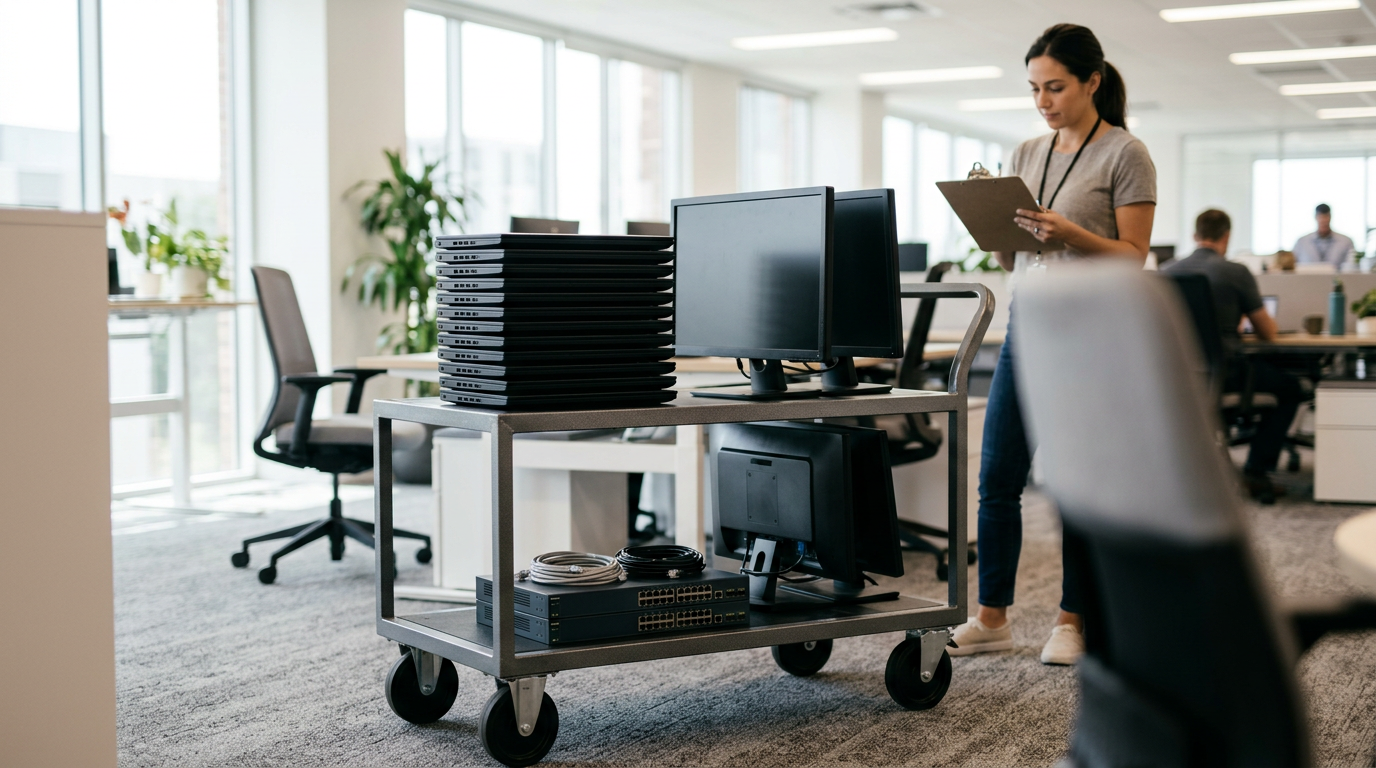
Most of our business sellers are not big enterprises. They are local shops replacing a few registers and laptops, schools retiring a cart of devices, and offices refreshing a floor of workstations. We are a buyback store, so we pay you. We do not sell devices, and we do not publish prices, because what a lot is worth depends on the exact models and their condition.
For organizations, the usual categories are:
- Business laptops: MacBooks, Windows laptops, and ultrabooks, including units with cosmetic wear.
- Office computers: desktops, all-in-ones, gaming or workstation PCs, and monitors.
- Company phones: iPhones and Android phones such as Samsung Galaxy and Google Pixel.
- Tablets and wearables: iPads, Android tablets, Apple Watch, and other smartwatches.
- Extras: headphones, cameras, drones, VR headsets, and even power tools from a facilities or trades department.
We buy new, used, and broken equipment. A cracked screen or a dead battery lowers an offer, but it does not automatically make a device worthless, so list everything, including the problem units.
How the bulk quote process works
A bulk sale is the same as a single-device sale, with more planning up front. Here is the sequence we recommend:
- Build a simple list. A spreadsheet with make, model, storage or RAM, approximate age, and condition notes is plenty. Serial numbers help but are not needed for the first quote.
- Send it in. Use the free quote form, text us, or walk in. Our bulk device sales page explains what to include for larger lots.
- Get a written-down offer range from a person. We review the list and tell you how we see the lot. Final numbers are confirmed at inspection, because condition is what moves a quote.
- Prepare the devices. This means releasing management locks and removing company accounts (covered below).
- Bring them in. No appointment is needed, though for a large lot a quick heads-up lets us set time aside so you are not standing around.
- Inspection, wipe, and payment. We check each device, wipe it in store at no charge, and pay cash once you accept.
If your list is mixed, say so. A pile of newer MacBooks and recent iPhones is a very different conversation from a closet of older desktops, and we would rather price each group honestly than average them.
What to prepare before you come in
Most delays with business sales come from locks and missing accessories, not from the quote. This table shows what to check for each device type.
| Device type | Release or remove before sale | Helpful to bring |
|---|---|---|
| Company iPhones and iPads | Remove from MDM, release from Apple Business Manager, sign out of Apple Account, turn off Find My | Original box or charger if you have them |
| MacBooks and iMacs | Remove from MDM and Apple Business Manager, sign out of Apple Account, turn off Find My, clear any firmware password | Charger and any admin credentials |
| Windows laptops and desktops | Remove from Intune or other MDM, deregister from Autopilot, clear BIOS or UEFI passwords, disable BitLocker recovery dependencies | Power adapters, docking stations |
| Android phones and tablets | Remove from MDM or Android Enterprise, sign out of Google accounts, remove factory reset protection | Charger, SIM tray if applicable |
| Monitors and peripherals | Nothing to release, just unplug and gather cables | Stands, power cables, video cables |
MDM, Apple Business Manager, and Autopilot release
This is the step that decides whether a business device is sellable at its full potential or stuck with a much lower offer. A managed device can look fine on the outside and still be tied to your organization. Buyers cannot use a machine that keeps phoning home to someone else's management server.
Apple devices
iPhones, iPads, and Macs bought through a business program are often assigned to your organization in Apple Business Manager. That assignment can force a device to re-enroll in your MDM after a reset. Before selling, have your IT admin release the device from Apple Business Manager, remove it from the MDM, and then sign out of any Apple Account and turn off Find My. If any of these steps is skipped, activation can be blocked, and we may not be able to buy the device or may offer noticeably less.
Windows devices with Autopilot
Windows laptops registered with Autopilot will try to rejoin your tenant when they are reset. Your admin should deregister the hardware hash from Autopilot, remove the device record from Intune or your management tool, and clear any BIOS or UEFI passwords. Also note any BitLocker or disk encryption so the drive can be wiped cleanly.
Android fleets
Phones enrolled through Android Enterprise or a similar system may keep management profiles or factory reset protection. Remove them from the console first, then sign out of the Google accounts on the device.
If you are not sure whether a batch is fully released, tell us when you request the quote. We can tell you what to test on one or two units before you move the whole lot.
Data destruction and documentation
Business devices hold customer records, payroll files, saved passwords, and email. You are responsible for that data until it is gone, so handle it in layers rather than relying on a single step.
- Your own wipe first. If your policy requires it, run your standard sanitization before the devices leave your building.
- Our in-store wipe. We wipe devices for free during the sale, so nothing readable is left behind.
- Documentation. If you need a record for compliance, insurance, or an internal audit, tell us before you come in. Our data destruction page explains what we offer, and you should confirm the exact paperwork for your lot when you request your quote.
A practical tip: keep a simple log on your side with the date, the number of devices, and their serial numbers. Pair it with whatever documentation we provide, and you have a clean chain of custody. For drives that have failed or hold especially sensitive information, ask us before the sale what options make sense.
What affects the offer on a business lot
We will not quote numbers in an article, and anyone who does for a mixed lot is guessing. What we can tell you is how the variables generally behave:
- Model and generation. Newer premium devices hold value much better than older ones. Recent MacBooks and iPhones stay in demand, while aging entry-level PCs are noticeably lower.
- Specs. More storage and memory usually help.
- Condition. Screens, batteries, dents, and keyboard wear matter, and so does whether it powers on.
- Locks. Unreleased MDM, Apple Business Manager, or Autopilot enrollment can drop a device from a normal offer to a problem unit.
- Accessories. Chargers and docks help, but they matter less than condition.
- Quantity of the same model. Uniform batches are easier to process than a random mix.
If you have many MacBooks, it is worth looking at how we handle the individual models, such as general electronics sales in Irvington, but the quickest answer will always come from a free quote on your actual list.
Selling locally versus other routes
Businesses generally have a few options, and each suits different situations. Here is a fair look:
Manufacturer trade-in programs
These are convenient if you are buying new hardware from the same brand, and the payout often comes as credit. They can be a good fit for simple refreshes, but they typically focus on recent models and may decline damaged or older items.
IT asset disposition (ITAD) companies
Large ITAD vendors are built for big enterprise volumes, with pickup logistics and formal reporting. They make sense at a very large scale. For a small batch, a local buyer can be quicker and more direct.
Online marketplaces
You can sometimes earn more selling items individually, but you take on listing time, buyer questions, shipping, returns, and scams. For a pile of 30 laptops that adds up to a lot of hours.
A local buyback store
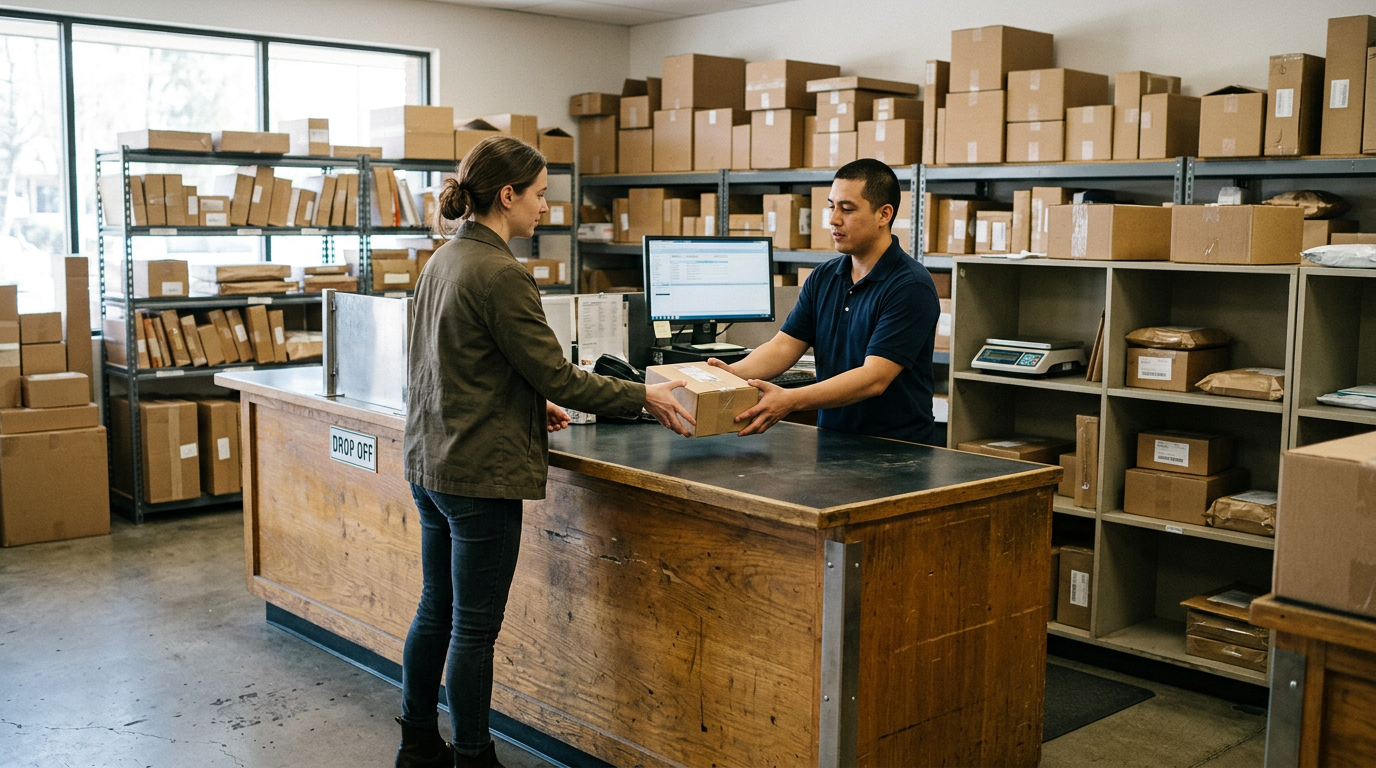
You talk to a person, hear an offer, get paid cash the same day, and watch the devices get wiped. We work best for small and mid-size lots you can carry in or drop off yourself. Our Google rating is 4.9 from 683 reviews, and sellers often mention that things were explained clearly and that the process felt fair and friendly.
Coming to us from nearby towns
We are at Springfield Ave and New St in Irvington, and we regularly see business and school sellers from surrounding communities. Here is how it looks from each direction.
Kenilworth
Kenilworth sellers come over for a cash offer from a real person rather than trade-in credit or a kiosk that scans a device and spits out a number. It is a good choice for a small office in Union County that wants to talk through a batch of laptops and phones face to face. See our Kenilworth page for more.
Millburn
Millburn and Short Hills offices and households tend to bring premium gear, such as recent iPhones, MacBooks, and Apple Watches, and these usually get the strongest same-day cash offers. If you run a professional practice there and are refreshing a few Apple devices, bring them in fully released. Details are on our Millburn page.
Newark
Newark is right next door, so businesses, schools, and nonprofits there have a real storefront close by for selling phones and laptops for cash today. You can drop off a batch without coordinating shipping or waiting on a pickup window. Our Newark page has the local details.
West Orange
West Orange offices and households clear out old electronics and drive a few minutes for an instant, no-pressure cash quote. It works well for a small team that has a closet of old laptops and company phones to clear out. See the West Orange page for more.
Drop-off day: what to expect at the counter
Bring your device list, the devices themselves, chargers where available, and a valid government photo ID. The ID is required for every sale under the standard secondhand-dealer rule, and that includes business sales. If someone other than the owner is delivering the equipment, ask us ahead of time what authorization we would like to see.
Powering up a handful of units at home or in the office before you leave saves time. Check that they boot, that nothing is asking for a management password, and that the screens and batteries are as you described them. We will inspect each device, tell you where we landed, and pay cash once you agree. Parking and transit are around Springfield Ave at New St, so plan for a few extra minutes if you are carrying a large load.
Frequently asked questions
Can I sell business laptops near me without an appointment?
Yes. Walk-ins are welcome during store hours. For a large batch, send a list through the quote form first so we can give you a realistic expectation and set aside time.
Do you buy company phones that were on an MDM?
We do, as long as they are released. Remove the phones from your MDM, and for iPhones release them from Apple Business Manager and sign out of the Apple Account. Locked devices are where offers drop or purchases fall through.
Can I sell office computers that no longer turn on?
Often yes. We buy broken devices too, though the offer will be noticeably lower than for a working unit. Include them on your list with a short description of what is wrong.
Will my data be erased?
We wipe devices in store at no charge. If you need documentation for compliance, ask about it when you request your quote, and see our data destruction information for what we can provide.
Is there a minimum number of devices?
We take single devices and larger lots. If you are unsure whether your batch counts as bulk, send the list anyway and we will tell you how to handle it.
Do you pay by check or cash?
Our standard process is cash on the spot after inspection. If your accounting requires a different payment method or a receipt, raise it when you request the quote.
Do schools and nonprofits sell to you?
Yes. Schools, nonprofits, and small offices are among the most common bulk sellers. Sort the devices by type, release them from any management systems, and get a free quote on the full list.
Ready to turn old equipment into cash? Request a free quote or visit Sell Your Gadgets Irvington at 1056 Springfield Ave Store A, Irvington, NJ 07111. We are open Monday through Saturday from 10:00 AM to 7:00 PM and Sunday from 11:00 AM to 5:00 PM, and you can call us at (862) 233-7448.
Hear from a real customer
Real experience, real cash. Working or broken, get a free quote and walk out with cash the same day.
Compare your options
See how selling to us stacks up against other ways to sell, side by side.