Sell Business Laptops Near Me in Islip Terrace, NY
By syedladen ·

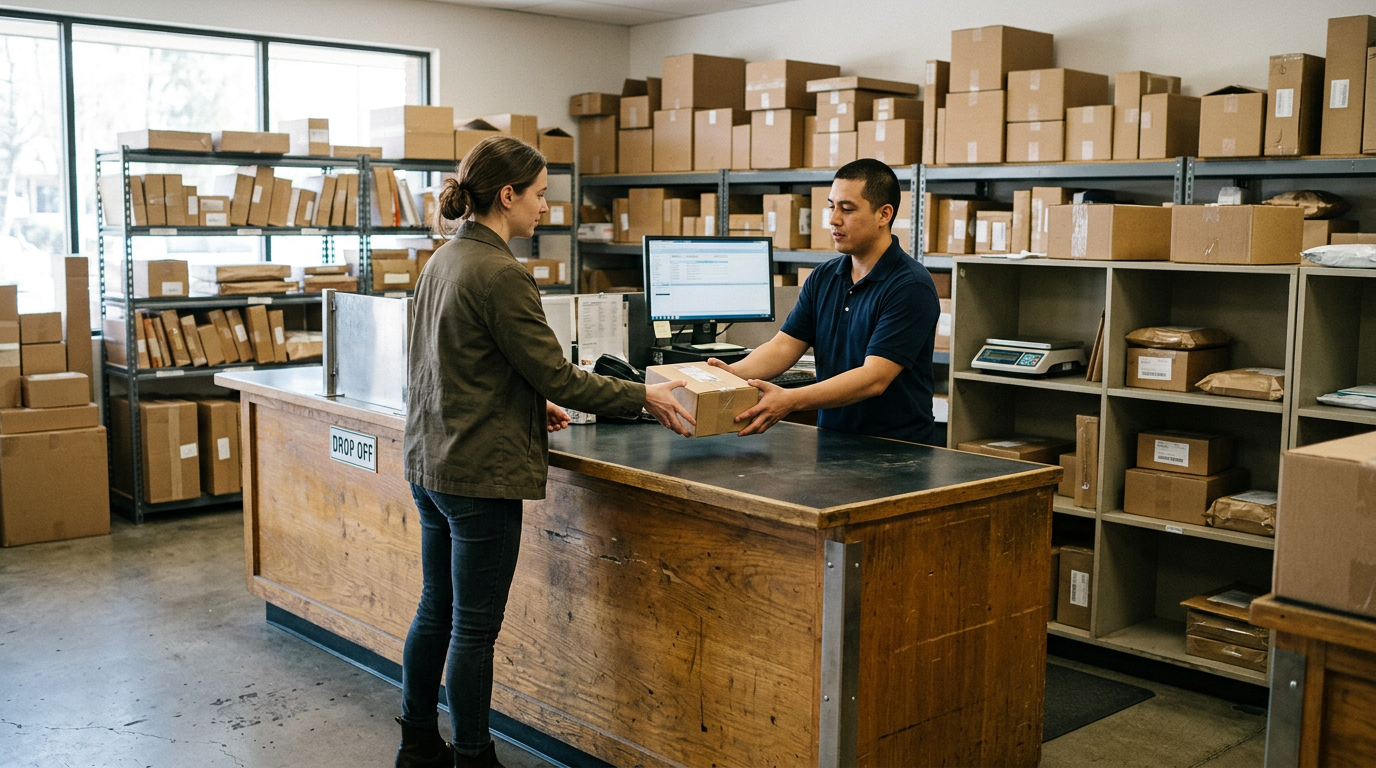
If you want to sell business laptops near Islip Terrace, NY, start with a free quote from Sell Your Gadgets Islip at 34 Lowell Ave, then bring the equipment in for inspection and get paid cash on the spot. We are a local bulk electronics buyer for offices, schools, and small companies, and we handle office computers, company phones, tablets, and other IT gear, including broken and outdated units.
What we buy from businesses, schools, and offices
Sell Your Gadgets is a buyback store. We pay for equipment and we do not sell devices from the counter. That makes us a simple endpoint when a refresh cycle leaves you with a storage closet full of hardware. Here is what typically comes through from organizations:
- Business laptops: MacBooks and Windows laptops, including older fleet models and units with cosmetic damage.
- Company phones: iPhones and Android phones such as Samsung Galaxy and Google Pixel that were issued to staff.
- Tablets: iPads and Android tablets, including classroom and field-service units.
- Desktops and monitors: Office computers, gaming or workstation PCs, and monitors.
- Extras: Apple Watch and smartwatches, AirPods and headphones, cameras and lenses, drones, VR headsets, and power tools from trade or facilities departments.
New, used, and broken all count. A cracked screen or a battery that no longer holds a charge lowers the quote, but it does not automatically make a device worthless. If you are not sure whether something is worth bringing, ask. You can also see our page on how to sell your laptop for the individual-device version of the process.
How the bulk quote process works
The fastest way to avoid surprises is to get the quote before you load the car. We do not post prices publicly because condition, model, storage size, and lock status change what a device is worth. Here is the usual path for a business lot:
- Build a simple list. A spreadsheet works: device type, make and model, year if you know it, storage or RAM, condition notes, and whether it is still locked to an organization.
- Request a free quote. Use the free quote form, send us a text, or walk in. Attach or paste your list.
- Get a written-up estimate. We review the list and tell you what we are interested in and what the estimate depends on. Anything unclear is flagged before you make the trip.
- Bring the devices in. No appointment is needed. For a large lot, a quick call to (631) 446-1050 lets us know to expect you so the inspection goes smoothly.
- Inspection and payment. We check each device against the list, confirm condition, and pay cash on the spot for what we buy.
Our bulk device sales page covers larger lots in more detail. Payment terms for very large batches are confirmed in your quote, so ask about them at the start rather than at the counter.
Who should come in
A valid government photo ID is required for every sale. That is the standard secondhand-dealer rule, not something specific to business sellers. Whoever is bringing the equipment should have their own ID. If you are acting on behalf of a company or school, it is sensible to bring a short note or email showing that you are authorized to sell, plus your asset list. It keeps the paperwork tidy on your side.
What to prepare before you come in
Most of the delays we see with office equipment are not about the devices. They are about locks, passwords, and missing chargers. This table covers the usual prep by device type.
| Device type | What to have ready | Release step to check |
|---|---|---|
| MacBooks | Model, year, storage, charger if you have it | Removed from Apple Business Manager or your MDM; Activation Lock and firmware password cleared |
| Windows laptops | Model, RAM and storage, condition notes | Released from Autopilot and your MDM; BIOS password cleared; BitLocker key on hand if needed |
| iPhones and iPads | Model, storage, battery condition if known | Removed from ABM and MDM; supervision and Activation Lock cleared |
| Android phones and tablets | Model, storage, carrier lock status | Unenrolled from MDM or Android Enterprise; Google account and factory reset protection cleared |
| Desktops and monitors | Specs, count, cables | Drive encryption key or admin password available |
If a device cannot be released, tell us in the quote request. Some locked devices are still worth discussing, but the estimate will look different, and it is better to know upfront.
MDM, Apple Business Manager, and Autopilot release
This is the step that most often decides whether a company device can be resold at all. A device still tied to your organization stays tied to it after you hand it over. The buyer cannot set it up fresh, and it may keep reporting to your management console.
Apple Business Manager and Apple devices
For Macs, iPhones, and iPads assigned through Apple Business Manager, the device should be released from your organization in ABM and removed from your MDM before it leaves. Also turn off Activation Lock, which can be tied to a managed Apple Account, and clear any firmware or recovery lock on Macs. If a device is supervised, erasing it will not always clear the enrollment. Release is what does that.
Windows Autopilot
Windows laptops registered in Autopilot will try to rejoin your tenant when they are set up again. Deregister the hardware hash from Autopilot, remove the device from Intune or whichever MDM you use, and clear any BIOS or UEFI password. Keep BitLocker recovery keys handy until the device is wiped, in case something needs to be unlocked during inspection.
Android fleets
For company Android phones, unenroll them from your MDM or Android Enterprise, remove work profiles, and sign out of Google accounts. Factory reset protection can stop a wiped device from activating, so clear it before you bring the phone in.
If your IT team is unsure of the order, ask us before you start. A quick conversation about your setup can save a second trip.
Data destruction and documentation
Company devices hold email, customer records, and credentials, so this part matters as much as the payout. Every sale includes a free data wipe in store. For organizations, the question is usually what you can show afterward.
- Do your own pass first. Back up what you need, sign out of accounts, and remove devices from management. Your internal policy may require this anyway.
- Keep an asset list. Device model and serial number, the date handed over, and who handled it. That list is the backbone of any disposal record.
- Ask about documentation at quote time. Tell us what your auditor, insurer, or school district requires. We will tell you what we can provide for your batch, so there are no assumptions on either side.
- Use dedicated destruction for sensitive drives. If your policy calls for physical destruction rather than a wipe, see our data destruction page for how that is handled.
For regulated data such as health or student records, follow your own compliance policy. A buyer's wipe does not replace your obligations. It supports them.
What affects the quote on business equipment
We do not quote numbers in articles, but the factors are predictable, and knowing them helps you plan a refresh:
- Age and model: Newer generations hold value noticeably better than older ones, and the drop tends to be steepest once a model is several generations behind.
- Specs: More storage and memory generally means a better quote. Base configurations sit lower.
- Condition: Clean screens, straight frames, and healthy batteries help. Cracks, swollen batteries, and missing keys bring the estimate down.
- Lock status: Released and wiped devices are worth more than anything still tied to an account.
- Completeness: Original chargers and cables help, but their absence is not a dealbreaker.
- Volume and mix: A lot of matching, late-model units is simpler to price than a mixed pile, though we will look at both.
Holding equipment too long is the most common mistake. Devices that sit in a closet through another generation or two lose value whether anyone uses them or not. A free quote tells you where a batch stands today.
Why sell locally instead of shipping or recycling
You have a few options for retired gear, and each suits a different situation. Manufacturer trade-in programs can be convenient if you are buying new from the same brand, though they generally cover only that brand's products. IT asset disposition companies and e-waste recyclers offer pickup and formal processing, which fits large enterprise fleets with strict chain-of-custody needs. Online marketplaces can work for a few devices, but selling dozens one by one takes time, and you deal with individual buyers.
A local buyback store fits the middle: a school, a dental office, a contractor, or a growing company with a handful to a few dozen devices. You see the inspection, you get paid the same visit, and you do not wait on shipping labels or box counts. It is also worth a look for mixed lots, since we take laptops, phones, tablets, and other devices in one visit. Our New York locations page lists other stores if you have offices elsewhere in the state.
Logistics for schools and offices
Bringing equipment in is easier with a little planning. Pack laptops and tablets in a bin or box so nothing gets scratched, and keep chargers with their devices if you have them. Bring your asset list in printed or digital form so we can check each unit against it during inspection.
Our hours suit a business schedule: Monday, Wednesday, Thursday, and Friday from 11:00 AM to 7:00 PM, Saturday and Sunday from 11:00 AM to 5:00 PM, and we are closed Tuesday. The later weekday close makes it possible to drop off after your own workday. If you are coming from a campus or office near Touro College, the store is a short drive away. For the exact location and current information, see the Sell Your Gadgets Islip store page.
Selling from nearby towns
We buy from businesses and schools across the area around Islip Terrace. Here is how it tends to work from each direction.
Hauppauge
Hauppauge is known for its large concentration of office and industrial parks, so many of the companies there cycle through laptops, phones, and desktops on regular refresh schedules. If your IT team is clearing out a closet, send the asset list first. A single trip can then cover the whole lot.
Lake Ronkonkoma
Lake Ronkonkoma has a mix of small businesses, home offices, and commuters. If you have a few company phones or laptops from a departed team, you can get a quote by text and stop by on your way to or from the station or your office.
Bohemia
Bohemia has light industrial and commercial space alongside residential streets. Contractors and shops that use tablets, phones, and power tools can bring mixed lots, since we buy more than just computers.
Great River
Great River is a quieter residential area near Bayard Cutting Arboretum, with small professional offices and private practices. A practice upgrading workstations can bring a few machines in one visit, and we can walk through the data wipe while you are here.
Bay Shore
Bay Shore has a busy downtown with shops, offices, and medical practices. Businesses there often have a handful of retired phones and laptops, and the drive to Islip Terrace is short. Text the list ahead and stop in during open hours.
North Bay Shore
North Bay Shore has commercial corridors and nearby institutions, and equipment often moves in both directions. If you are replacing tablets or laptops for staff or students, bring the retired units with your list and ID. No appointment is needed.
Frequently asked questions
Can I sell business laptops without an appointment?
Yes. No appointment is needed, and you can walk in during store hours. For larger lots, request a quote first and call ahead so we can plan the inspection time.
Do you buy old office computers and broken devices?
We buy used, new, and broken devices, including older office computers. Age and damage affect the quote, so send a list with model and condition notes through the quote form to find out what a batch is worth.
Can I sell company phones that are still enrolled in MDM?
It is best to unenroll them first. Devices still tied to your MDM or Apple Business Manager are hard to resell and may get a lower quote or none at all. Release them from management and clear Activation Lock before you come in.
Do I need to wipe devices before bringing them in?
It is good practice to back up and sign out first, but every sale includes a free data wipe in store. If your policy needs more than a wipe, ask about options on our data destruction page.
What ID do I need when selling for a business?
A valid government photo ID is required for every sale, business or personal. Bringing an authorization note and your asset list is a sensible extra step.
How do I get a bulk quote?
Send a device list through the online form, by text, or in person. We review it and tell you what to expect before you make the trip. Nothing is quoted publicly, since each device is priced by model, condition, and lock status.
Do you only buy laptops?
No. We also buy phones, tablets, smartwatches, game consoles, cameras, drones, VR headsets, monitors, headphones, power tools, and more. A mixed lot can go in a single visit.
Ready to clear out the closet? Get a free quote for your business laptops, office computers, and company phones, then bring them to Sell Your Gadgets Islip at 34 Lowell Ave, Islip Terrace, NY 11752. We are open Monday and Wednesday through Friday from 11:00 AM to 7:00 PM, Saturday and Sunday from 11:00 AM to 5:00 PM, and closed Tuesday. Call (631) 446-1050 or see the store page for details.
Hear from a real customer
Real experience, real cash. Working or broken, get a free quote and walk out with cash the same day.
Compare your options
See how selling to us stacks up against other ways to sell, side by side.