Sell Gaming PC Near Me in Catonsville, MD: Cash for GPUs & Parts
By syedladen ·

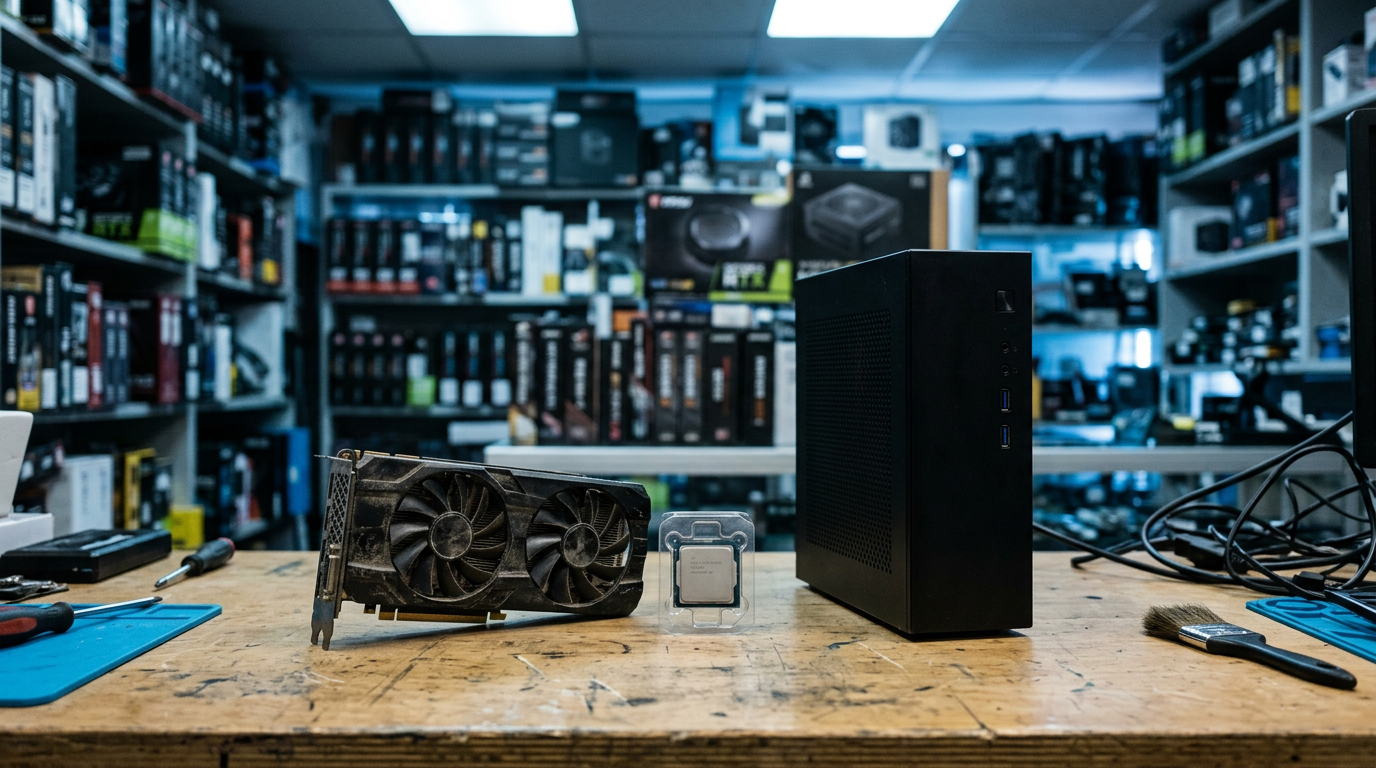
If you want to sell a gaming PC near Catonsville, MD, bring it to Sell Your Gadgets on Baltimore National Pike for an in-person inspection and cash on the spot. You can also sell just a graphics card or other PC parts, and you never need an appointment.
We are a buyback store, which means we pay you for gear rather than sell anything back to you. This guide covers how to decide between selling the whole build and parting it out, what drives GPU value, how to wipe your drives properly, and how to get to us from nearby towns.
Sell the whole gaming PC or part it out?
This is the first decision most people face, and the honest answer is that it depends on how much time you want to spend and how your build is put together. A complete, working tower is the fastest way to turn a PC into cash. Parting out can squeeze out more from certain components, but it comes with real costs in effort, shipping, and risk.
When selling the whole PC makes sense
- The build is reasonably balanced, with the CPU, GPU, RAM, and storage all from a similar generation.
- You want to be done in one visit instead of managing several listings.
- The case, power supply, and motherboard are standard parts that would be tedious to sell separately.
- You would rather not deal with strangers, no-shows, or shipping disputes.
When parting out can be worth the effort
- One component is clearly the star, such as a recent high-end graphics card paired with an older platform.
- You are upgrading anyway and already have the side panel off and the parts labeled.
- You are comfortable testing, photographing, and packing each item.
A middle path works well for many sellers: pull the standout part, usually the GPU, and sell it on its own, then sell the rest of the system as a complete unit. We handle both routes, and you can see our dedicated pages for selling a desktop or gaming PC and selling PC parts and GPUs.
| Factor | Sell whole PC | Part it out |
|---|---|---|
| Time required | One visit, minimal prep | Testing, listing, and handoffs for every part |
| Effort and hassle | Low | High |
| Risk of scams or disputes | Low with an in-store sale | Higher with online marketplaces |
| Potential return | Fair for a complete system | Can be higher for standout parts, but not guaranteed |
| Best for | Balanced builds, quick sales | One valuable component in an otherwise dated build |
We do not publish prices, because value moves with the market and with your exact parts. The fastest way to compare both options is to request a free cash quote for the whole system and for the GPU alone.
What drives GPU value when you sell a graphics card for cash
If you are searching for ways to sell a graphics card for cash or sell a GPU near you, these are the factors that matter most. The same factors apply whether the card is in a full tower or sitting in its original box.
Model and generation
The exact model is the biggest driver by far. Newer generations and higher tiers within a generation hold value noticeably better than older or entry-level cards. Be specific when you describe yours. Saying it is a graphics card from a certain brand is not enough, because the suffix on the model name, such as a Ti or Super variant, can change value meaningfully.
VRAM capacity
Video memory matters more every year as games and creative tools use larger textures and higher resolutions. Two cards with similar names can differ in VRAM, and the version with more memory is typically the more desirable one. Check the spec sheet or your graphics software so you know exactly which version you own.
Mining history
Be upfront if the card was used for cryptocurrency mining. Mining is not automatically a dealbreaker, since a card that ran at steady, tuned settings can be in fine shape. But buyers price in the uncertainty, so a card with a known mining past will usually fetch less than a comparable gaming-only card. If you ran a card 24/7 for a long stretch, say so. It helps the inspection go faster and keeps everything transparent.
Cooler and physical condition
A card that runs cool and quiet is worth more than one with problems. During inspection we look at:
- Fan spin and noise, including any grinding or wobble.
- Dust buildup on the heatsink and fins.
- Bent fins, cracked shrouds, or missing backplates.
- Display output ports and the PCIe connector for damage.
- Signs of past repair, such as swapped thermal pads or a repasted core.
Blow out the dust with compressed air before you come in. It costs almost nothing and helps the card make a better first impression.
Extras that help
Original box, support bracket, PCIe power adapters, and proof of purchase all make a card easier to evaluate. None are required, but they can nudge your quote in the right direction.
| GPU factor | Helps value | Hurts value |
|---|---|---|
| Model and generation | Recent, higher-tier cards | Older or entry-level cards |
| VRAM | Larger memory version | Lower-memory variant |
| Usage history | Gaming or light use | Extended mining |
| Cooler | Quiet, clean, working fans | Noisy, dusty, or damaged fans |
| Extras | Box, accessories, receipt | Missing brackets or cables |
Selling other PC parts: what sells and what to expect
If you want to sell PC parts beyond the graphics card, the same logic applies: newer, standard, and clean components are easier to place. Here is how the main categories generally behave.
- CPUs: Recent generations on current sockets are in demand. Bent pins or a damaged heat spreader will reduce interest sharply.
- Motherboards: Desirable when they match popular platforms. Check for bent socket pins, damaged RAM slots, and a missing I/O shield.
- RAM: DDR5 and newer kits hold value better than older DDR generations. Matched kits are easier to sell than single sticks.
- SSDs and NVMe drives: Capacity and health matter. Wipe them first, and note any wear warnings from the drive's software.
- Power supplies: Reputable, higher-wattage units have an audience, but safety is a concern, so condition and age matter a lot.
- Cases, coolers, and fans: Usually lower value individually, which is one reason selling them inside a complete system often works better.
Monitors, VR headsets, and consoles are also part of a typical gaming setup, and we buy those too. If you have a console to move along with your PC, take a look at our page on selling a PS5 in Catonsville.
How to wipe drives and remove Windows accounts before you sell
Your drives hold saved passwords, browser sessions, game libraries, tax files, and photos. Clearing them is not optional. We offer a free data wipe in store, but you should still do these steps first so your accounts are protected before the PC leaves your hands.
Step-by-step checklist
- Back up what you want to keep. Copy documents, photos, game saves, and project files to an external drive or cloud storage.
- Sign out of everything. Log out of Steam, Epic, Battle.net, Xbox, Discord, Adobe, and any launcher that ties licenses to your login. Deauthorize the PC where the service allows it.
- Unlink your Microsoft account. In Windows settings, remove your Microsoft account from the device and from your account's device list online.
- Turn off Find My Device and disable any BitLocker or device encryption you enabled, so the drive can be reset cleanly.
- Reset Windows. Use the reset option and choose to remove everything, with a full clean of the drive if available. For a drive you are selling separately, use a secure erase tool from the manufacturer.
- Check BIOS or UEFI passwords. Clear any firmware password or boot lock. A locked BIOS can stop a sale in its tracks.
- Remove local accounts. If you are not resetting, delete extra user profiles and any saved credentials in browsers and password managers.
If you run out of time or get stuck, bring the PC as is. Our team can complete the wipe in store at no cost. Just do not hand over a machine that still has your active accounts signed in and plan to sort it out later.
What to bring and how the in-store process works
The process is simple and has no appointment requirement. Start by requesting a quote online, by text, or by walking in. Then bring the device in for a quick inspection, and get paid cash on the spot if you accept the offer.
- Valid government photo ID: Required for every sale, as with standard secondhand-dealer rules.
- The PC or parts: Bring the tower, plus the power cable if you have it. For a separate GPU, bring the card and any bracket or adapters.
- Accessories: Original boxes, manuals, and cables are nice to have but not mandatory.
- Model details: A list of your major specs saves time, especially CPU, GPU, RAM, and storage.
A tower can be heavy and awkward. Pack it upright in a sturdy box or carry it with the side panel secured. For a bare GPU, use an anti-static bag or the original packaging, and keep it out of loose bags where it can bang against other items. If you want a preview of the numbers first, use our online quote form before you make the trip.
Getting to our Catonsville store
We are at 6400 Baltimore National Pike, Ste 150A, Catonsville, MD 21228. The store sits along US-40 near spots like Westview Mall, The Home Depot, ALDI, and Sam's Club, which makes it easy to combine with other errands.
- By car: From I-695, take Exit 15B onto US-40 West and continue along Baltimore National Pike.
- By bus: MTA Maryland bus routes run along Baltimore National Pike.
- Nearby reference points: Downtown Catonsville, UMBC, and Patapsco State Park are all close by.
You can see more about the location on our Catonsville store page.
Coming from nearby towns
We regularly work with sellers from around the western Baltimore area and beyond. Here is how the trip looks from each community we serve.
Elkridge
Elkridge sellers can reach us by connecting to I-695 and heading toward Catonsville, then taking Exit 15B onto US-40 West. It is an easy run when you are already moving around the Baltimore-Washington corridor. Bringing a tower from Elkridge is straightforward by car, and our Elkridge page has more details.
Columbia
Columbia gamers and builders often upgrade on a regular cycle, so there is usually a spare GPU or old rig waiting to be sold. Get to I-695 from your side of Howard County, then follow the same Exit 15B route onto US-40 West. See our Columbia page for local information.
Pikesville
From Pikesville, the I-695 Beltway is the natural path toward Catonsville. Follow it around to Exit 15B and get onto US-40 West. Sellers here often bring premium builds and parts, and we are glad to quote them with no appointment required.
Randallstown
Randallstown is a short drive from us, and the Beltway makes it simple. Get on I-695 and use Exit 15B for US-40 West. If you are hauling a full tower, a short drive like this makes an in-person sale much easier than shipping a heavy PC.
Lochearn
Lochearn sellers can connect to I-695 nearby and reach Catonsville without a long trip. That convenience matters when you want to sell a GPU near you and get an answer the same day. Bring your photo ID and the card, and we will take it from there.
Gwynn Oak
Gwynn Oak is close to our side of the Beltway, so the drive is brief. Use I-695 to Exit 15B and head west on US-40. If you are not sure which of your parts are worth selling, come by with the whole setup and we will look through it.
Other Maryland sellers can browse all of our Maryland locations.
How to get the best result when you sell
A little preparation goes a long way. These habits help every PC or parts sale, whether you sell the whole build or a single card.
- Clean it. Dust out the case, filters, and GPU fans. A clean machine looks cared for and inspects better.
- Test it. Make sure the PC boots, all fans spin, and the GPU shows up at full performance. Note any quirks.
- Be accurate. Tell us the real specs, any known issues, and whether the parts were overclocked or used for mining.
- Gather extras. Include boxes, cables, brackets, and any warranty papers.
- Sell while it is current. Hardware tends to lose value as new generations arrive, so a part you are not using is usually worth more sooner than later.
Broken or unstable gear can still have value. We buy new, used, and broken devices, so a card with artifacts or a PC that will not post is still worth asking about.
Frequently asked questions
Can I sell a gaming PC that does not turn on?
Yes, in many cases. Non-working PCs are valued differently from working ones, but the parts inside may still have worth. Bring it in or send details through the quote form, and we will tell you what we can offer.
Do I need an appointment to sell my GPU or PC?
No. Walk-ins are welcome during store hours, and you can also start with a quote online or by text to see where you stand before you visit.
Will you wipe my hard drive or SSD?
We provide a free data wipe in store. Even so, it is smart to back up files, sign out of accounts, and reset Windows yourself before the sale for extra peace of mind.
Does mining history make my graphics card worthless?
No. It usually lowers the offer compared with a similar gaming-only card, but it does not make the card worthless. Being honest about it speeds up the inspection and avoids surprises.
Is it better to sell my GPU separately or with the PC?
If the GPU is a recent, in-demand model, selling it alone can make sense. If your whole build is fairly balanced, selling the complete system is simpler. Ask for quotes on both and compare.
What ID do I need to sell?
A valid government-issued photo ID is required for every sale. This is standard for secondhand dealers, and there are no exceptions.
How much will I get for my gaming PC?
It depends on your specific CPU, GPU, RAM, storage, and overall condition. We do not publish prices, so the quickest way to find out is to request a free quote with your specs.
Ready to sell? Get your free quote or visit us at the Sell Your Gadgets Catonsville store, 6400 Baltimore National Pike, Ste 150A, Catonsville, MD 21228. We are open Monday through Saturday from 10:00 AM to 7:00 PM and closed Sunday. Call (443) 333-5003 with any questions.
Hear from a real customer
Real experience, real cash. Working or broken, get a free quote and walk out with cash the same day.
Compare your options
See how selling to us stacks up against other ways to sell, side by side.