Sell Gaming PC Near Me in East Meadow, NY: Cash Guide
By syedladen ·
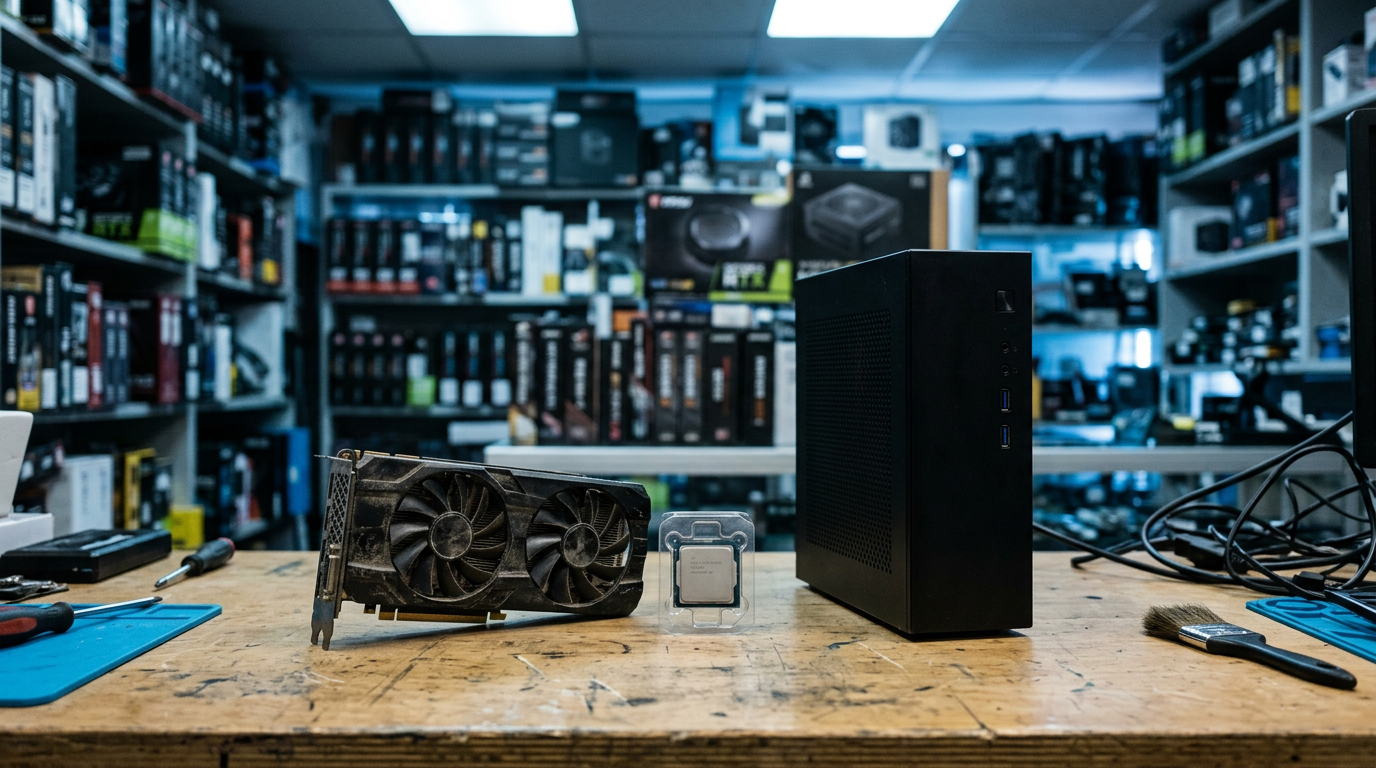
If you want to sell a gaming PC near you in East Meadow, NY, bring it to Sell Your Gadgets at 477 Newbridge Rd for a quick inspection and cash on the spot, no appointment needed. The same goes for a single graphics card or a box of PC parts: start with a free quote, bring your ID, and we pay you cash if you like the offer.
This guide covers the decisions that matter most: selling the whole rig or parting it out, what moves GPU value, and how to wipe your drives and sign out of Windows before you hand anything over.
How selling a gaming PC in East Meadow works
Sell Your Gadgets is a buyback store. We pay cash for used, new, and broken electronics, and we do not sell devices here. That matters for you as a seller, because our whole business is buying. You are not competing with a shelf of our own inventory.
- Get a free quote. Use the online quote form, send a text, or just walk in. Tell us the GPU, CPU, RAM, storage, and any issues.
- Bring it in for inspection. We check the system over, confirm it powers on and what condition the parts are in, and make an offer.
- Get paid cash on the spot. If you accept, you are paid right there.
- Free data wipe in store. We can wipe the machine for you. You can also do it yourself beforehand, which I recommend (more on that below).
One rule applies to every sale: we need a valid government-issued photo ID. It is the standard secondhand-dealer requirement, so have it ready. You can see the details on our East Meadow store page.
We do not publish prices, because a gaming PC is not a single fixed product. A rig with a recent mid-range GPU is a completely different conversation than one with an older card, even when the cases look identical. A free quote is the honest way to find out where yours lands.
Whole PC or parting out: which makes sense?
This is the question I hear most from people with gaming desktops. The short version: selling the whole PC is faster and simpler, while parting it out can make sense only when a few components are clearly worth far more than the rest and you have the patience to handle it all.
| Factor | Sell the whole PC | Part it out |
|---|---|---|
| Time and effort | One trip, one transaction | Multiple listings, multiple buyers, or multiple visits |
| Risk of hassle | Low | Higher: no-shows, returns, disputes with strangers |
| Best for | Matched, working systems with a decent GPU | Systems with one standout part and weak others |
| Data exposure | One set of drives to wipe | Drives are separate, so wipe them before anything leaves the house |
| Value | Fair, convenient, and often close to the sum of parts once you count your time | Can be higher on paper, but the gap shrinks once you count effort |
When the whole PC is the better move
If your system boots, the parts are reasonably current, and the case is not wrecked, selling it whole usually wins. You skip the work of pulling a cooler, reapplying paste, boxing a power supply, and meeting strangers. Our desktop and gaming PC buyback page explains what we look at.
When parting out might be worth it
Consider it if you have pulled a high-end GPU out for an upgrade, your case and motherboard are proprietary and awkward, or the system is a mix of old and new. In those cases, selling the standout components through our PC parts and GPU buyback and keeping what you can reuse often works best. You can also bring the whole thing and ask us to quote both ways, which costs nothing.
What drives the value of a graphics card
If you are searching for ways to sell a graphics card for cash, or a GPU near you, these are the things that separate a strong offer from a modest one. We will not name numbers here, but we can tell you which factors matter most.
Model and generation
The exact model is the biggest driver by far. Newer generations and higher tiers within a generation hold value better than older or lower-tier cards. Be precise when you ask for a quote: a base model and a higher-tier variant with a similar name can be valued very differently. The model name is printed on the card or shown in your system info, so check before you ask.
VRAM
Video memory matters more every year as games and creative tools ask for more of it. Two cards in the same family can differ in VRAM, and the one with more memory is generally worth noticeably more. Note the amount when you request a quote.
Mining history
Many buyers ask whether a card was used for crypto mining. Mining is not automatically a dealbreaker, since many mining cards run fine, but heavy 24/7 use can wear fans and thermal pads. Be upfront. If we inspect the card and it works properly, honesty keeps the process smooth, and a card with a documented gaming history is easier to value than one with unknown use.
Cooler condition
The cooler tells the story of how a card has lived. We look at:
- Fans: do they spin freely without grinding or wobbling?
- Dust and grime: a heavy buildup suggests poor airflow and can point to heat issues.
- Shroud and backplate: cracks, bent fins, or missing pieces lower the offer.
- Thermal health: if temperatures spike under load, that affects value.
A gentle cleaning with compressed air before you come in is worth doing. Do not take the cooler apart unless you know what you are doing, since that can void warranties and cause damage.
Box, accessories, and working condition
The original box, support bracket, and any power adapters are a small plus and show the card was cared for. A card that is artifacting, crashing, or not detected can still be worth something, because we buy broken devices too, but the offer will reflect the problem. Tell us what is wrong and we will factor it in.
Other PC parts that matter
If you are looking to sell PC parts beyond the GPU, here is how the usual suspects tend to fare:
- CPUs: recent generations hold value better. Bent pins or damaged contacts cut the offer sharply.
- Motherboards: value depends on socket, chipset, and condition. Check for bent socket pins and damaged slots.
- RAM: DDR5 and newer kits generally hold value better than older DDR generations. Matched kits are easier to value.
- SSDs and NVMe drives: capacity and condition matter. Wipe them first.
- Power supplies: brand, wattage, and age all count. Modular cables help.
- Monitors: we buy gaming monitors too. Panel condition, refresh rate, and resolution all shape the quote.
- Cases and coolers: usually worth less on their own, but they add up in a complete system.
Anything in a full system gets valued together, so a whole-PC quote accounts for all of these in one go.
Wipe your drives and remove Windows accounts before you sell
This is the step people skip, and it is the one that protects you. Even though we offer a free data wipe in store, doing the prep yourself means you control exactly what is removed. Here is a sensible order:
- Back up what you want to keep. Save game saves, documents, photos, and project files to an external drive or cloud storage. Check that the backup opens before you erase anything.
- Sign out of your accounts. Log out of Steam, Epic, Battle.net, Xbox app, browsers, and any launchers. Deauthorize the machine where the service allows it.
- Remove your Microsoft account. In Windows Settings, go to Accounts and remove the linked Microsoft account or switch to a local account. If your license is tied to your account, unlink the device from your Microsoft account online.
- Turn off device encryption or BitLocker. Decrypt the drive or make sure you have your recovery key so the reset goes smoothly.
- Reset the PC. Use Settings, then System, then Recovery, then Reset this PC, and choose to remove everything. For a fuller wipe, choose the option that also cleans the drive.
- Handle extra drives separately. A Windows reset may only cover the system drive. Secondary SSDs and hard drives should be formatted or securely erased on their own.
- Clear the BIOS password if you set one. A locked BIOS makes inspection impossible.
If anything on that list feels shaky, bring the PC in as is. We can do the wipe in store at no charge. Just know that the less personal data on the machine when you arrive, the faster the inspection goes.
How to prepare a gaming PC for inspection
- Make sure it powers on. Bring the power cable. If it does not boot, bring it anyway and describe what happens.
- Write down the specs. GPU model, VRAM, CPU, RAM, storage, and power supply. Your system info screen makes this quick.
- Clean it lightly. Dust off fans and filters with compressed air and wipe the case.
- Pack it safely. Secure a heavy GPU with a support or remove it and carry it in an anti-static bag or its box. Sagging cards in transit can stress the slot.
- Bring accessories. Boxes, manuals, side panels, cables, and any extras help.
- Bring your ID. A valid government photo ID is required for every sale.
Text or submit your specs through the free quote form first if you like. One customer told us they sent a quote request through the website, got a quick callback, and sold their old computer the same day. That is the pace we aim for.
Selling locally vs listing it online
Online marketplaces and auction sites are widely used, and they can be a fair option if you enjoy the process. You set the asking price, answer messages, deal with lowball offers, and arrange a handoff. Buyers can also dispute a sale after the fact or claim a part was not as described, and shipping a heavy, fragile GPU carries its own risk.
Selling to a local buyback store trades the chance of a higher asking price for certainty: you get a real offer, paid in cash, after a hands-on inspection, with no shipping, no scams, and no back-and-forth. For many people with a gaming PC or a spare GPU, that trade is worth it. Our customers often mention that payment was fast and that we were honest throughout. You can also get a quote first and compare it with other options before deciding.
Nearby towns we serve
We are on Newbridge Rd in East Meadow, near the Hempstead Turnpike and Taylor Ave area, and we buy from people across central and south Nassau County. Here is how it looks from each direction.
Hempstead
Hempstead is right next door, and the Hempstead Turnpike corridor makes the trip to East Meadow straightforward. If you have a desktop from a home setup or a student build, you can be here without a long drive. Bring the tower, your ID, and any loose parts.
Westbury
From Westbury it is a short drive east and south to our store. Gamers here often have a mix of older builds and recent upgrades, so the whole-PC versus parts question comes up a lot. Bring the old GPU along with the system and ask for both quotes.
Hicksville
Hicksville sellers usually come down for a quick in-person inspection after sending specs through the quote form. If you have a large tower, plan to park close and carry it in a bag or box. We buy monitors too, so bring the whole setup if you are clearing it out.
Bethpage
Bethpage customers often have a gaming rig they have outgrown or a spare card after an upgrade. A quick text with your GPU model and VRAM lets us give you a good idea of where things stand before you drive over.
North Massapequa
The trip from North Massapequa is an easy one, and many people combine it with errands nearby. If you are selling a PC alongside a console or VR headset, bring everything together. We buy those too, and one visit covers it all.
Seaford
Seaford sellers can reach us without a complicated route, and Sunday hours make weekend trips easy. If you are parting out, bring the GPU, CPU, RAM, and anything else you want quoted, and we will go through it with you. Browse all locations on our New York page if another store is closer.
Frequently asked questions
Can I sell a gaming PC that does not turn on?
Yes. We buy new, used, and broken devices. A non-booting PC still has value in its components, and the offer reflects the problem. Describe the symptoms in your quote request and bring it in for inspection.
Do you buy a single graphics card?
Yes. If you are looking to sell a GPU near you, we buy standalone graphics cards as well as full systems. Share the exact model and VRAM with a free quote request, and bring the card with its box and accessories if you have them.
Do I need an appointment?
No. You can walk in during store hours, or start with a quote by form or text. The quote just speeds up the visit.
What ID do I need?
A valid government-issued photo ID is required for every sale. That is standard for secondhand dealers.
Should I wipe the PC myself?
It is a good idea, and the steps are above. If you would rather not, we offer a free data wipe in store. Either way, back up anything you want to keep first, because a wipe is permanent.
Does mining history hurt the offer?
It can, depending on how the card looks and performs. Mining use is not an automatic dealbreaker. Tell us the truth and let the inspection show the condition of the fans, cooler, and card.
Will you tell me the price before I come in?
We do not publish prices, since every system and part differs. Request a free quote with your specs, and you will get a real number based on your gear, with no obligation.
Ready to sell your gaming PC, graphics card, or PC parts? Get a free quote or stop by Sell Your Gadgets East Meadow at 477 Newbridge Rd, East Meadow, NY 11554. We are open Monday through Saturday from 10:00 AM to 8:00 PM and Sunday from 11:00 AM to 5:00 PM. You can also call (516) 765-3511. Bring your government photo ID and we will take it from there.
Hear from a real customer
Why they chose Sell Your Gadgets. Working or broken, get a free quote and walk out with cash the same day.
Compare your options
See how selling to us stacks up against other ways to sell, side by side.