Sell Gaming PC Near Me in Glen Burnie, MD: Cash for GPUs & Parts
By syedladen ·
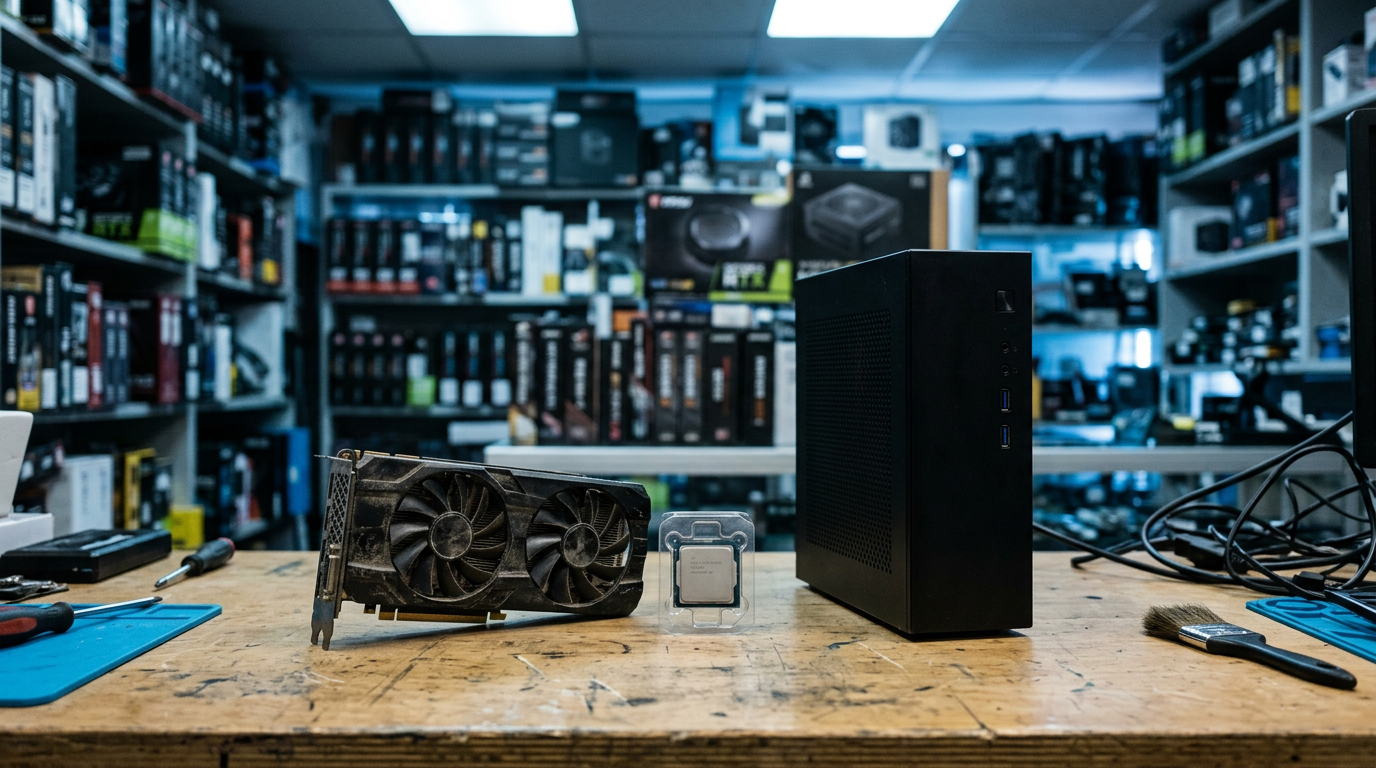
If you want to sell a gaming PC near Glen Burnie, MD, bring it to Sell Your Gadgets at 7400 Ritchie Hwy Ste D for a quick inspection and cash on the spot, with no appointment needed. The same goes for a standalone graphics card or a box of loose PC parts: get a free quote first, then walk in and get paid if you like the offer.
We are a buyback store, which means we pay you and we do not sell devices or post public prices. Every gaming PC and GPU is priced on its own condition, so the quote you get reflects your actual hardware rather than a generic number from a chart. Below is how to decide between selling the whole rig and parting it out, what actually moves GPU value, and how to get your data off the machine before it leaves your hands.
Where to sell a gaming PC near Glen Burnie
Our Glen Burnie store sits on Ritchie Hwy, close to the MD 648 and MD 3 northbound area, so it is an easy stop if you are already running errands in the corridor. We buy gaming PCs and monitors, along with laptops, consoles, VR headsets, cameras, drones, and plenty more, in new, used, and broken condition.
The process is simple. Start with a free quote by online form, text, or walking in. Bring the machine or parts to the store, we inspect them, and you are paid cash on the spot if you accept. A valid government photo ID is required for every sale, which is the standard secondhand-dealer rule in Maryland. Our Google rating is 4.9 from 1,479 reviews, and customers regularly mention that the staff are patient, answer questions, and explain how they assessed an item.
Whole PC vs. parting out: which makes sense?
This is the first decision most PC sellers face, and there is no single right answer. It comes down to how much time you want to spend and how your build is put together.
When selling the whole PC works best
A complete, working system is easy to test and easy to value. If your parts are all from roughly the same generation, the machine is a coherent package, and you skip the headache of listing six different components, answering questions from strangers, and shipping fragile hardware. Selling whole is also the right call if you are not confident pulling a cooler or a GPU out without bending a pin or cracking a slot latch.
When parting out can be worth the effort
If you have one standout component, usually the graphics card, and the rest of the build is older or mismatched, pulling that part and selling it on its own can make sense. A strong GPU in a dated system can be worth more to a buyer by itself than as a line item in a full tower. The catch is that you then have to decide what to do with the leftovers, and a motherboard, CPU, and RAM from an older platform are often harder to move together.
| Factor | Sell the whole PC | Part it out |
|---|---|---|
| Effort | Low. Clean it, wipe it, and bring it in. | Higher. Disassembly, cleaning, and separate handling for each part. |
| Speed | One visit, one transaction. | Depends on how many parts you bring and how they test. |
| Best when | The components are a balanced, matching set. | One component is much stronger than the rest. |
| Risk | Low, since the system can be tested as a unit. | Static damage, bent pins, or lost screws and brackets. |
| Leftovers | None. | Case, board, and older parts still need a buyer. |
A practical middle path: get a quote on the whole system and a separate quote on the GPU. Our desktop and gaming PC page covers complete builds, and the PC parts and GPU page covers individual components. Comparing the two quotes takes a few minutes and tells you whether splitting is worth it.
What drives graphics card value
If you are trying to sell a graphics card for cash, or searching for where to sell a GPU near you, these are the factors that matter most. We do not publish numbers, but knowing the drivers helps you judge where your card sits.
Model and generation
The exact model matters more than the brand family. Two cards that share a name can sit in very different tiers, and a newer generation usually holds value better than an older one, especially when it supports current features that gamers care about. Note the full model name from the sticker or from your system information, including any Ti or Super suffix, and whether it is a specific partner card.
VRAM
Video memory is one of the clearest separators between cards within the same generation. More VRAM helps with high resolution textures and newer games, and buyers notice it. When you request a quote, include the VRAM amount, since some models were sold in more than one configuration.
Mining history
Be upfront if the card was ever used for cryptocurrency mining. Mining is not automatically a dealbreaker, and plenty of mining cards run fine, but sustained load can wear fans and thermal pads. Honest disclosure keeps the inspection quick, and we test the card regardless of what the history says. If you bought it used and are unsure, say so.
Cooler and physical condition
Fans that spin freely and quietly, a clean heatsink, an intact shroud, and straight video output ports all help. Dust buildup, noisy or stuck fans, cracked plastic, or a bent bracket will lower the offer. Also look at the PCIe connector for scratches and at the backplate for dents.
Original box and accessories
The retail box, any power adapters, and the support bracket that came with larger cards are nice extras. They are not essential, but they show the card was looked after.
| Value driver | What helps | What hurts |
|---|---|---|
| Model and generation | Newer, higher tier models | Older entry-level cards |
| VRAM | Larger memory configuration | Lower-memory variant of the same model |
| Usage history | Gaming or light use, honestly disclosed | Heavy continuous load, especially with worn fans |
| Cooler condition | Clean heatsink, quiet fans, intact shroud | Dust, grinding fans, cracks |
| Extras | Original box, cables, bracket | Missing accessories |
Other PC parts we look at
Plenty of people searching to sell PC parts have more than a GPU in the closet. Processors, memory, motherboards, power supplies, cases, and monitors can all be part of a visit. Current-generation components tend to hold value better than older platforms, and modular, well-known power supplies with their cables are easier to evaluate than unbranded units. A clean case with intact panels and dust filters looks better than one with missing parts.
Bring everything in a padded container, keep small parts together, and put sensitive components in anti-static bags if you have them. If you are unsure whether a leftover part is worth bringing, send a quick text or use the quote form and ask. We also buy gaming monitors, VR headsets, and consoles, so if you are clearing out a whole gaming setup, you can bring it all in one trip. If a PS5 is part of the pile, see our PS5 selling page.
Wipe your drives and remove your accounts first
A gaming PC holds years of saved logins, game libraries, browser history, and personal files. Prepare it before you come in. We also offer a free data wipe in store, but doing the basics yourself protects you and speeds things up.
Step-by-step checklist
- Back up what you want to keep. Copy photos, documents, save files, and anything else to an external drive or cloud storage.
- Sign out of everything. Log out of Steam, Epic, Battle.net, Xbox, browsers, password managers, and any cloud sync tools. Deauthorize the PC where the service offers that option.
- Remove your Microsoft account. Go to your Microsoft account device list and remove the PC, and turn off Find My Device if it is enabled. Then remove the account from Windows under Settings and Accounts.
- Turn off device encryption or BitLocker if you are unsure of the recovery key. Make sure you know how to get back in before you reset anything.
- Reset Windows. Use the Reset this PC option and choose to remove everything, including files and cleaning the drive. This wipes the main drive.
- Handle secondary drives. Additional SSDs and hard drives are not always covered by a Windows reset. Format them, or let us know they are installed so they can be wiped as part of the free data wipe in store.
- Check the BIOS. Remove any BIOS or UEFI password you set, since a locked system cannot be properly tested.
If your PC will not boot, or you are locked out of your own account, do not assume it is worthless. We buy broken devices too, and you can still get a quote on the hardware.
What to bring and what to expect in store
Bring your government photo ID, the PC or parts, the power cable if you have it, and a monitor and keyboard if your system needs them for testing, although we can often check hardware on our own equipment. Write down your key specs beforehand: GPU model, VRAM, CPU, RAM amount, and storage. It makes the quote more accurate and the visit shorter.
At the counter we inspect the exterior, check that the machine powers on and posts, and test the components that matter most. For parts, we look at physical condition and confirm they work. If you accept the offer, you are paid cash on the spot. If you decide to pass, you leave with your hardware. Customers have told us they appreciate being able to ask questions and negotiate in a friendly way, and one reviewer who brought in a large stack of consoles and games said the team took the time to sort and test everything.
Selling a broken or dead GPU or PC
A card that artifacts, a PC that will not post, or a system with a failed power supply can still have value. Working components inside a dead system, such as RAM, storage, or a healthy graphics card, may be worth something on their own. Tell us what happened when you request the quote. Symptoms like no display, random shutdowns, or visual glitches help us understand what we are looking at before you make the trip. Do not attempt risky repairs, such as reflowing a board, before selling, since that can reduce what a buyer can do with the part.
Coming from nearby towns
Our store serves the wider Anne Arundel and Baltimore area. Here is how the trip works from the places we hear from most.
Pasadena
Pasadena sellers often have builds that have been sitting since a school or work-from-home upgrade. The drive to Glen Burnie is short, and you can read more on our Pasadena electronics page. Bring the tower and any spare parts in one trip so we can quote everything together.
Severna Park
From Severna Park, Ritchie Hwy is the familiar route north into Glen Burnie. Many households there have a gaming PC, a spare GPU from an upgrade, and a few consoles, and we can look at all of it in one visit. See our Severna Park page for more on selling from that area.
Severn
Severn is close enough that a lunch-break drop-off is realistic, especially since we are open Monday through Saturday until 7:00 PM. If you built a PC for a student or streamer and they have moved on, bring the whole setup, including monitor and peripherals, for a single quote.
Linthicum Heights
Linthicum Heights sits near BWI, so plenty of travelers and commuters pass through. If you are clearing out a home office or an old rig before a move, head over during business hours and we can evaluate everything quickly. Our Linthicum Heights page has more local detail.
Brooklyn Park
Brooklyn Park is one of the nearest neighborhoods, which makes it easy to test a quote with a quick walk-in visit. If you only have a GPU or a few parts, bringing them in costs you very little time. Check our Brooklyn Park page for details.
Baltimore
Baltimore sellers often come down Ritchie Hwy or via the main highways south of the city. If you are coming from farther out, use the online form or text first so you know what to expect before driving. Bring your ID, and plan on a short, in-person inspection.
Why sell locally instead of listing it online
Listing a gaming PC online can work, but it comes with lowball messages, no-shows, scams, and the chance of a buyer claiming the card arrived damaged. Shipping a GPU or a whole tower requires careful packaging, and payment disputes are a real concern. A local sale replaces all that with one inspection and one payment. You also avoid the delay of waiting for the right buyer, which matters because PC hardware loses value as new generations arrive. If you are not sure, a free quote costs nothing and gives you a baseline to compare against any other option.
Frequently asked questions
Can I sell just a graphics card, or do I need the whole PC?
You can sell just the card. Bring the GPU, any accessories, and your ID, or request a quote first using the details we covered above. Model, VRAM, and cooler condition are what we look at most closely.
Do you buy GPUs that were used for mining?
Mining history does not automatically disqualify a card. Tell us about it up front, and we will test and inspect the card. Fan wear and overall condition usually matter more than the label.
Do I need to wipe the PC myself before I come in?
It helps to back up your files, sign out of accounts, and reset Windows, but we offer a free data wipe in store too. Remove your Microsoft account and any BIOS passwords so the system can be tested properly.
Will you buy a gaming PC that does not turn on?
Yes. We buy new, used, and broken devices. A non-working system may still contain valuable parts, and a free quote will tell you where it stands.
How much will I get for my gaming PC?
We do not publish prices, because the offer depends on your exact components and condition. Specific models, VRAM, generation, and cosmetic state all matter. The fastest way to find out is a free quote through our quote form.
Do I need an appointment?
No. Walk in during store hours. Bring a valid government photo ID, as it is required for every sale.
Should I sell my monitor and peripherals with the PC?
If they are in good shape, bring them along. We buy gaming monitors, headphones, VR headsets, and more, so you can handle the whole setup in one visit.
Ready to sell? Get your free quote online, by text, or just walk in to Sell Your Gadgets Glen Burnie at 7400 Ritchie Hwy Ste D, Glen Burnie, MD 21061. We are open Monday through Saturday from 10:00 AM to 7:00 PM and closed on Sunday. Call (443) 440-6070 with any questions, and bring your photo ID.
Hear from a real customer
A real customer on their experience. Working or broken, get a free quote and walk out with cash the same day.
Compare your options
See how selling to us stacks up against other ways to sell, side by side.