Sell Gaming PC Near Me in Houston, TX: Cash for PCs & GPUs
By syedladen ·
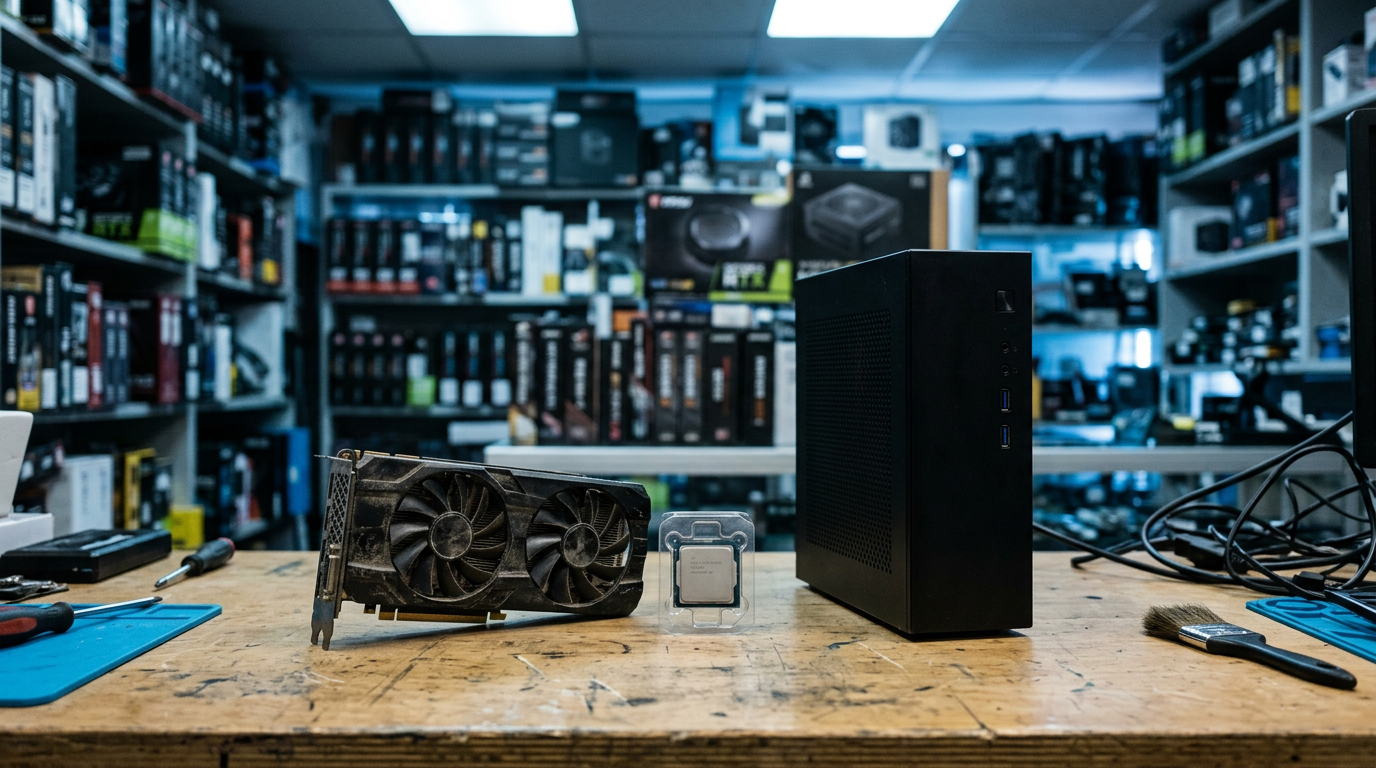
If you want to sell a gaming PC near you in Houston, the quickest route is a local buyback store: get a free quote, bring the machine in for inspection, and walk out with cash the same visit. The same goes for a graphics card or loose PC parts, and at Sell Your Gadgets Houston on Lockwood Dr there is no appointment and no shipping box.
This guide covers what an experienced buyer looks at when a gaming rig comes across the counter. It explains when to sell the whole system versus parting it out, what drives GPU value, and how to wipe your drives and clear your Windows accounts properly. It also covers how people from nearby neighborhoods can get here easily.
How selling a gaming PC in Houston works at our store
We are a buyback store. We pay cash for used, new, and broken electronics, and we do not sell devices, so we have no reason to lowball you and then flip the listing back to you at a markup. We also never publish prices, because the value of a PC depends on the exact parts inside it and their condition. The only honest number comes from a real quote.
- Get a free quote. Use the online quote form, send us a text, or just walk in. List the GPU, CPU, RAM, storage, and power supply if you know them.
- Bring it in for a quick inspection. We power it on, check that the parts are what you described, and look at physical condition.
- Get paid cash on the spot. No appointment needed. Every sale requires a valid government photo ID, which is the standard secondhand-dealer rule.
- Free data wipe in store. We can wipe the machine for you, though you should still do the prep steps below so nothing personal depends on us.
If you already know you are selling a full tower, our sell your desktop or gaming PC page explains what we look at. If you only have components, see the PC parts and GPU page.
Whole PC vs. parting out: which makes more sense?
This is the question almost every seller asks. The short answer: sell the whole system when it is reasonably current and everything works. Part it out when one standout component, usually the GPU, is worth more on its own than it adds to the complete build. Parting out sounds like it should always pay more, but it costs time, and the leftover parts are the hard ones to move.
| Factor | Selling the whole PC | Parting out |
|---|---|---|
| Speed | One visit, one transaction | Several sales, sometimes over weeks |
| Effort | Low: plug in, wipe, hand over | High: disassemble, photograph, test, and sort each part |
| Best for | Matched, working builds with balanced parts | Builds with one high-demand part and some dated ones |
| Leftover risk | None | Older motherboards, cases, and coolers can be slow to sell |
| Value of a strong GPU | Reflected in the overall quote | Can be sold separately at its own value |
| Warranty and proof | Fewer questions, fewer surprises | Each part needs to be verified individually |
A practical middle path
Plenty of people pull the graphics card and sell it separately, then sell the rest of the system as a whole. That works if you are upgrading anyway or the GPU is the clear star. You can request quotes for both scenarios through our free quote form and compare them before deciding. Comparing is free, and you are never obligated to accept.
When to keep it whole
If the PC is a few years old, every part is mid-range, and the case is in decent shape, the complete system is usually the easier win. Builders often underestimate how much a clean, working, fully assembled machine is worth compared with a pile of components that each need testing.
What drives GPU value when you sell a graphics card
People searching to sell a graphics card for cash or sell a GPU near me are often sitting on the most valuable part of their build. Four things matter most.
Model and generation
The exact model matters more than the brand name on the box. A current-generation card from a major manufacturer holds value noticeably better than an older card of the same tier, and higher tiers within a generation hold value better than entry-level ones. Partner-brand variants (the card maker, not the chip maker) matter less than the chip itself, though a well-regarded cooler design helps. Check the exact name on the card or in your driver software, including any suffix, because those small letters often separate very different quotes.
VRAM
Video memory has become a real selling point. Buyers of gaming cards increasingly care about having enough VRAM for modern texture-heavy games and higher resolutions. Two cards from the same family with different memory sizes will not be valued the same, so list the amount when you ask for a quote. A card with generous VRAM for its class tends to stay easier to resell over time.
Mining history
A mining past is not automatically a dealbreaker, and plenty of mined cards run fine. What matters is the wear that can come with it. Running around the clock can tire fans, dry out thermal paste and pads, and heat-stress the board. If you mined with the card, say so. We verify condition in person anyway, and being upfront keeps the inspection quick and friendly. Undervolted, well-cooled cards often look much better than hot, dusty ones.
Cooler and physical condition
This is the category you can influence most before you come in:
- Fans: They should spin freely, with no grinding, rattling, or wobble.
- Dust: Clean the heatsink fins and fans gently with compressed air, holding the fans still so they do not overspin.
- Backplate and shroud: Cracks, bent metal, or missing pieces lower the value.
- PCIe connector and power ports: Look for bent pins, burn marks, or corrosion.
- Stickers and seals: Intact original stickers suggest the card was not opened or repasted, which some buyers prefer.
Original box, accessories, and support brackets are a small plus but rarely the deciding factor. Bring them if you still have them.
Other PC parts that affect your quote
If you plan to sell PC parts individually or as part of a full system, these are the components that tend to matter after the GPU:
- CPU: Current platforms hold value better than old sockets. Bring the exact model name.
- Motherboard: Chipset and condition matter. Check for bent socket pins and damaged RAM slots.
- RAM: Capacity, type, and whether it is a matched kit all matter. Newer memory types hold value better.
- Storage: NVMe drives are more in demand than older spinning drives, and drive health matters.
- Power supply: Reputable brands with solid wattage ratings matter. Very old or unbranded units are harder to sell.
- Case and cooling: Cases and coolers are bulky and lower in value, but a clean, popular case helps a whole-system sale.
- Monitors and peripherals: We also buy gaming monitors, so bring yours if you are selling the whole setup.
Not sure what is inside? Open the side panel and snap a photo of the labels, or run a free system-info tool and send us the list with your quote request.
How to wipe drives and remove Windows accounts before you sell
We offer a free data wipe in store, but it is smart to handle the personal side yourself. It takes under an hour for most people and protects your accounts whatever happens to the machine later.
- Back up what you want to keep. Copy saves, photos, documents, and project files to an external drive or cloud storage. Once the wipe is done, they are gone.
- Sign out of game launchers. Log out of Steam, Epic, Battle.net, EA, Ubisoft, and the Xbox app. Turn off any "remember me" options. Games tied to your account stay yours and can be reinstalled on your next PC.
- Deauthorize software. Creative suites, music tools, and similar programs often limit the number of machines. Deactivate them first.
- Turn off device encryption. If BitLocker or device encryption is on, decrypt the drive or make sure you have your recovery key. This avoids confusing lockouts.
- Remove your Microsoft account. Sign out, switch to a local account, or remove your account under Settings. Then visit your Microsoft account online and remove the PC from your device list.
- Reset Windows. Go to Settings, System, Recovery, then Reset this PC. Choose Remove everything and the option to clean the drive. On a PC with several drives, wipe each secondary drive too.
- Clear BIOS passwords. If you set a BIOS or UEFI password, remove it so the machine can be tested.
If you run into trouble, bring the machine in as is and tell us. We can wipe it while you are here, but it is worth having your accounts signed out beforehand so nothing stays linked to you. Also remove any drives you do not want to sell and keep them.
Selling locally vs. Facebook Marketplace or eBay
Online marketplaces can work, and they are widely used for PC hardware. The trade-offs are also well known: you handle listings, photos, questions, and no-shows, and strangers come to your home or expect a shipped package. Marketplaces also have their own fees and dispute rules, which vary by platform. For a graphics card or a full tower, shipping can be a real concern because the parts are fragile and valuable.
Our customers say much the same thing in their Google reviews. Many mention that the process was quick and easy, that staff were friendly and patient, and that it beat dealing with the downfalls of selling through online marketplaces themselves. We hold a 4.8 rating from 862 Google reviews, and you can see how the store works on our Houston store page.
A fair way to decide: if you have the time and want to chase the highest possible offer, list it online as well. If you value a same-day, predictable sale, a local buyback is hard to beat. Getting a free quote first lets you compare the two.
What to bring when you sell your PC or GPU
- Valid government photo ID (required for every sale).
- The PC, graphics card, or parts, protected from bumps. Put a GPU in an anti-static bag or its original box.
- Power cable and any PCIe power adapters that came with the card.
- Original boxes, manuals, and accessories, if you have them.
- A short list of specs, or a screenshot from your system-info tool.
- Your monitor, keyboard, and mouse if you are selling the full setup.
No appointment is necessary. If you want an idea of what to expect before leaving home, start with our free quote form or send a text.
Selling from nearby Houston neighborhoods
We are at 1454 Lockwood Dr Ste B, Houston, TX 77020, and we regularly buy from people across the east and north-east side of the city. Here is how it works from each area.
Trinity / Houston Gardens
If you are coming from Trinity / Houston Gardens, you are a straightforward drive to our Lockwood Dr location. It is an easy trip with a tower in the back seat, and we can handle a wipe on the spot. Bring the power cable and your ID, and you can usually wrap up the sale in one visit.
Northeast Houston
Northeast Houston sellers can reach us without crossing the whole city. Gamers who have upgraded and have an old rig or a spare GPU sitting around often make the quick trip here instead of dealing with meetups. Send your specs ahead of time through the quote form so you know what to expect when you arrive.
Pleasantville Area
From the Pleasantville Area, our store is a short hop toward the Fifth Ward side of town. People here often bring in a whole setup, including the tower and monitor. Since we buy gaming PCs and monitors, you can sell both in the same visit.
Magnolia Park
Magnolia Park is a natural fit if you are coming from the east side of central Houston. Bring your tower or card and skip the hassle of shipping a fragile GPU. If a component is dead or damaged, we also look at broken devices, so it is still worth getting a quote.
South Central Houston
Folks from South Central Houston can reach us by driving north toward the Fifth Ward and Denver Harbor area. If you do not want to drive, the Fifth Ward/Denver Harbor Transit Center is the transit reference point for our area. A GPU or a few parts are easy to carry, but a full tower is best moved by car.
East Downtown
East Downtown (EaDo) sellers are close to us, which makes a same-day visit easy after work or on a weekend. Apartment and condo dwellers often have a compact build or spare parts they no longer need, and dropping them off here avoids strangers coming to your home. We are also open Sundays if the weekday schedule does not work.
Wherever you are coming from, our Texas locations page lists our other stores if another one is closer.
Frequently asked questions
Can I sell a gaming PC that does not turn on?
Yes. We buy new, used, and broken devices. A PC that will not boot is usually worth less than a working one, but the parts inside, such as the GPU, RAM, or power supply, may still have value. Request a free quote and describe what happens when you press the power button.
Where can I sell a GPU near me without shipping it?
You can bring it to Sell Your Gadgets Houston on Lockwood Dr. We inspect it, give you a cash offer, and pay you on the spot if you accept. There is no shipping, no waiting for a buyer to confirm, and no appointment needed.
Do you buy graphics cards that were used for mining?
We evaluate each card on its condition. A mining history can affect value because of fan and thermal wear, but it does not automatically rule out a sale. Tell us how it was used, and we check it in person.
Do I need to wipe my PC before I bring it in?
It is best to back up your files and sign out of your accounts first, but we provide a free data wipe in store. Follow the steps above to sign out of launchers, remove your Microsoft account from the device, and reset Windows.
What ID do I need to sell?
A valid government-issued photo ID is required for every sale. This is a standard secondhand-dealer rule, and it applies to everyone.
How much will I get for my gaming PC?
We do not publish prices because the quote depends on the exact parts and condition. Newer GPUs, more VRAM, clean coolers, and well-kept systems tend to hold value better. The fastest way to find out is a free quote online, by text, or in person.
Is it better to sell the GPU separately?
Sometimes. If the graphics card is much more valuable than the rest of the PC, selling it separately can make sense. Ask for quotes on both the whole system and the card alone, then compare.
Ready to sell? Get a free quote and then visit Sell Your Gadgets Houston at 1454 Lockwood Dr Ste B, Houston, TX 77020. We are open Monday through Saturday from 10:00 AM to 7:00 PM and Sunday from 11:00 AM to 5:00 PM. You can also call (281) 768-9815, or check the store page for details before you head over.
Hear from a real customer
A real customer on their experience. Working or broken, get a free quote and walk out with cash the same day.
Compare your options
See how selling to us stacks up against other ways to sell, side by side.