Sell Gaming PC Near Me in Islip Terrace, NY: Cash Guide
By syedladen ·
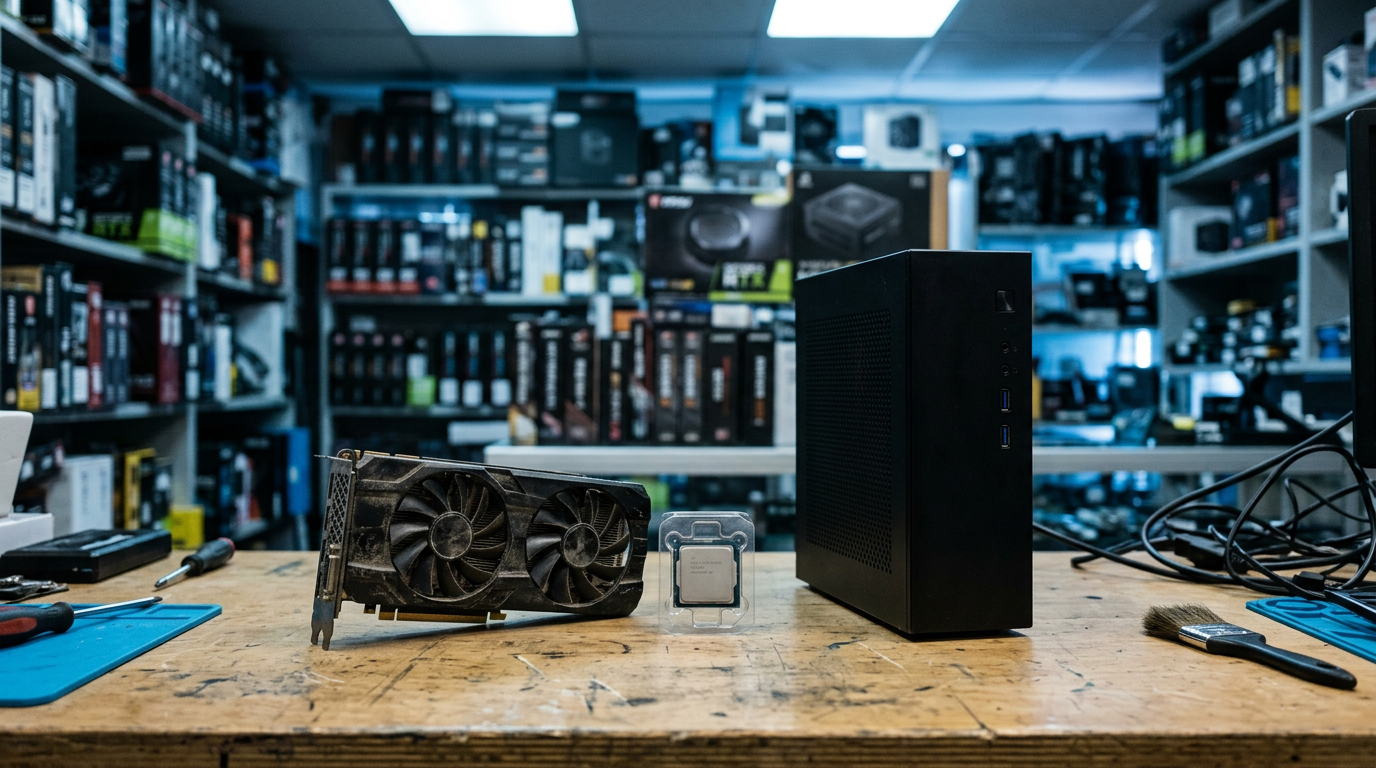
If you want to sell a gaming PC near Islip Terrace, NY, bring it to Sell Your Gadgets Islip at 34 Lowell Ave for an in-person inspection and cash on the spot. Graphics cards and loose PC parts work the same way: get a free quote first, bring the hardware and a valid government photo ID, and we handle the rest, including a free data wipe.
This guide covers the decisions that matter most: whether to sell the whole rig or part it out, what drives GPU value, how to wipe your drives and sign out of Windows properly, and what to expect when you walk in. We are a buyback store, so we pay you for gear. We don't sell devices, and we don't post prices publicly because the right number depends on the exact hardware and its condition.
Whole gaming PC vs. parting it out
This is the first question almost everyone asks. The short answer is that selling the whole PC is faster and simpler, while parting out can bring more total value if you have the time and patience. Which is better depends on how the build is put together and how much work you want to take on.
When selling the whole PC makes sense
- You want it gone quickly. One inspection, one payment, no shipping boxes and no strangers asking if you'll take a lowball offer.
- The build is balanced. A current GPU, a matching CPU, decent RAM, and an SSD tend to sell well as a package.
- The case and cooling are in good shape. A clean, working system with no missing panels or broken fans is easier to evaluate and values better.
- You don't want to deal with the leftovers. Parting out leaves you with a case, a power supply, and cables nobody is excited to buy.
When parting out can be worth the effort
- One component is far more valuable than the rest. A high-end GPU in an otherwise older system is the classic case. Selling the card separately can make more sense than letting it be averaged into the whole machine.
- You're upgrading anyway. If you already pulled the old card and stored it, you have parts, not a PC.
- You have a mismatched build. Newer parts in an old platform are often easier to place individually.
You don't have to decide alone. Send us the specs through the free quote form and we'll tell you how the whole system looks versus the standout parts. If you're leaning toward the complete build, our page on how to sell your desktop or gaming PC walks through the process.
| Factor | Sell the whole PC | Part it out |
|---|---|---|
| Speed | Same visit, paid on the spot | Slower; may take several visits or sales |
| Effort | Low; bring it in as is | Higher; careful removal and packing |
| Risk of damage | Lower | Higher if you handle parts without care |
| Best for | Balanced, working builds | One standout component or an old platform |
| Leftover parts | None | Case, PSU, and cables may be hard to move |
How selling a gaming PC works at our Islip Terrace store
The process is straightforward and doesn't require an appointment:
- Get a free quote. Use the online form, text us, or just walk in. Give us the CPU, GPU, RAM, storage, and anything unusual about the build.
- Bring it in. We inspect the system, confirm it powers on and runs as described, and check the condition of the hardware.
- Get paid cash. If you accept the offer, you're paid on the spot.
Every sale requires a valid government photo ID. That's the standard secondhand-dealer rule, not a special hurdle. We also buy gaming PCs that have problems, so a rig that won't boot or has a failed part is still worth asking about.
Selling a graphics card for cash: what drives GPU value
If you're searching for where to sell a GPU near you, these are the factors that decide how strong an offer will be. We don't quote numbers in an article, but understanding these helps you set realistic expectations before you request a free quote.
Model and generation
The exact model matters more than anything else. A card from a current or recent generation holds value noticeably better than one from several generations back. Within a generation, tiers matter too: a higher-tier card usually has far more buyer demand than an entry-level one. Suffixes like Ti or Super, and variants with different memory configurations, change value, so read the model name off the card or the box rather than guessing.
VRAM capacity
Modern games and creative workloads use a lot of video memory, so two cards with similar names but different VRAM amounts can be valued quite differently. More VRAM generally helps a card stay relevant longer. Tell us the exact memory amount when you ask for a quote.
Mining history
Plenty of GPUs spent time mining cryptocurrency, and buyers ask about it. Mining isn't automatically bad. Cards run at steady loads and some are undervolted, but heavy use can wear fans and thermal materials. Be honest if you know the card was mined on. Our inspection will check how it behaves anyway, so there's no advantage in guessing.
Cooler and physical condition
Fans that rattle, grind, or fail to spin are a common cause of value loss. So are bent fins, cracked shrouds, a sagging backplate, and dust caked into the heatsink. Before you come in, blow out the dust with compressed air (power the PC off and unplugged first), and check that every fan spins freely. A clean card with a healthy cooler leaves a better impression and is easier to test.
Box, accessories, and brand
The original box, support bracket, adapters, and paperwork help, even if they don't change the result dramatically. Well-known board partners with good cooler designs are also easier to place than obscure ones.
Working vs. broken cards
A card that artifacts, crashes under load, or doesn't display anything is worth much less than a working one, but it isn't always worthless. Tell us what's wrong. We buy broken devices, and a clear description helps us give an accurate quote.
Selling other PC parts
If you're looking to sell PC parts beyond the graphics card, these are the ones people most often bring us, along with what tends to matter:
- CPUs: the exact model and generation. Bent pins or damage to the contacts hurt value badly.
- Motherboards: socket type, chipset, and whether all ports, RAM slots, and M.2 slots work.
- RAM: capacity, speed, and generation. Matched kits are easier to sell than odd sticks.
- SSDs and hard drives: capacity and condition. Wipe them first, or let us do it.
- Power supplies: wattage, efficiency rating, and whether the cables are included. Older or unknown-brand units have limited demand.
- Monitors: we buy gaming monitors too. Panel condition, size, and refresh rate matter.
Our sell your PC parts and GPU page explains what to have ready. Bringing parts in an anti-static bag or their original packaging is a small step that shows care and protects them on the ride over.
Wiping drives and removing your Windows account
Before any PC changes hands, your personal data needs to go. We offer a free data wipe in store, but doing a few steps yourself first makes everything smoother and gives you control over what's saved.
Back up what you want to keep
Copy documents, photos, game saves, and project files to an external drive or cloud storage. Check that the copy opens before you erase anything. Game libraries on Steam and other launchers can re-download, but local save files and mod configurations may not.
Sign out and deauthorize accounts
- Microsoft account: remove the PC from your account's device list and sign out of the Windows user profile.
- Game launchers: log out of Steam, Epic, Battle.net, EA, Ubisoft, and similar apps, and deauthorize the machine where the service requires it.
- Software licenses: deactivate anything tied to the machine, such as creative suites or other paid programs.
- Browsers and password managers: sign out and clear saved logins.
- BitLocker or device encryption: make sure you have your recovery key saved, or turn encryption off before resetting.
Reset Windows
In Windows settings, use the Reset this PC option and choose to remove everything. If you're not sure, bring the machine as it is. We'll wipe it in the store so nothing personal stays behind. Just don't leave the PC tied to your Microsoft account.
Loose drives and spare storage
A quick format isn't a proper wipe. If you're selling separate SSDs or hard drives, leave the wiping to us, or use a secure erase tool from the drive maker. We can handle this during your visit at no charge.
What to bring and how to prepare
| Item | Why it helps |
|---|---|
| Valid government photo ID | Required for every sale |
| The PC or parts | Needed for inspection and testing |
| Power cable and any video cables | Lets us test that it boots and displays |
| Original boxes, brackets, adapters | Completes the package and helps value |
| Spec list or model numbers | Speeds up your quote and avoids mistakes |
| Backup of your files | Protects your data before the wipe |
Carry a tower carefully: remove side-panel glass if it's loose, secure heavy GPUs, and pad the case in the car. If the system is large and you'd rather not haul it around before knowing the offer, send photos and specs through the quote form first.
Why sell locally instead of online
Online marketplaces can work, but they come with friction. Buyers haggle, no-shows happen, and shipping a GPU or full tower adds risk of damage, disputes, and scams. A local buyback means you see the offer in person, the machine is tested in front of you, and payment is immediate.
Our customers describe the experience as quick, friendly, and easy to understand, and our Google rating of 5 stars across 179 reviews reflects that. Several reviewers mention staff who are knowledgeable and explain the process clearly, which matters when you're selling hardware with lots of specs. If you're also comparing options across the state, see our New York locations.
Coming from nearby towns
We're in Islip Terrace, and customers come from across the surrounding South Shore and central Suffolk communities. Here's what to know depending on where you're starting from.
Hauppauge
Hauppauge has a large business and office presence, so a lot of people there have spare workstations, upgraded desktops, and old parts from home setups. If you're coming from Hauppauge, bring your ID and build specs and you can usually walk in without an appointment. Check the hours below, since we are closed on Tuesdays.
Lake Ronkonkoma
If you're around Lake Ronkonkoma and have a gaming PC you've outgrown, we're a short trip away. Text us the model details first to get a quote, then come in to finalize it. Weekend hours run a bit shorter, so plan accordingly.
Bohemia
Bohemia residents often have garage or basement setups with older towers and spare GPUs. Pull those parts out, dust them off, and bring them along. We can look at everything in one visit, including monitors and other gaming gear.
Great River
Great River is close to us, and many people combine a visit with other errands nearby. Bring your gaming PC or GPU, and we'll test it and handle the wipe while you're here. If you're heading over after visiting Bayard Cutting Arboretum, pack the hardware carefully so it stays protected.
Bay Shore
If you're in Bay Shore, a quote by text or online form can save you a trip. You'll know what to expect before you head over, and then you can bring the PC in for an inspection and cash. Bay Shore gamers often have older builds sitting in closets, and we're happy to look at those as well.
North Bay Shore
North Bay Shore is an easy area for us to serve. If you have a desktop, graphics card, or other PC hardware, send the specs ahead of time. Walk-ins are welcome, and we can complete the sale and data wipe in one visit.
Frequently asked questions
Where can I sell my gaming PC near Islip Terrace?
You can sell it at Sell Your Gadgets Islip, 34 Lowell Ave, Islip Terrace, NY 11752. Get a free quote online, by text, or by walking in. We inspect the system and pay cash on the spot if you accept the offer.
Can I sell just my graphics card?
Yes. We buy individual GPUs, and you can ask for a quote on a card by itself. Give us the exact model, VRAM amount, and any issues. See the PC parts and GPU page for more detail.
Will you buy a gaming PC that doesn't turn on?
We buy new, used, and broken devices, so it's worth asking. A non-working PC is valued lower than a working one, and the specific fault matters. Describe the problem in your quote request, and we can tell you how it affects the offer.
Do I need an appointment?
No appointment is needed. You can walk in during store hours or start with a free quote by form or text. A quote in advance just makes the visit quicker.
Do I need to wipe the PC before bringing it in?
It's best to back up your files and sign out of your accounts, but you don't have to do a full wipe yourself. We offer a free data wipe in store. Just make sure the PC isn't locked to your Microsoft account or an encryption key you can't access.
Does mining history hurt a GPU's value?
It can, mostly because of wear on fans and thermal materials, but it depends on the card's actual condition. Be upfront about it. We test the card, and the inspection tells us more than the history alone.
What ID do I need?
A valid government photo ID is required for every sale. This is the standard secondhand-dealer rule and applies to all customers.
Ready to sell? Get your free quote, then visit Sell Your Gadgets Islip at 34 Lowell Ave, Islip Terrace, NY 11752, or call (631) 446-1050. We're open Monday, Wednesday, Thursday, and Friday from 11:00 AM to 7:00 PM, Saturday and Sunday from 11:00 AM to 5:00 PM, and closed Tuesday.
Hear from a real customer
Why they chose Sell Your Gadgets. Working or broken, get a free quote and walk out with cash the same day.
Compare your options
See how selling to us stacks up against other ways to sell, side by side.