Sell Gaming PC Near Me in Pearland, TX: Cash for GPUs & Parts
By syedladen ·
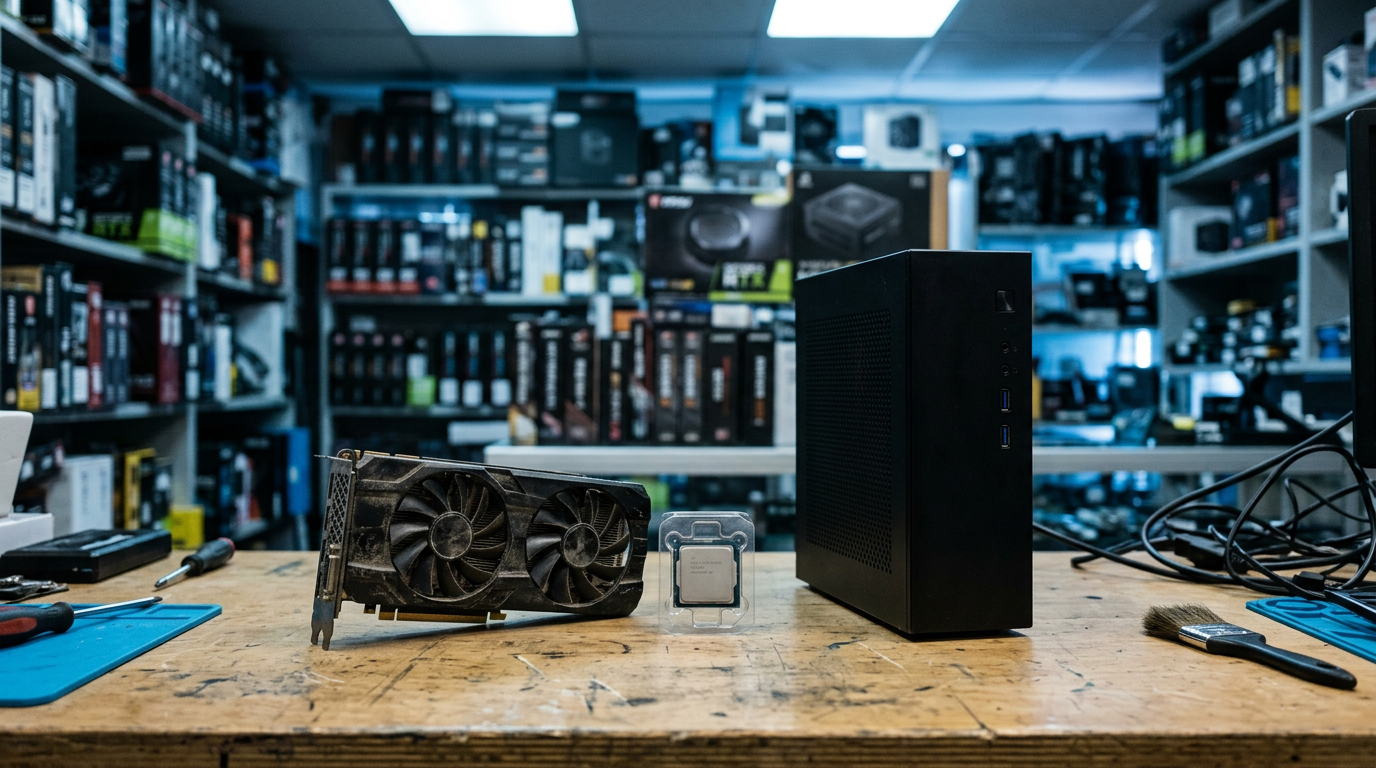
If you want to sell a gaming PC near Pearland, TX, the simplest route is to get a free quote from Sell Your Gadgets Pearland, bring the rig in for a quick inspection, and get paid cash on the spot. The same goes for a single graphics card or a box of spare parts: we buy complete gaming PCs, GPUs, and loose components, whether they are new, used, or broken.
This guide walks through the decisions that actually change what you are offered: selling the whole machine versus parting it out, what makes one graphics card worth more than another, and how to wipe your drives properly before you hand anything over. It also covers what to bring, and how the trip works if you are coming from a nearby town.
How selling a gaming PC locally works in Pearland
Sell Your Gadgets Pearland is a buyback store. We pay cash for electronics, and we do not sell devices from the counter. That matters, because it means the person looking at your PC is there to buy it, not to talk you into something else.
The process is short:
- Get a free quote. Use the online form, send a text, or just walk in. You can start at our free quote page with the model details you know.
- Bring the PC or part in. No appointment is needed. We inspect it in front of you.
- Get paid cash on the spot. You need a valid government photo ID for every sale, which is the standard secondhand-dealer rule in Texas.
We do not publish prices, because a gaming PC is not one fixed product. Two machines with the same sticker on the case can be worth very different amounts depending on the graphics card, the condition, and what is inside. A quote based on your actual parts is the honest way to do it.
Whole PC vs parting out: which makes sense?
This is the question almost every gaming PC seller asks. There is no universal answer, but there is a practical way to think about it.
Selling the whole PC
Selling complete is faster and far less work. You do not photograph, test, and list a dozen parts, and you are not stuck with leftover pieces nobody wants. A complete, working, clean system is also easier to verify in person: we can power it on, check that it boots, and see that everything is present.
Selling whole tends to make the most sense when the components are roughly balanced, when the machine is a few generations old, or when you simply want it gone today. It is also the better path if the case, power supply, and motherboard are mid-range parts that would be tedious to sell separately.
Parting it out
Parting out can make sense when one component is clearly the star. A high-demand graphics card paired with an older CPU and a forgettable case is the classic example. Pulling the GPU and selling it on its own may reflect its value better than bundling it into a weaker system.
The catch is effort and risk. You have to pull parts carefully, handle static, keep the original boxes if you have them, and accept that the leftover pieces (case, older motherboard, basic power supply) may be slow to move. You can bring the parts to us, too, since we buy PC parts and GPUs individually.
| Factor | Sell the whole PC | Part it out |
|---|---|---|
| Time and effort | Low: one visit | Higher: pulling, cleaning, testing |
| Best when | Parts are balanced or aging together | One component is much more desirable than the rest |
| Leftover parts | None | Case, board, and cooler can be hard to place |
| Risk of damage | Minimal | Static, bent pins, lost screws and cables |
| Data to wipe | Drives inside the system | Drives only, but you must handle them separately |
A good middle path: get a quote on the whole system first, then ask what the graphics card alone would look like. Comparing the two takes a few minutes, and you choose. If you want to see how we handle complete systems, our page on how to sell a desktop or gaming PC lays it out.
What drives graphics card value
If you searched for how to sell a graphics card for cash or sell a GPU near you, this is the section that matters. The GPU is usually the single biggest piece of a gaming PC's value, and four things move it more than anything else.
Model and generation
The exact model is the starting point. A current or recent-generation card from NVIDIA GeForce or AMD Radeon holds value noticeably better than an older card, and higher tiers within a generation hold value better than entry-level ones. Variants matter too: a Ti or Super model, or an XT version on the AMD side, is a different card from the base model, so tell us the full name printed on the box or shown in the system info.
VRAM
Video memory matters more every year as games and creative tools ask for more of it. Two cards in the same family can differ in VRAM, and the one with more usually draws more interest from buyers. Cards with very little memory for their era tend to be discounted for it.
Mining history
Many buyers ask whether a card was used for cryptocurrency mining. Mining is not automatically a dealbreaker, but a card that ran hard for long periods can have worn fans, dried thermal paste, or heat-stressed components. Be upfront about it. A card that tests cleanly and runs stable is still worth a quote, and being honest saves time at the counter.
Cooler and physical condition
The cooler is what keeps a GPU alive. Look for:
- Fans that spin freely and quietly, with no grinding or wobble
- Dust buildup in the heatsink fins (a quick cleaning before you come in helps)
- Bent fins, cracked shrouds, or a sagging backplate
- Damaged or discolored PCIe connector pins
- Missing brackets, or a power connector that looks melted or scorched
Original box, accessories, and any remaining warranty paperwork can help a little, but they are a bonus, not a requirement. A working card without a box is still a sellable card.
What about a dead or artifacting GPU?
We buy broken electronics, and that includes graphics cards that artifact, crash under load, or do not display anything. The offer will be noticeably lower than for a working card, but a non-working GPU is not automatically worthless. Say what is wrong and let us inspect it.
Other parts that affect what you get for a gaming PC
The GPU leads, but it is not the whole story. When we look at a complete system or a pile of parts, these are the things that shift the offer:
- CPU and motherboard platform. A newer socket and chipset is easier to resell than an older one.
- RAM. Capacity and type matter, and matched kits are better than mixed sticks.
- Storage. Fast NVMe drives are more desirable than old spinning drives, though every drive has to be wiped.
- Power supply. Reputable brands and higher efficiency ratings help. Very old or no-name units can drag a build down.
- Case and cooling. A clean case with intact panels and working fans looks like a cared-for machine. Aftermarket liquid coolers should be leak-free and complete.
- Monitors and peripherals. We also buy gaming monitors, so bring the display if you are upgrading everything at once.
Cleanliness is worth a few minutes. Compressed air through the filters, fans, and heatsinks makes a machine look and test better.
Wipe your drives and remove your accounts before you sell
A gaming PC holds more personal information than most people remember: saved browser passwords, game launcher logins, email, tax files, photos. We offer a free data wipe in store, but it is smart to do your own prep so nothing important is lost and nothing private is left behind.
- Back up what you want to keep. Copy save files, documents, photos, and any game installs you want to keep to an external drive or cloud storage.
- Sign out and deauthorize. Log out of Steam, Epic, Battle.net, EA, Ubisoft, and similar launchers. Some of them limit how many machines can be tied to an account.
- Remove your Microsoft account. Go to your Microsoft account's device list online and remove the PC. If you use a Windows account tied to an email address, unlink or delete it on the computer.
- Turn off device encryption and recovery locks. BitLocker or device encryption can complicate a reset if keys are not handy, so decrypt the drive or make sure you have the recovery key.
- Reset Windows. Use the option to remove everything and clean the drives, not the quicker reset that keeps files in place.
- Handle extra drives separately. If you have secondary SSDs or hard drives, they need their own wipe. A Windows reset does not always touch them.
- Check firmware passwords. If you set a BIOS or UEFI password, clear it so the system can be tested.
Even after you do all this, we run our own free data wipe in store. If a machine will not boot and you cannot reset it, bring it anyway. Just tell us, and we will handle the drives when we inspect it.
What to bring to the store
Keep it simple. Here is a short checklist:
- Valid government photo ID. It is required for every sale.
- The PC, card, or parts themselves. For a full tower, bring the power cable if you can.
- Any original box, cables, brackets, or support-stand accessories for a GPU.
- Notes on the model names if you are not sure. A phone photo of the spec sheet or system info screen works fine.
- The monitor, keyboard, and mouse if you also want to sell those.
A graphics card should travel in an anti-static bag or its original box, not loose in a cup holder. A full tower should be seated upright and secured in the car so the GPU does not sag or shift on the drive.
Local cash vs. online listings and mail-in
You have options, and each one has real tradeoffs. Marketplace listings and auction sites like eBay or Facebook Marketplace can reach a wide audience, and some sellers do well with them. They also mean writing listings, answering repeated questions, handling fees or shipping, and dealing with possible disputes or no-shows. Mail-in buyback services remove the meetups, but you pack a valuable, fragile part, wait on shipping, and wait again for a check or payment.
| Option | Speed | Effort | Things to weigh |
|---|---|---|---|
| Local buyback (Pearland) | Same visit | Low | Free quote, in-person inspection, cash on the spot |
| Online marketplace | Depends on buyer interest | High | Listing work, messaging, meetups or shipping, possible fees |
| Mail-in service | Days to a week or more | Medium | Packing risk, shipping time, re-quotes after inspection |
Local buyback wins on convenience and certainty. If you would rather hold out for a specific buyer and do not mind the work, a listing can be worth trying. Many people get a free quote first so they know the baseline before deciding.
Coming from nearby towns
Our store is at 1921 N Main Street Suite 105 in Pearland, and we regularly buy from sellers across the surrounding area. Here is how the trip tends to look from each direction.
Manvel
As Manvel keeps growing along Highway 6, plenty of households there end up with a gaming PC or spare GPU that has been replaced by something newer. The drive north to Pearland is short, and you leave with cash instead of a pile of listing messages. See our Manvel page for more on selling from there.
Alvin
Alvin sellers can head up Highway 35 and turn an old tower or a drawer of spare components into same-day cash, with no shipping and no waiting on a mailed check. It is a practical trip when you have a heavy case to move. Our Alvin page has the local details.
Fresno
Fresno households in Fort Bend County can get a free, in-person evaluation at our Pearland counter instead of trusting a valuable graphics card or laptop to the mail. Seeing the inspection happen in front of you takes the guesswork out of it.
Webster
Between NASA-area upgrades, Webster sellers cash in phones, MacBooks, and gaming gear on a quick drive west along FM 528. If you are replacing a whole setup, bring the PC, monitor, and any console or headset you no longer use.
League City
League City is a straight shot up the Gulf Freeway, so Bay Area sellers get a real person's cash offer at our Pearland store rather than a kiosk lowball. For a gaming PC, that person can actually open the case and look at the GPU, which a kiosk cannot do. Our League City page covers that route.
Missouri City
Missouri City residents skip cross-town Houston traffic and head to nearby Pearland for instant cash on phones, tablets, and consoles. Gaming PCs and parts fit the same trip, so pack the tower and any extras in one go.
Tips to get the strongest quote
- Know the exact model. Full GPU name and VRAM amount are the first things we ask about.
- Be honest about history. Mining use, overclocking, or past repairs are better said upfront.
- Clean it. Dust-free fans and tidy cables make inspection smoother.
- Test before you come. If you can, run a game or benchmark to confirm it is stable.
- Bundle smartly. Selling monitor, PC, and accessories together saves you trips.
- Do not wait too long. Newer generations tend to push older GPUs down in value, so waiting usually does not help.
Frequently asked questions
Can I sell a gaming PC near me without an appointment?
Yes. You can walk in to our Pearland store during open hours, or start with a free quote online or by text. Bring valid government photo ID, since it is required for every sale.
How do I sell a graphics card for cash?
Send us the model and condition through the quote form, or bring the card in. We inspect it, confirm it works, and pay cash on the spot if you accept the offer. Model, VRAM, cooler condition, and usage history all affect the number.
Do you buy broken or non-booting gaming PCs?
We buy new, used, and broken electronics. A PC that will not boot or a GPU that artifacts will usually be quoted lower than a working one, but it can still be worth something. Describe the problem and let us inspect it.
Will mining history stop you from buying my GPU?
Not automatically. Mining use can affect the offer if the fans or cooling show wear, so tell us about it. A card that tests stable and looks healthy is still worth a free quote.
Do I need to wipe my PC before I bring it in?
It is a good idea to back up your files, sign out of launchers, remove your Microsoft account, and run a full Windows reset. We also do a free data wipe in store, so if you cannot finish the reset, bring it in and tell us.
Can I sell individual PC parts instead of a whole system?
Yes. We buy GPUs, and other components, so you can sell pieces from an upgrade or a teardown. Start on our PC parts page or request a quote with the part names.
Should I sell the whole PC or part it out?
Sell the whole PC if you want speed and simplicity. Part it out if one component, usually the GPU, is much stronger than the rest. Ask for both quotes and compare.
Ready to sell your gaming PC, graphics card, or spare parts? Request a free cash quote or visit Sell Your Gadgets Pearland at 1921 N Main Street Suite 105, Pearland, TX 77581. We are open Monday through Saturday from 10:00 AM to 7:00 PM and Sunday from 11:00 AM to 5:00 PM, or call (713) 823-1269. Bring your photo ID and we will take care of the rest.
Hear from a real customer
A real customer on their experience. Working or broken, get a free quote and walk out with cash the same day.
Compare your options
See how selling to us stacks up against other ways to sell, side by side.