
Sell Laptop Near Me in East Meadow, NY: Same-Day Cash Guide
By syedladen ·
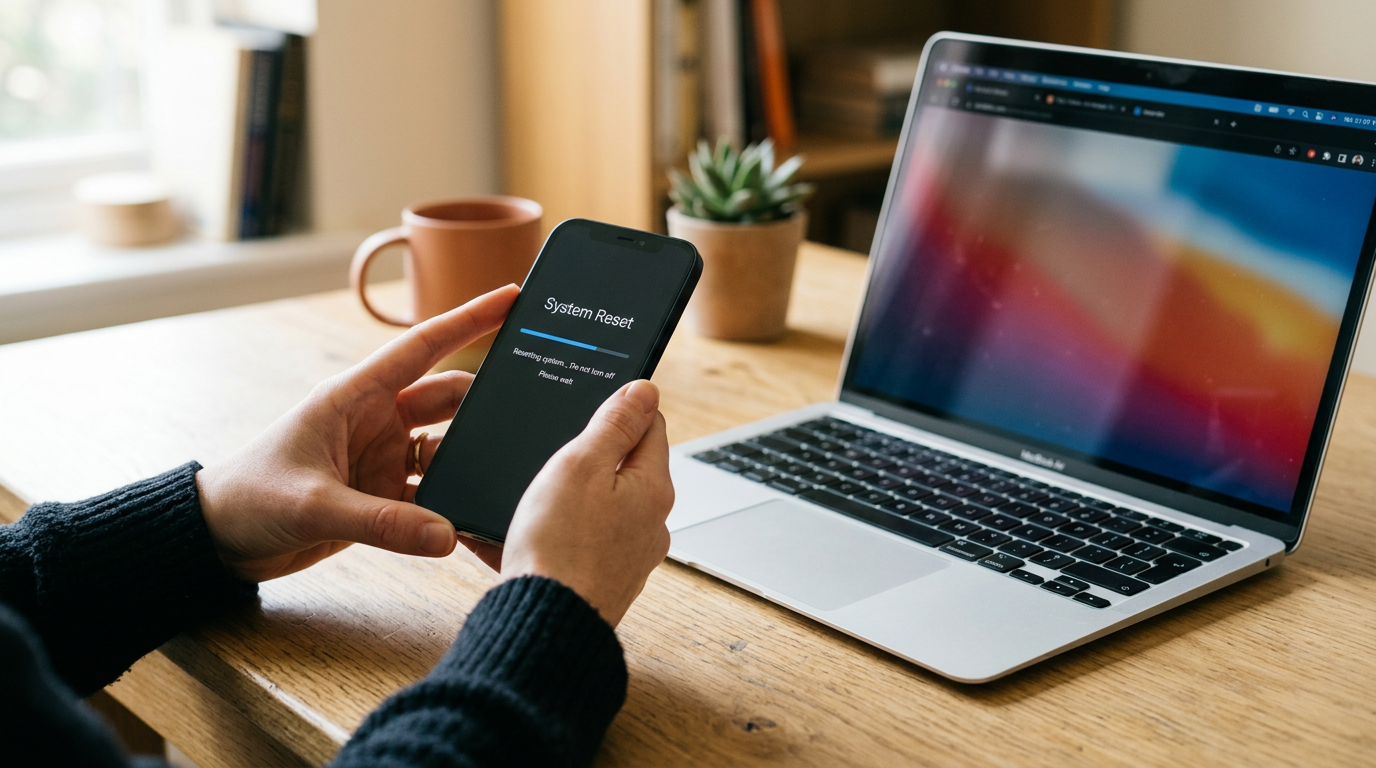
If you want to sell a laptop near you in East Meadow, NY, bring it to Sell Your Gadgets at 477 Newbridge Rd with a valid government photo ID. We inspect it on the spot and pay cash the same day, with no appointment needed. This guide covers MacBooks, Windows laptops, and gaming laptops: what drives the offer, how to prep the machine, and how to avoid the mistakes that slow a sale down or lower your payout.
How selling a laptop for same-day cash works in East Meadow
Sell Your Gadgets is a buyback store. We pay cash for used, new, and broken electronics, and we do not sell devices here. That keeps the process simple: you are dealing with a buyer, not a salesperson. The steps look like this:
- Get a free quote. Use the online form, send a text, or simply walk in. Tell us the brand, model, and condition.
- Bring the laptop in. A quick inspection confirms the specs and checks the screen, keyboard, battery, ports, and body.
- Get paid cash on the spot. If you accept the offer, payment happens right there.
Every sale requires a valid government photo ID. This is the standard secondhand-dealer rule, so have your license, passport, or state ID ready. We also offer a free data wipe in store, so you are covered even if you run out of time to reset the machine yourself. You can see hours, directions, and what we buy on the East Meadow store page.
Our Google rating is 5 out of 5 from 467 reviews. Customers often mention fast communication, honest explanations, and quick payment. One reviewer sent a quote request through the website, heard back right away, and sold an old computer later that same day. That is the pace you should expect.
What drives a laptop's value
Offers depend on the exact model and its condition, so we never publish prices. Here are the factors that move an offer up or down, in roughly the order they matter.
Chip or processor
The processor is the biggest factor. For MacBooks, that means the generation of Apple silicon (M-series) or an older Intel chip. For Windows laptops, it means the Intel Core, AMD Ryzen, or Snapdragon family and the generation within it. A newer generation and a higher tier generally mean a stronger offer. Gaming laptops add the graphics chip, which matters almost as much as the processor.
RAM and storage
More memory and larger storage usually mean a better offer. Solid-state drives are the norm now, and capacity is one of the easiest specs to confirm. Note that many thin laptops, including all modern MacBooks, have memory soldered on. The configuration it shipped with is the configuration it keeps, so check exactly what you have rather than guessing.
Battery health and cycle count
A battery that holds a charge is a real selling point. Cycle count is how many full charge cycles the battery has been through. A laptop with low cycles and good capacity is worth more than an identical one that dies in an hour. If the laptop only runs while plugged in, tell us up front. It can still be sold, but the battery will be factored in.
Screen and keyboard
Cracks, dead pixels, backlight bleed, and flickering lower value. So do missing or sticky keys, worn-down keycaps, and a trackpad that does not click properly. Light cosmetic wear on the lid matters much less than a damaged display.
Everything else
Condition of the hinges, ports, and casing counts, as does whether the charger is included. An original charger is a plus. Being locked to an account, or having a dead board, affects what we can do with the device.
| Factor | Helps your offer | Hurts your offer |
|---|---|---|
| Chip | Recent generation, higher tier | Older or entry-level chip |
| RAM / storage | Higher capacity | Base configuration on an older model |
| Battery | Low cycle count, holds charge | Swollen, service warning, or dead |
| Screen | Clean, even, no marks | Cracks, lines, dead pixels |
| Keyboard | All keys working | Missing or unresponsive keys |
| Accounts | Signed out, wiped | Activation Lock, BIOS password, or BitLocker lock |
Selling a MacBook: what to know first
If you have searched "where can I sell my MacBook for cash near me" or "sell MacBook near me," here is what matters on the Apple side.
Apple silicon vs. Intel
Open the Apple menu and choose About This Mac. If it says Chip with an M-series name, it is Apple silicon. If it says Processor with an Intel name, it is an Intel MacBook. Apple silicon models are generally more in demand, but Intel MacBooks still sell, and their value depends heavily on year, screen size, RAM, and storage. Write down the model year and screen size shown in About This Mac so your quote is accurate.
Activation Lock and Apple ID
Activation Lock is tied to your Apple ID through Find My. If it is still on, the MacBook cannot be reset and set up by anyone else, and that greatly limits what it is worth. Before you come in:
- Sign out of iCloud in System Settings (or System Preferences on older macOS).
- Turn off Find My Mac.
- Sign out of Messages, FaceTime, and the App Store or Media accounts.
- If you forgot to sign out, remove the Mac from your Apple Account device list from another device.
If you forgot any of this or are not sure, don't worry. Bring your Apple ID details and we can walk through it with you in the store. The lock has to come off before the sale is complete.
Erasing the Mac
Recent versions of macOS include Erase All Content and Settings, which wipes your data and signs you out in one pass. Older Intel Macs can be erased through macOS Recovery instead. Either way, back up first. Our free in-store data wipe is a good safety net if you would rather not do it yourself.
Check battery condition
On a Mac, open System Report and look under Power to see cycle count and battery condition. It takes less than a minute and gives you a realistic idea of what an inspector will see.
Selling a Windows or gaming laptop
Windows laptops vary more than MacBooks, so spec details matter. The good news is that finding them is quick.
Find your specs
- Processor and RAM: Settings, then System, then About.
- Graphics card: Task Manager, Performance tab, then GPU. This is important for gaming laptops.
- Storage: Settings, then System, then Storage.
- Exact model: usually printed on the underside or shown in System Information. The full model name often tells us more than the marketing name.
Gaming laptops
For gaming laptops, the graphics chip, screen refresh rate, and cooling condition all matter. Mention the GPU model, the amount of RAM, and the storage size. Try to bring the original power brick, since gaming laptop chargers are large and hard to replace. Tell us honestly about any thermal throttling, loud fans, or a damaged hinge. We will find it during inspection anyway, and being upfront keeps the process quick. We also buy gaming PCs and monitors if you are upgrading a whole setup.
BitLocker and your Microsoft account
Many Windows laptops have device encryption or BitLocker turned on, often tied to your Microsoft account. Before selling:
- Check whether encryption is on under Settings, Privacy and security, Device encryption (or BitLocker settings on Pro editions).
- Make sure you know your recovery key or can sign in to your Microsoft account so it can be managed before a reset.
- Remove your Microsoft account and any work or school accounts from the laptop.
- Turn off Windows Hello PIN, fingerprint, and face sign-in.
- Clear any BIOS or UEFI password. A laptop locked at the firmware level is very hard to resell.
- Sign out of and deauthorize software tied to you, such as creative suites, game launchers, and antivirus subscriptions.
Then use Settings, System, Recovery, Reset this PC, and choose to remove everything. If the laptop will not boot or you cannot get past a lock screen, bring it in anyway. We buy broken devices, and we can talk through what is possible.
Back up and reset safely before you sell
Do these in order, because once a laptop is wiped, your files are gone.
- Back up everything you want to keep. Use an external drive or cloud storage. Check that the backup opens on another device before you continue. Do not forget browser bookmarks, saved documents, photos, game saves, and license keys.
- Export or note what cannot be moved. This includes password manager data, two-factor authentication apps, and any software licenses.
- Sign out of accounts. Apple ID or Microsoft account, plus cloud storage and browsers.
- Factory reset. Use Erase All Content and Settings on a Mac, or Reset this PC with Remove everything on Windows.
- Restart and confirm. A correctly reset laptop boots to a setup screen, not your desktop.
No time or unsure how? Bring the laptop as it is, with your passwords handy, and we will wipe it for free. Just keep your backup somewhere safe before handing it over.
How to get the strongest offer
You can't control the market, but you can avoid the things that quietly lower an offer.
- Get a free quote first. Send the exact model and condition by form or text. It costs nothing, and it tells you whether the trip is worth it today.
- Sell while it is still current. Laptop value tends to drop when newer models launch. If you are planning an upgrade, do not wait months.
- Clean it. Wipe the screen, keyboard, and body. A clean machine suggests a well-kept one.
- Bring the charger. The original charger and cable make the package complete.
- Be accurate about condition. Mention dead pixels, battery issues, or sticky keys. Honest descriptions lead to quotes that hold up at the counter.
- Remove locks. Activation Lock, BitLocker issues, and firmware passwords are the most common things that stall a sale.
- Bundle other gear. Phones, tablets, consoles, cameras, and headphones can all be sold in the same visit.
How this compares with other ways to sell
You have options, and it helps to know the tradeoffs. Online marketplaces can work, but you handle listings, messages from strangers, no-shows, and payment risks, and the wait can stretch on for days or weeks. Carrier trade-ins and store credit programs often lock you into credit or are built around phones rather than laptops. Mail-in programs mean shipping a valuable device and waiting for an inspection result. Kiosks work for some phones but are not suited to laptops with cosmetic or battery questions. Pawn shops may buy laptops, but they often structure transactions as loans or collateral.
With a buyback store, the trade is the whole point: a person looks at your actual laptop, explains the offer, and pays you right then. If you would like to see other locations, browse all our New York locations.
Selling a laptop from nearby towns
We are at 477 Newbridge Rd in East Meadow, near Hempstead Turnpike and Taylor Ave. People come from all over central Nassau County, and the drive is short from each of these towns.
Merrick
From Merrick, East Meadow is a short drive north, often via the Meadowbrook State Parkway or local roads. It is a convenient stop for anyone with an older family laptop sitting in a drawer. Get a quote by text before you leave and bring your ID.
Baldwin
Baldwin residents can reach us by heading north from Sunrise Highway and crossing through Uniondale or Hempstead area roads. If you have a work laptop you replaced or a MacBook from a few years back, stopping in is a quick way to turn it into cash the same day.
Hempstead
Hempstead is one of our closest neighbors, and Hempstead Turnpike connects it directly to East Meadow. Students and commuters often have spare laptops after upgrading, and gaming laptops are common too. Back up your files, sign out of your accounts, and bring the charger.
Westbury
From Westbury, East Meadow is a short trip south and east using local roads such as Old Country Road. It works well on a day you are already running errands. If you are selling a Windows laptop, check for BitLocker and Microsoft account sign-in before you head over.
Hicksville
Hicksville customers can get here by a short drive south, often using Old Country Road or Jericho Turnpike to connect. Many people coming from Hicksville bring a laptop along with other gear, such as a console, tablet, or phone, and sell everything in one visit.
Bethpage
Bethpage is a quick drive away, and many people coming from there bring a MacBook or work laptop they have upgraded. Text us the model in advance, then come in whenever suits you during store hours. No appointment is required.
Frequently asked questions
Can I sell my laptop for cash the same day?
Yes. Bring the laptop and a valid government photo ID to our East Meadow store. After a quick inspection, you are paid cash on the spot if you accept the offer.
Do I need an appointment?
No. You can walk in during store hours. To save time, you can get a free quote first by online form, text, or in person.
Do you buy broken or cracked laptops?
Yes. We buy used, new, and broken devices. A cracked screen, worn battery, or keyboard problem will affect the offer, but it does not automatically mean we cannot buy it. Offers depend on model and condition.
Should I erase my laptop before I come in?
Back up your files first, then sign out of your Apple ID or Microsoft account. You can reset the machine yourself, or we will wipe it for free in store. Activation Lock and similar account locks must be removed to finish the sale.
How much will I get for my MacBook or gaming laptop?
We do not publish prices because each offer depends on the exact model, specs, battery, and condition. The fastest way to find out is to request a free quote with your laptop's details.
What do I need to bring?
Bring the laptop, your government-issued photo ID, and the charger if you have it. Also bring your account passwords in case anything needs to be signed out during the visit.
Ready to turn your laptop into cash? Get a free quote online or by text, or walk in to Sell Your Gadgets East Meadow at 477 Newbridge Rd, East Meadow, NY 11554. Call (516) 765-3511 with questions. We are open Monday through Saturday from 10:00 AM to 8:00 PM and Sunday from 11:00 AM to 5:00 PM.
Hear from a real customer
Real experience, real cash. Working or broken, get a free quote and walk out with cash the same day.
Compare your options
See how selling to us stacks up against other ways to sell, side by side.





