
Sell Laptop Near Me in Irvington, NJ: Same-Day Cash Guide
By syedladen ·
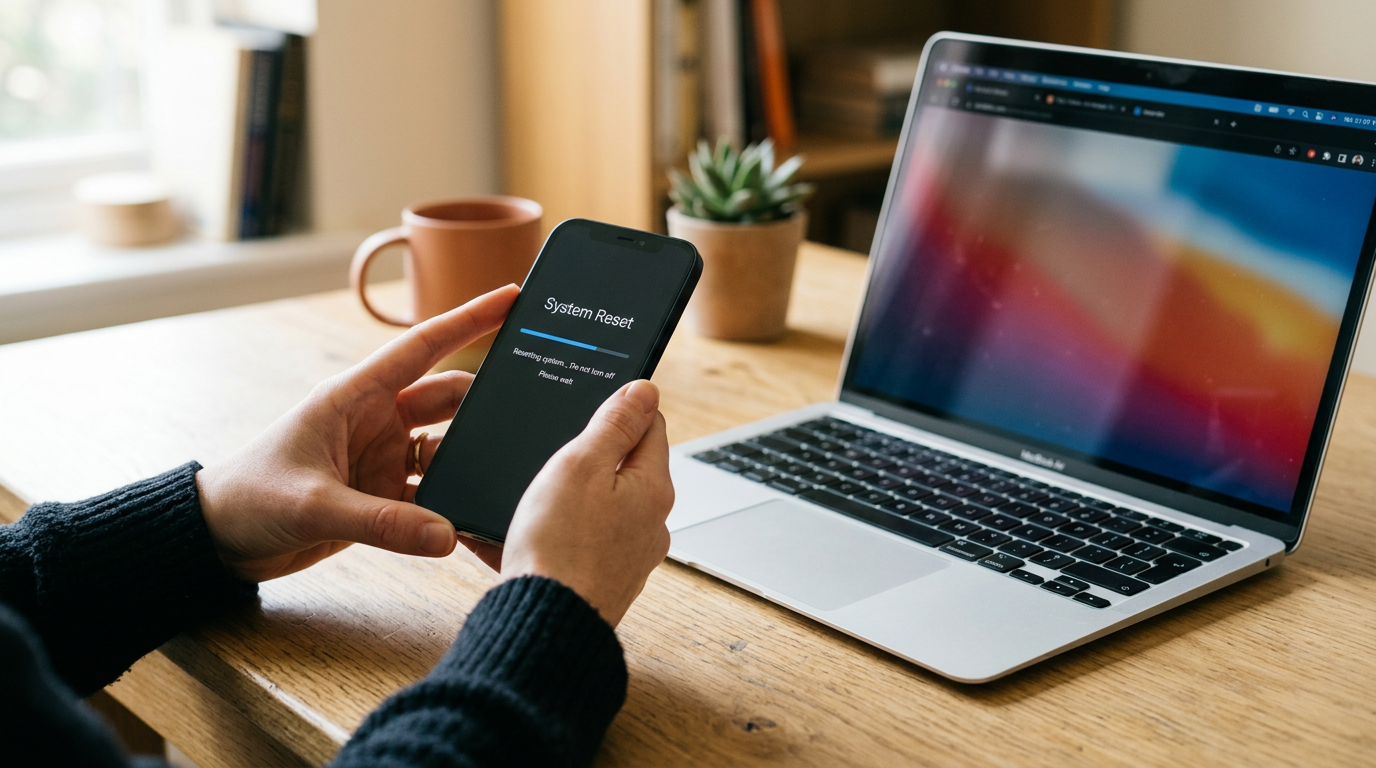
If you want to sell a laptop near you in Irvington, NJ, the fastest route is to get a free quote, bring the machine and your government photo ID to Sell Your Gadgets Irvington, and get paid cash on the spot after a quick inspection. That works for MacBooks, Windows laptops, and gaming laptops, whether they are new, used, or even broken. The rest of this guide explains what moves an offer up or down, how to prep each type of laptop, and how to avoid the mistakes that slow down a sale.
Where can I sell my MacBook or laptop for cash near me?
Sell Your Gadgets is a buyback store, which means we pay you for your electronics instead of selling devices to you. Our Irvington location is at 1056 Springfield Ave Store A, Irvington, NJ 07111, at Springfield Ave and New St, and it is open seven days a week. You do not need an appointment. You can start with a quote online, by text, or just walk in.
People searching for where to sell a MacBook for cash near me usually have the same handful of options: a pawn shop, a carrier or manufacturer trade-in, an online marketplace, or a buyback kiosk. Each one has a tradeoff. Trade-ins often pay in credit toward a new purchase. Marketplaces can take days or weeks, and you deal with strangers, shipping, and payment disputes. Kiosks give you a machine-generated number with no one to talk to if your laptop has something unusual going on. A local buyback store lets you sit across from a person who looks at the actual machine, explains the offer, and pays you right there.
What drives a laptop's value
Every laptop offer comes down to a few core factors. Knowing them before you walk in helps you set realistic expectations and tells you what to mention when you ask for a quote. We never publish fixed prices, because offers depend on the exact model and condition, but here is what matters most.
| Factor | Why it matters | How to check it |
|---|---|---|
| Chip / processor | The single biggest driver of value. Newer generations and higher tiers are worth more than older or entry-level chips. | On a Mac, Apple menu > About This Mac. On Windows, Settings > System > About. |
| RAM (memory) | More memory means a more capable machine, especially for editing, gaming, and multitasking. | Same About screens as above. |
| Storage | Larger solid-state drives are more desirable. Some laptops cannot be upgraded later, which raises the importance of the original configuration. | Mac: About This Mac > Storage. Windows: Settings > System > Storage. |
| Battery health | A battery with a low cycle count and strong capacity is a selling point. A worn battery lowers the offer. | Mac: System Information > Power. Windows: run a battery report from Command Prompt. |
| Screen | Cracks, dead pixels, dim spots, and burn-in all reduce value. A clean display helps a lot. | Check on a white and a black background in a bright room. |
| Keyboard and trackpad | Sticky, missing, or shiny worn keys and a clicking or swollen trackpad point to heavy use or battery swelling. | Test every key and click the trackpad in all corners. |
| Body condition | Dents, bent corners, and hinge problems matter, as do original charger and box. | Look along the lid edge, hinge, and bottom case. |
Chip and generation
Two laptops that look identical on the outside can have very different values because of what is inside. A recent-generation chip with a strong tier will generally bring a better offer than an older model of the same size. That is why it helps to tell us the exact model name and year, or simply bring it in so we can read the specs directly.
Battery cycle count
Batteries age with every charge cycle. A laptop that has lived on a desk plugged in for years may have far fewer cycles than one that commuted daily, and that difference shows up in the offer. If your battery is swollen, meaning the trackpad is lifting or the case is bulging, stop using it and tell us up front. We still buy broken devices, but it is safer to know before you carry it in.
Selling a MacBook: Apple silicon, Intel, and Activation Lock
MacBooks hold their value well, and they are some of the most common laptops we see. If you have a MacBook Air, see our page on selling a MacBook Air in Irvington. For the Pro line, go to selling a MacBook Pro in Irvington. Either way, these are the Mac-specific points to handle before you come in.
Apple silicon vs Intel
Apple silicon Macs, which use M-series chips, are generally more sought after than older Intel models. They are faster, run cooler, and have better battery life, and buyers know it. To see which you have, click the Apple menu and choose About This Mac. You will see either a chip name like Apple M-something or a processor listing from Intel. Intel MacBooks still have resale value, especially newer or higher-spec models, but the offer will reflect the age of the platform. Also note the screen size, the year, the RAM, and the storage, since all four affect the quote.
Turn off Find My and Activation Lock
This is the step that trips up the most sellers. A Mac tied to your Apple ID with Find My turned on is locked to you. If it stays locked, we cannot reset it for the next owner, and it cannot be bought. Before you come in, sign out of your Apple ID and make sure Find My Mac is off.
- Back up your files first (see the backup section below).
- On recent macOS, open System Settings, click your name, and choose Sign Out. On older macOS, use System Preferences > Apple ID.
- Confirm Find My Mac is turned off during sign-out.
- Sign out of iMessage, FaceTime, and the App Store if prompted.
- If you use Touch ID, remove your fingerprints before handing the machine over.
If you cannot sign out, for example because you forgot your password or the laptop is not turning on, you can also remove the device from your account at iCloud.com under Find My. Do that before you come in and the machine will be ready for a clean wipe.
Erase the Mac
On Apple silicon and T2 Intel Macs with recent macOS, use Erase All Content and Settings in System Settings under General > Transfer or Reset. Older Macs can be wiped through Recovery mode. If you are unsure, do not stress. We offer a free data wipe in store, so bring the laptop as is, signed out of your Apple ID, and we will handle the wipe.
Selling a Windows or gaming laptop
Windows laptops cover a wide range, from thin office machines to powerful gaming rigs, so specs matter even more than with Macs. Gaming laptops in particular are valued largely on the graphics card, the processor, and the amount of RAM and storage.
How to find your specs
Open Settings, go to System, then About, for your processor, installed RAM, and system type. Storage size is under System > Storage. For the graphics card, open Task Manager, click the Performance tab, and select GPU. The model name is usually printed on a sticker on the bottom case or on the original box, too. Write down the exact model number if you can find it. For gaming laptops, the graphics card name is one of the most important details you can give us in a quote request.
Remove your Microsoft account and BitLocker
Windows laptops can be locked in a few ways, and each one is easy to clear if you deal with it before the sale.
- Microsoft account: Go to Settings > Accounts > Your info, and switch to a local account, or remove the account from the machine. You can also remove the device from your Microsoft account online at account.microsoft.com under Devices.
- BitLocker or device encryption: If your drive is encrypted, your recovery key is tied to your account. Turn BitLocker off under Settings > Privacy & security > Device encryption, or in Control Panel > BitLocker Drive Encryption, and let it finish decrypting before you reset.
- BIOS or firmware passwords: If you set one, clear it. A locked BIOS can block a wipe and makes the laptop unsellable.
- Windows Hello and PINs: Remove your PIN, fingerprint, and face sign-in under Settings > Accounts > Sign-in options.
- Manufacturer software: Sign out of any gaming launcher, cloud storage, or manufacturer account you used on the machine.
Gaming laptop extras
If you are selling a gaming laptop, mention the cooling condition (loud fans, thermal throttling), any repasting or modifications, and whether you still have the original power brick. Gaming laptops need their high-wattage charger, and a missing or wrong one can lower the offer. If you also have a gaming PC, monitor, or console to sell, we buy those as well, including the PlayStation 5.
Back up your files and reset the machine safely
Before you hand over any laptop, protect your own data. Do this in order, and do not skip the backup.
- Back up everything you care about. Copy documents, photos, downloads, desktop files, browser bookmarks, and game saves to an external drive or cloud storage. Then open the backup and confirm the files actually opened.
- Deauthorize software. Sign out of Adobe, Microsoft 365, Steam, Epic, music apps, and password managers.
- Sign out of your main accounts. Apple ID on a Mac, Microsoft account on Windows, plus Google and any work accounts.
- Remove work profiles. If an employer or school issued the laptop or installed management software, it may be locked to them. Those machines usually cannot be sold until released.
- Reset the laptop. Use Erase All Content and Settings on a Mac or Reset this PC with the option to remove everything on Windows.
If a full reset is not possible because the laptop will not boot, or you run out of time, bring it anyway. We provide a free data wipe in store. Just make sure it is signed out of your accounts, because a wipe cannot bypass Activation Lock or an account lock.
How to get the strongest offer
You cannot change the age of your laptop, but you can control the small things that add up. These habits help people get better offers from us.
- Give exact details. Model, year, chip, RAM, and storage let us quote accurately. A vague description leads to a wide range.
- Be honest about flaws. Tell us about the cracked corner, the dead pixel, or the battery warning. It saves time and keeps the quote accurate.
- Clean it. Wipe down the screen, keyboard, and case. A clean laptop looks cared for, and it makes inspection easier.
- Bring the charger. The original charger, and the box if you have it, can help. A missing charger is not a dealbreaker, but it is worth bringing what you have.
- Sell before the next model lands. Values tend to drop when a new generation is released, so do not sit on a laptop you have stopped using.
- Do not repair first. For a cracked screen or a dead battery, a repair often costs more than it adds to the offer. We buy broken laptops as they are.
What to expect when you visit the Irvington store
The process is simple. Start with a free quote by online form, text, or walking in. Then bring the laptop to our Irvington store for a quick inspection. We check the specs, the screen, the keyboard, the battery, and the account lock status. If you accept the offer, you are paid cash on the spot. You do not need an appointment.
Every sale requires a valid government photo ID, which is the standard secondhand-dealer rule. Bring it along with the laptop. If you are selling several items at once, such as a laptop with an iPad or a smartwatch, you can bundle them in one visit. See our overview of selling electronics in Irvington for everything else we buy.
Customers on Google have given us a 4.9 rating from 683 reviews. The themes come up again and again: people say the offers felt reasonable, the staff were friendly and explained the process clearly, and first-time sellers felt comfortable. That matters when you are handing over a device that holds your data.
The store is on Springfield Ave at New St, in an area near Irvington Park, Milo S. Borden Park, Philip Roth Plaza, and Vailsburg Park, so it is easy to fit into a trip around town.
Selling a laptop from nearby towns
We welcome sellers from across Essex and Union counties. Here is how it works for each nearby community.
Kenilworth
Kenilworth sellers come to Irvington for a cash offer from a real person instead of trade-in credit or a kiosk number. It is a manageable drive using Springfield Avenue or the Garden State Parkway. Start with our page on selling electronics from Kenilworth and bring your ID and laptop.
Millburn
Millburn and Short Hills upgraders often bring premium MacBooks, iPhones, and watches for same-day cash. If you are upgrading to a newer MacBook, selling the old one right away keeps its value from slipping. See selling electronics from Millburn for more details, and sign out of your Apple ID before you leave home.
Newark
Newark is right next door, so New Jersey's largest city has a real storefront for selling laptops and phones for cash today. Students, remote workers, and gamers can stop in with a laptop and ID without an appointment. Learn more on our page for selling electronics in Newark.
West Orange
West Orange households tend to clear out old electronics in batches, like a retired family laptop, a tablet, and a drawer of old phones. The drive is only a few minutes, and the quote is no-pressure. Check out selling electronics from West Orange to see what else you can bring along.
Frequently asked questions
Can I sell a laptop that does not turn on?
Yes. We buy new, used, and broken devices. A laptop that will not power on will typically receive a lower offer than a working one, but it still has value for parts and repair. Tell us what happened so we can quote it properly.
Do I need to wipe my laptop before I come in?
It is best to back up and sign out of your accounts first, but you do not have to perform the full reset yourself. We provide a free data wipe in store. The one thing we cannot do is bypass an account lock, so make sure Apple ID or Microsoft sign-in is removed.
How much will I get for my MacBook or gaming laptop?
It depends on the model, chip, RAM, storage, battery, and condition, so we do not post fixed prices. The fastest way to find out is to request a free quote online or by text, or walk in and get an answer after a quick inspection.
What do I need to bring?
Bring the laptop and a valid government photo ID. The charger is helpful, and so is the original box if you still have it. You do not need an appointment.
Can I sell a MacBook that is still locked to my Apple ID?
Not until it is unlocked. Sign out of your Apple ID and turn off Find My Mac, or remove the device from your account at iCloud.com. If you are stuck, contact us before you visit and we will point you in the right direction.
Do you buy other devices along with laptops?
Yes. We also buy iPhones, Android phones, iPads, smartwatches, game consoles, cameras, drones, VR headsets, gaming PCs, monitors, headphones, and power tools. You can sell several items in one visit.
Ready to sell? Get a free quote online or by text, or stop by Sell Your Gadgets Irvington at 1056 Springfield Ave Store A, Irvington, NJ 07111. We are open Monday through Saturday from 10:00 AM to 7:00 PM and Sunday from 11:00 AM to 5:00 PM. You can also call (862) 233-7448. Bring your laptop and ID and leave with cash the same day.
Hear from a real customer
Why they chose Sell Your Gadgets. Working or broken, get a free quote and walk out with cash the same day.
Compare your options
See how selling to us stacks up against other ways to sell, side by side.





