
Sell Laptop Near Me in Islip Terrace, NY: Same-Day Cash
By syedladen ·
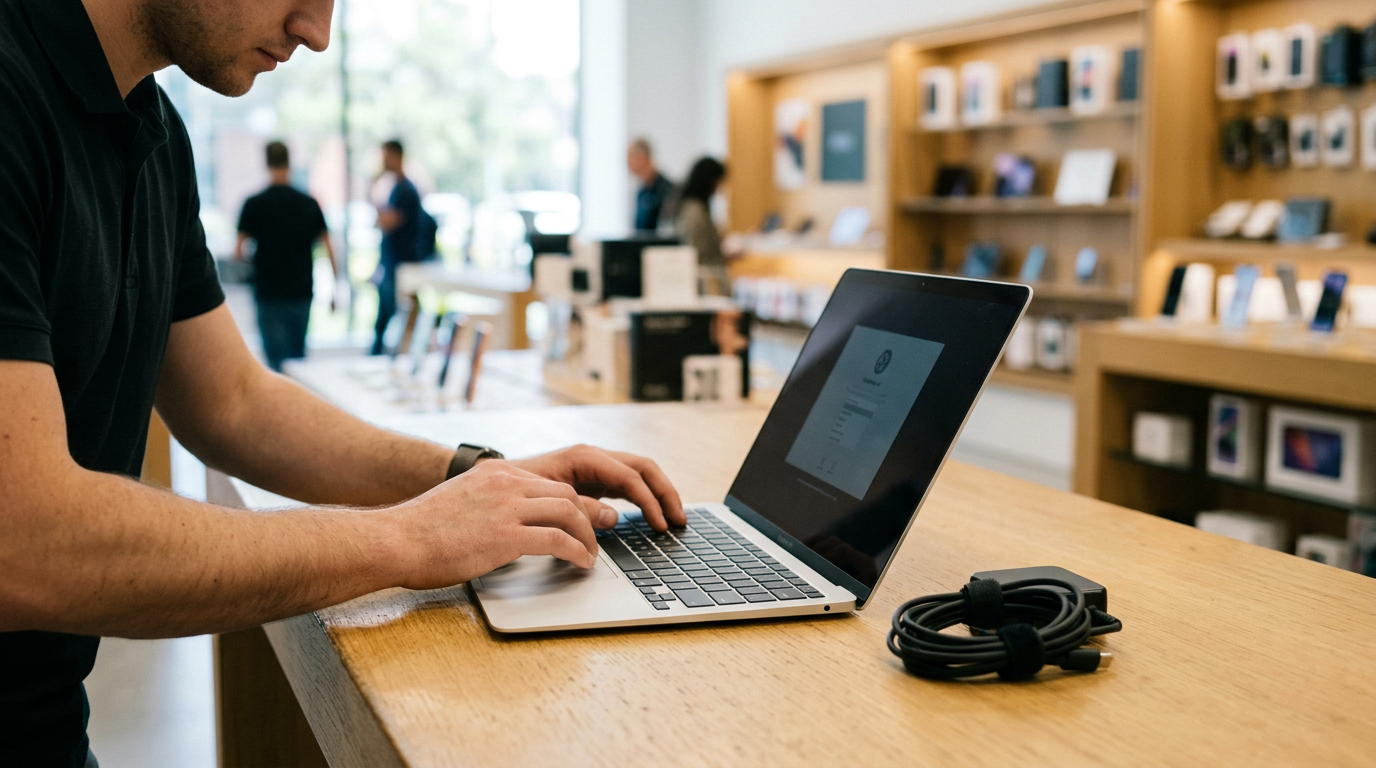
If you want to sell a laptop near you in Islip Terrace, NY, bring it to Sell Your Gadgets at 34 Lowell Ave. We inspect MacBooks, Windows laptops, and gaming laptops while you wait and pay cash on the spot. No appointment is needed, and you can start with a free quote by online form, text, or walking in.
This guide covers what actually moves a laptop's offer, how to prep a MacBook or a Windows machine so nothing blocks the sale, and how to back up and reset safely. It also explains what to expect if you are driving in from Hauppauge, Bay Shore, or another nearby town. We are a buyback store, so we pay you for your device. We do not sell devices, and we do not post prices publicly, because every offer depends on the exact model and condition.
How to sell a laptop for same-day cash in Islip Terrace
The process is short. If you have been searching for where to sell a MacBook for cash near you, or just want to sell your laptop for cash without listing it online, it works like this:
- Get a free quote. Send us the model, year, and condition by online form or text, or skip ahead and walk in.
- Bring the laptop in. Bring the charger if you have it, and a valid government photo ID. ID is required for every sale under the standard secondhand-dealer rule.
- Quick inspection. We check the screen, keyboard, trackpad, ports, battery health, and specs, and confirm the machine powers on and is unlocked.
- Get paid. If you accept the offer, you are paid cash on the spot. We also do a free data wipe in store.
You can visit the Sell Your Gadgets Islip Terrace store page for the current quote options and store details. Customers in reviews regularly describe the experience as quick, friendly, and easy to understand. They also mention that the staff are knowledgeable and answer questions clearly, which matters when you are not sure what your laptop is worth or how to prep it.
What drives a laptop's value
Two laptops that look identical on the outside can receive very different offers. These are the factors that matter most, roughly in order of impact.
Chip and processor
The processor is the biggest single factor. For MacBooks, that means the chip family and generation, such as an Apple silicon M-series chip versus an older Intel Core processor. For Windows laptops, it means the Intel Core, AMD Ryzen, or Snapdragon generation and tier, for example Core i5 versus Core i7, or Ryzen 5 versus Ryzen 7. Newer generations and higher tiers generally bring stronger offers. The processor also often decides whether a laptop still gets current software updates.
RAM and storage
More memory and more storage raise value, and on many modern thin laptops neither can be upgraded later, so buyers pay attention to them. A model with extra RAM or a larger solid-state drive is worth more than the base configuration of the same laptop. Make sure you tell us the exact configuration, because the model name alone does not reveal it.
Graphics card (gaming laptops)
For gaming laptops, the dedicated graphics card, such as an NVIDIA GeForce RTX or AMD Radeon part, is often the headline spec. Screen refresh rate and cooling condition also matter. A gaming laptop with a current-generation GPU and a clean, working fan system is in a different category from an older one with heavy dust buildup.
Battery cycle count and health
Batteries wear out with charge cycles. A laptop with a low cycle count and healthy battery holds more value than one that barely lasts an hour off the charger. A swollen battery is a safety problem, and it is worth telling us about before you come in.
Screen, keyboard, and body
Cracks, dead pixels, backlight bleed, stuck or shiny keys, a mushy trackpad, dents on the corners, and bent hinges all lower the offer. Cosmetic wear matters less than function, though. A laptop with light scratches that works perfectly is usually in better shape than a clean-looking one with a failing display.
Completeness and lock status
The original charger, the box, and clean account status help. A laptop that is still tied to someone's Apple ID, Microsoft account, or a BIOS password is difficult to resell, which can reduce what anyone will pay or stop the sale entirely. More on that below.
Selling a MacBook: Apple silicon, Intel, and Activation Lock
If you are searching for a place to sell a MacBook near you, these are the MacBook-specific details that matter most.
Apple silicon versus Intel
Apple silicon MacBooks (M1 and later) are newer machines with strong battery life and performance, and they are generally in higher demand than Intel models. Intel MacBooks, especially older ones, are worth less, but they are still worth selling rather than leaving in a drawer. To check which you have, click the Apple menu, choose About This Mac, and look for either Chip (Apple silicon) or Processor (Intel). Note the model name, screen size, year, memory, and storage shown there.
Activation Lock and Find My
Activation Lock is tied to your Apple ID and is part of Find My. If it is still on, the next owner cannot set up the Mac without your credentials. We cannot complete a purchase on a locked Mac, and neither can any other legitimate buyer. Before you come in:
- Sign out of your Apple ID in System Settings (or System Preferences on older macOS).
- Turn off Find My Mac.
- Sign out of iCloud, iMessage, and FaceTime.
- Check that the Mac does not appear in your device list at your Apple Account page online.
Erasing the Mac
On Apple silicon Macs and Intel Macs with a T2 security chip running macOS Monterey or later, you can use Erase All Content and Settings from the settings menu, which signs you out and wipes the data in one pass. Older Macs can be erased through macOS Recovery, using Disk Utility and then reinstalling macOS. If you run out of time or patience, bring the Mac in signed out of your Apple ID, and we can do the free data wipe in store. You still need to remove Activation Lock yourself, because it is tied to your account.
Also check for a firmware password on older Intel Macs, and remove any Mac still enrolled in a school or work management profile. Those devices may be locked to an organization.
Selling a Windows laptop or gaming laptop
Windows machines come in a huge range of configurations, so accurate specs matter even more than with a MacBook.
Finding your specs
- Processor, RAM, and system type: open Settings, then System, then About.
- Graphics card: open Task Manager, go to the Performance tab, and click GPU.
- Storage: look under Settings, System, Storage, or the Performance tab in Task Manager.
- Exact model: usually printed on the underside of the laptop or shown in System Information.
- Battery health: open Command Prompt as administrator and run powercfg /batteryreport. The report lists design capacity, full-charge capacity, and cycle count.
A photo of your specs screen and the model label is handy if you text us for a quote.
BitLocker and device encryption
Many Windows laptops encrypt the drive with BitLocker or Device Encryption. Make sure you know where your recovery key is stored, then turn the encryption off or let the reset process handle it, so the next user is not locked out of the drive. You can often find the key in your Microsoft account. Do not wipe the machine until you are sure you have everything you need off it.
Microsoft account and sign-ins
Remove the laptop from your Microsoft account by going to the devices page in your account settings. Switch to a local account or fully reset the machine, sign out of any manufacturer apps such as Armoury Crate or other gaming launchers, and remove any BIOS or supervisor password you set. Also deauthorize or uninstall Steam, Epic, Battle.net, Adobe, and Office licenses if they are tied to that machine.
Gaming laptop extras
For gaming laptops, bring the original power brick, which is often large and matters to value. Clean out the dust from the vents if you can, and make sure the fans spin and the machine does not overheat immediately. If you have a gaming PC or monitor to sell too, we buy those as well.
Back up your files and reset the laptop safely
Do these steps in order, so you do not lose anything or get locked out.
- Back up what matters. Copy documents, photos, project files, and game saves to an external drive or cloud storage. Check that you can open files from the backup before you continue.
- Export passwords and licenses. Save your browser passwords, license keys, and any two-factor authentication codes somewhere other than this laptop.
- Deauthorize and sign out. Sign out of Apple ID, iCloud, Microsoft account, Adobe, Steam, and any other account tied to the device.
- Turn off Find My or device tracking. Disable Find My Mac, or Find My Device on Windows.
- Reset the machine. Use Erase All Content and Settings on a Mac, or Settings, System, Recovery, Reset this PC on Windows, and choose to remove everything.
- Confirm it reaches the setup screen. A clean setup or welcome screen is the ideal state.
If the laptop will not boot, is broken, or you cannot complete the reset, bring it in anyway. We buy new, used, and broken devices, and our free in-store data wipe covers the data side. Just be upfront about the problem so the inspection goes smoothly.
How to get the strongest offer
- Know the exact configuration. Model year, chip or processor, RAM, storage, and GPU all affect the offer. Guessing can lead to a lower quote than you should get.
- Bring the charger. A missing or non-original charger can reduce the offer, especially on gaming laptops and MacBooks.
- Clean it up. Wipe the screen, keyboard, and body. It will not change the specs, but a cared-for laptop makes a good impression during inspection.
- Be honest about flaws. Tell us about dead pixels, a weak battery, or keys that stick. The inspection will find them anyway, and upfront honesty makes things quicker.
- Remove every lock. Activation Lock, a Microsoft account tie, or a BIOS password can stop a sale.
- Do not wait too long. Laptops lose value as new generations arrive, so selling before the next refresh usually helps.
- Get a free quote first. Send the details by form or text, then bring the laptop in to confirm.
How selling in store compares with other options
There are several ways to sell a laptop, and each trades speed, effort, and certainty differently.
| Option | Speed | What to expect |
|---|---|---|
| Sell Your Gadgets (in store) | Same day | Free quote, quick inspection, cash on the spot, free data wipe, no appointment |
| Online marketplaces | Days to weeks | Possible higher ask, but you handle listings, messages, no-shows, and meetups |
| Carrier or manufacturer trade-in | Varies | Often store credit or tied to a purchase, and mainly for certain brands |
| Pawn shops | Same day | Cash, but policies vary and laptops are not always the focus |
| Mail-in kiosks or services | Days | Shipping wait, and the final offer can change after they inspect it |
If you want cash today from someone who can look at the machine in person, walking in is the most direct route. You can also browse our New York locations if another store is more convenient for you.
Selling a laptop from nearby towns
We are in Islip Terrace, and people regularly come from the surrounding communities. Here is how it looks from each direction. Directions are general, so use your GPS for the route.
Hauppauge
Hauppauge has a large business and office park community, so many people have work-issued or upgraded laptops to sell when a refresh comes around. From Hauppauge, we are a short drive south via major roads like Veterans Memorial Highway and Sunrise Highway. Make sure any company-managed laptop is fully released from your employer's management before you bring it in.
Lake Ronkonkoma
If you are in Lake Ronkonkoma, a commuter laptop that has been in and out of a bag every day is a common sale. Check the battery health and hinges, since daily travel wears those first. The trip to Islip Terrace is a short drive along the Sunrise Highway corridor and local roads.
Bohemia
Bohemia residents can get to us quickly, and many bring in student laptops, family MacBooks, or gaming machines that have been outgrown. If you are clearing out a few devices at once, bring them together with the chargers and ID, and we can go through them in the same visit, including tablets, phones, and consoles.
Great River
From Great River, near the Bayard Cutting Arboretum, it is an easy drive east or north to our store. It is a good errand to pair with a weekend outing, and we are open Saturday and Sunday. If you have a MacBook you have been meaning to sell, sign out of Apple ID before you head over.
Bay Shore
Bay Shore is a short trip via Sunrise Highway or local roads. Commuters, students, and small-business owners from Bay Shore often come in with MacBooks and Windows laptops they want turned into cash the same day rather than waiting on an online buyer. Bring your ID and any accessories you have.
North Bay Shore
From North Bay Shore, we are a quick drive, and the store is convenient for an after-work stop on the weekdays we are open until 7:00 PM. If your laptop has a cracked screen, a bad battery, or other damage, bring it anyway, since we buy broken devices too.
Frequently asked questions
Can I sell a laptop the same day?
Yes. You can get a free quote online or by text, or walk in without an appointment. We inspect the laptop, and if you accept the offer, you are paid cash on the spot.
What do I need to bring?
Bring the laptop, its charger if you have it, and a valid government photo ID. ID is required for every sale. Sign out of your accounts and, if possible, reset the machine beforehand.
Will you buy a MacBook with Activation Lock or a cracked screen?
We buy broken devices, including laptops with cracked screens. A MacBook with Activation Lock still on, however, cannot be purchased until you sign out of your Apple ID and turn off Find My Mac. Do that before you visit.
How much will my laptop be worth?
It depends on the model, chip or processor, RAM, storage, battery health, and condition. We do not post prices publicly, so the best way to find out is to request a free quote with your exact specs.
Do I need to wipe my laptop before I come in?
It is best to back up and sign out of your accounts first. If you cannot finish the reset, we provide a free data wipe in store. Account locks such as Apple ID and Microsoft account have to be removed by you.
Do you buy gaming laptops and other electronics?
Yes. We buy gaming laptops, gaming PCs, and monitors. We also buy iPhones, Android phones, iPads, game consoles, cameras, drones, VR headsets, smartwatches, headphones, power tools, and more, whether new, used, or broken.
Ready to turn your laptop into cash? Get a free quote or visit Sell Your Gadgets Islip at 34 Lowell Ave, Islip Terrace, NY 11752, or call (631) 446-1050. We are open Monday and Wednesday through Friday from 11:00 AM to 7:00 PM, Saturday and Sunday from 11:00 AM to 5:00 PM, and closed Tuesday.
Hear from a real customer
A real customer on their experience. Working or broken, get a free quote and walk out with cash the same day.
Compare your options
See how selling to us stacks up against other ways to sell, side by side.





