
Sell Laptop Near Me in Naples, FL: Same-Day Cash for MacBooks
By syedladen ·
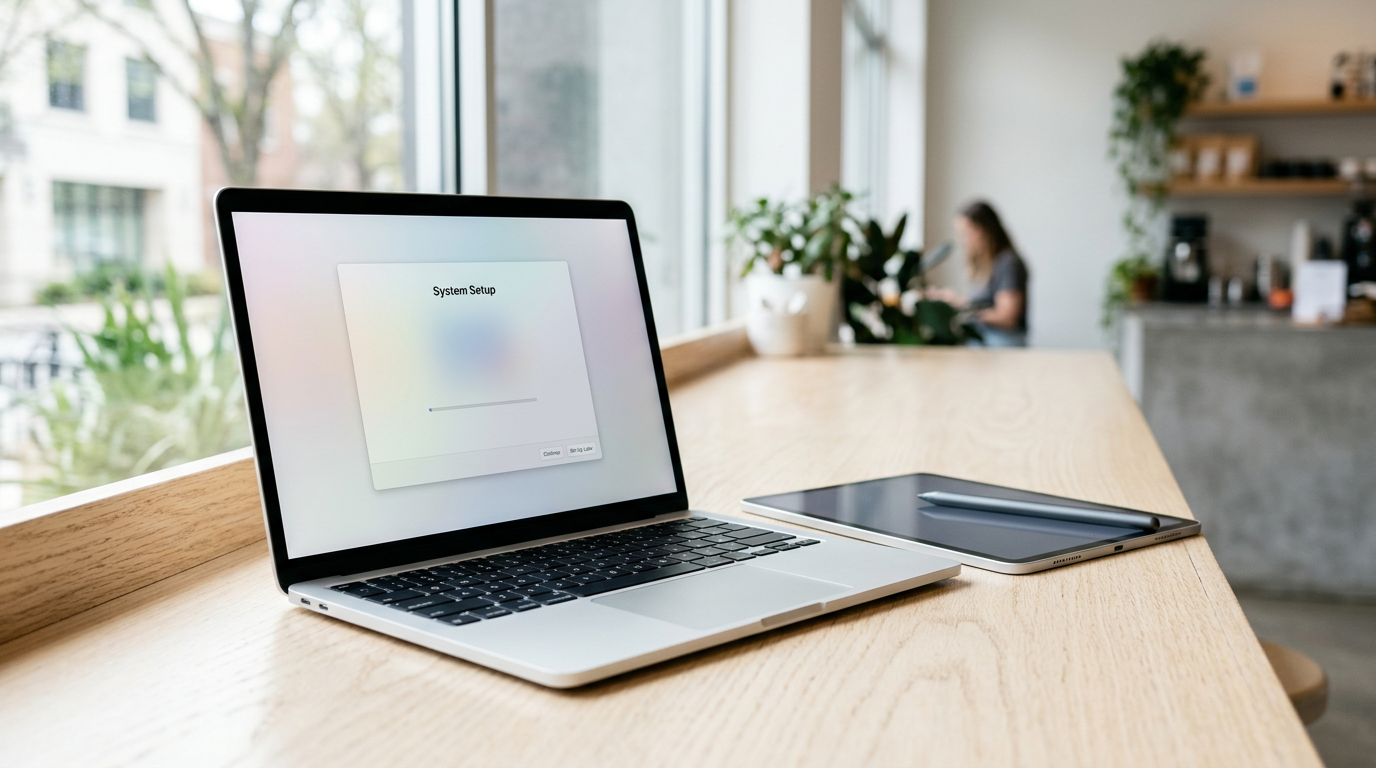
If you want to sell a laptop near you in Naples, FL, bring it to Sell Your Gadgets Naples on N Tamiami Trl for an in-person inspection and cash on the spot. We buy MacBooks, Windows laptops, and gaming laptops in any condition, and the strongest offers go to machines that are backed up, signed out of their accounts, and brought in with the charger. Here is how to prepare, what moves the offer up or down, and what to expect when you walk in.
Where to sell a laptop for same-day cash in Naples
People searching for where to sell a MacBook for cash near them usually have the same handful of options: a pawn shop, a carrier or manufacturer trade-in, an online marketplace, or a buyback store. Each has tradeoffs. Trade-in programs often mean shipping the device and waiting on credit. Online marketplaces mean writing listings, answering messages, and meeting strangers. Pawn shops may only treat a laptop as collateral or offer a quick number without testing it properly.
A buyback store is built for one job: look at your device, test it, and pay you. Sell Your Gadgets Naples is at 12980 Tamiami Trl N Ste 2, Naples, FL 34110, on the North Tamiami Trail corridor at Old US 41. You can start with a free quote online, by text, or just walk in. No appointment is needed, and the free data wipe is done in store. Our Google rating is 4.9 from 282 reviews, and the recurring themes are honest offers, patient explanations, and a clean shop that tests items before making an offer.
We are an electronics buyback store. We pay you for your device, and we never publish prices online because every laptop is different. Offers depend on the exact model and its condition, so the fastest way to get a real number is a free quote.
What drives the value of a used laptop
Two laptops that look identical on a desk can be worth very different amounts. These are the factors that matter most, roughly in the order buyers check them.
- Chip or processor: This is the biggest driver. For MacBooks, it is the difference between an Apple silicon chip (M-series) and an older Intel processor, plus which generation and tier. For Windows laptops, it is the processor family and generation (for example, a recent Core i7 or Ryzen 7 versus an older i5).
- Graphics card: On a gaming laptop, the dedicated GPU can matter as much as the processor. The exact GPU model and its video memory are a big part of the offer.
- RAM: More memory helps a laptop stay useful longer. On many modern MacBooks and thin Windows laptops, RAM is soldered and cannot be upgraded, so the configuration you bought is the configuration you are selling.
- Storage: Larger solid-state drives are worth more than smaller ones. Tell us the capacity, and we will confirm it when we inspect the machine.
- Battery health and cycle count: A battery with a high cycle count or a service warning lowers the value because it is a real repair cost for the next owner.
- Screen: Scratches, dead pixels, pressure marks, backlight bleed, and cracks all count. A cracked screen does not make a laptop worthless, since we buy broken devices, but it changes the offer.
- Keyboard and trackpad: Sticky or missing keys, worn-through letters, a clicking trackpad, or a swollen battery pushing the case up are all things we check.
- Body and hinges: Dents, cracked corners, loose hinges, and bent lids matter, especially on gaming laptops that have been carried around a lot.
- Accessories and age: The original charger, the box, and a newer release year generally help.
| Factor | Where to check it | Why it matters |
|---|---|---|
| Chip / processor | Apple menu > About This Mac, or Windows Settings > System > About | Largest single driver of value |
| RAM and storage | Same screens as above | Configuration sets the model tier |
| Graphics card | Windows Task Manager > Performance tab | Key for gaming laptops |
| Battery cycle count | Mac System Report > Power, or Windows battery report | Shows wear and replacement risk |
| Screen and keyboard | Visual check with the screen on | Physical damage affects the offer |
Selling a MacBook: Apple silicon, Intel, and Activation Lock
MacBooks are some of the most in-demand laptops we see, and the prep is simple if you do it in the right order. If you have a specific model, you can also read our pages on selling a MacBook Air in Naples or selling a MacBook Pro in Naples.
Apple silicon vs. Intel
Click the Apple menu and choose About This Mac. If the chip line says Apple M1, M2, M3, or another M-series name, you have Apple silicon. If it lists an Intel processor, you have an Intel Mac. Apple silicon models are generally the more current machines and tend to draw stronger interest, while Intel MacBooks still sell but are valued differently, with the year and configuration making a big difference. Write down the chip, RAM, and storage listed there, plus the screen size and year, so your quote is accurate.
Sign out of everything first
Activation Lock is tied to your Apple ID through Find My. If it is still on, the next owner cannot use the Mac, so we cannot complete a purchase on a locked machine. Before you come in:
- Back up your files (see the backup section below).
- Sign out of iCloud in System Settings by clicking your name and choosing Sign Out. This also turns off Find My Mac.
- Sign out of Messages and FaceTime, and deauthorize the Mac in the Music or TV app if you have used those for purchases.
- Unpair any Bluetooth devices, such as a keyboard or headphones, if you plan to keep them.
- Erase the Mac. On newer macOS versions, use System Settings > General > Transfer or Reset > Erase All Content and Settings. On older versions, restart into macOS Recovery and use Disk Utility and reinstall.
If you run out of time or are unsure, bring the Mac as it is, with your Apple ID password handy. We can do the free data wipe in store, but the Apple ID sign-out is something only you can authorize, so have your credentials ready.
Check the battery cycle count
Open Apple menu > hold Option > System Information > Power. You will see the cycle count and condition. You do not need to fix anything, but knowing the number helps you understand the offer.
Selling a Windows or gaming laptop
Windows machines come in far more variations than MacBooks, which is why listing the right specs matters. The good news is that every spec is easy to find.
Finding your specs
- Processor, RAM, and system type: Settings > System > About.
- Graphics card: Press Ctrl + Shift + Esc to open Task Manager, click the Performance tab, and look for GPU. A gaming laptop often shows both an integrated GPU and a dedicated one.
- Storage: Settings > System > Storage, or the Performance tab in Task Manager.
- Model name: Usually on the underside label and in the About screen. The exact model number helps us pull up the right configuration.
- Battery health: Open Command Prompt and run powercfg /batteryreport to generate a report showing design capacity versus current capacity.
Turn off BitLocker and device encryption
Many Windows laptops encrypt the drive by default using BitLocker or device encryption, often tied to your Microsoft account. Go to Settings > Privacy & security > Device encryption, or search for Manage BitLocker. Turn it off and let decryption finish before you reset. A fully encrypted drive can complicate the wipe, and you do not want to be hunting for a recovery key at the counter.
Remove your Microsoft account and other locks
- Sign out of your Microsoft account, and remove the laptop from your account's device list if you can.
- Turn off Find My Device in Settings > Privacy & security.
- Remove any BIOS or firmware password. If you set one, we will need it removed.
- Sign out of game launchers such as Steam, Epic, and Battle.net, and deactivate any paid software licenses you want to keep.
- If the laptop came from work or school, it may be managed by the organization and cannot be sold until that enrollment is removed.
Gaming laptop extras
Gaming laptops are valued heavily on the GPU, display refresh rate, cooling condition, and the charger. The large power brick is expensive to replace, so bring it. Clean out the vents with compressed air before you come in, since heavy dust can suggest heat problems. Include any mouse or accessories only if you want them considered. If you are also clearing out a console, see our page on selling a PS5 in Naples.
Back up your files and reset the laptop safely
A clean reset protects your privacy and is also the step most likely to hold up a sale if it is skipped. Follow this order.
- Back up first. Copy documents, photos, and project files to an external drive or a cloud service you control. On a Mac, Time Machine works well. On Windows, use File History or drag folders to a drive. Then open the backup on another device to make sure the files are really there.
- Export what is easy to forget. Browser bookmarks, saved passwords from a password manager, email archives, and license keys for paid software.
- Deauthorize and sign out. Apple ID and iCloud on a Mac. Microsoft account, BitLocker, and launchers on Windows.
- Reset. On a Mac, use Erase All Content and Settings or Recovery. On Windows, go to Settings > System > Recovery > Reset this PC, choose Remove everything, and pick the option that cleans the drive.
- Leave it at the welcome screen. If the laptop powers on to the setup or language screen, it is ready.
If the machine will not boot or the screen is too damaged to work through these steps, bring it anyway. Our free in-store data wipe covers devices that cannot be reset at home, and we buy broken laptops as well as working ones.
How to get the strongest offer
- Bring the charger. It lets us test the battery and power the machine on. A missing or non-original charger can reduce the offer.
- Be upfront about condition. Mention dents, screen issues, or battery warnings. Our team tests and inspects everything, and honest details make the process faster.
- Clean it. Wipe the screen, keyboard, and body. A tidy laptop is easier to grade accurately.
- Have your specs ready. Chip or processor, RAM, storage, GPU, and screen size help us give you an accurate free quote before you leave home.
- Sell before a new release. New laptop generations tend to pull older models down in value, so waiting usually does not help.
- Bundle devices. If you are upgrading, bring your old iPad, Apple Watch, or phone too. See our pages on selling an iPad or selling an iPhone.
We do not list prices here because any number would be a guess. Your quote is based on your model and its condition.
What to expect when you visit
The process is short. Get a free quote by online form, text, or walk-in. Bring the laptop to the store for a quick inspection, where we check the screen, keyboard, ports, battery, and performance. If you accept the offer, you are paid cash on the spot. No appointment is needed.
You must bring a valid government photo ID for every sale. This is the standard secondhand-dealer rule and applies to all customers. Our hours are Tuesday through Friday from 10:00 AM to 6:30 PM, Saturday from 11:00 AM to 5:00 PM, and Sunday from 11:00 AM to 4:00 PM. We are closed Mondays. If you want same-day cash, aim to arrive with some time before closing so the inspection is not rushed.
You will find us on the North Tamiami Trail near Old US 41, in the same general stretch as the Holocaust Museum & Cohen Education Center and several marina and fishing charter businesses along the Cocohatchee River. For more options in the area, browse our page on selling electronics in Naples.
Selling a laptop from nearby towns
We see customers from across Collier and southern Lee County. If you are driving in, plan your trip with the store hours above.
North Naples
North Naples is the closest area to our shop, and US-41 (the Tamiami Trail) is the natural route. Many people here are upgrading work laptops or students' MacBooks, and it can be a quick errand. We also have a page on selling electronics in North Naples.
Pelican Bay
From Pelican Bay, it is a short drive along US-41 to the store. Residents often have a newer MacBook Air or Pro sitting in a drawer after switching to a new model. Bring your Apple ID details and your charger, and the visit should be quick.
Bonita Springs
Bonita Springs customers can reach us by heading south on US-41 or by using I-75 depending on where they start. It is a practical trip if you have a gaming laptop or a bundle of devices to sell in one go. See our Bonita Springs electronics page for more.
Coquina Sands
Coquina Sands is on the southern side of Naples, so the drive up US-41 is a bit longer, but it is straightforward. If you work remotely and are replacing a home-office laptop, plan your backup and reset the night before so the visit takes minutes.
Urban Estates
Urban Estates residents are typically coming from the east side of I-75 and can reach US-41 by the main cross roads. With a bit more distance to cover, it helps to request a free quote first by text, so you know it is worth the trip before you load up the car.
Corkscrew
Corkscrew is a drive out from the coast, so a little planning pays off. Send the specs ahead of time, bring the charger, and come on a weekday or Saturday when you have the time. Many people combine the trip with other errands along US-41.
Frequently asked questions
Can I sell a laptop for cash today?
Yes. If you walk in during store hours with your laptop and a valid government photo ID, we inspect the device and pay cash on the spot when you accept the offer. No appointment is needed.
Do you buy broken or cracked laptops?
Yes. We buy new, used, and broken devices. A cracked screen, a weak battery, or a worn keyboard will change the offer, but it does not automatically rule the laptop out.
Do I need to erase my laptop before I come in?
It is best to back up and reset it yourself, because you then know exactly what is on it. If you cannot, we provide a free data wipe in store. You do still need to sign out of Apple ID or Microsoft accounts and turn off Find My, BitLocker, and similar locks.
What if my MacBook still has Activation Lock on?
We cannot complete a purchase on a locked Mac. Turn off Find My and sign out of iCloud before you come, or bring your Apple ID credentials so it can be done in the store.
How much will I get for my laptop?
We do not publish prices. The offer depends on the model, chip or processor, RAM, storage, battery health, and condition. Submit a free quote online, by text, or in person to get a real number.
What do I need to bring?
Bring the laptop, the charger, and a valid government photo ID. Having the specs written down is helpful but not required.
Ready to sell? Get a free quote online or by text, or stop by Sell Your Gadgets Naples at 12980 Tamiami Trl N Ste 2, Naples, FL 34110. We are open Tuesday to Friday 10:00 AM to 6:30 PM, Saturday 11:00 AM to 5:00 PM, and Sunday 11:00 AM to 4:00 PM. Call (239) 325-9193 with questions, or see our Naples store page for details. Also see all Florida locations.
Hear from a real customer
Why they chose Sell Your Gadgets. Working or broken, get a free quote and walk out with cash the same day.
Compare your options
See how selling to us stacks up against other ways to sell, side by side.





