
Sell Laptop Near Me in Orange Park, FL: Same-Day Cash
By syedladen ·
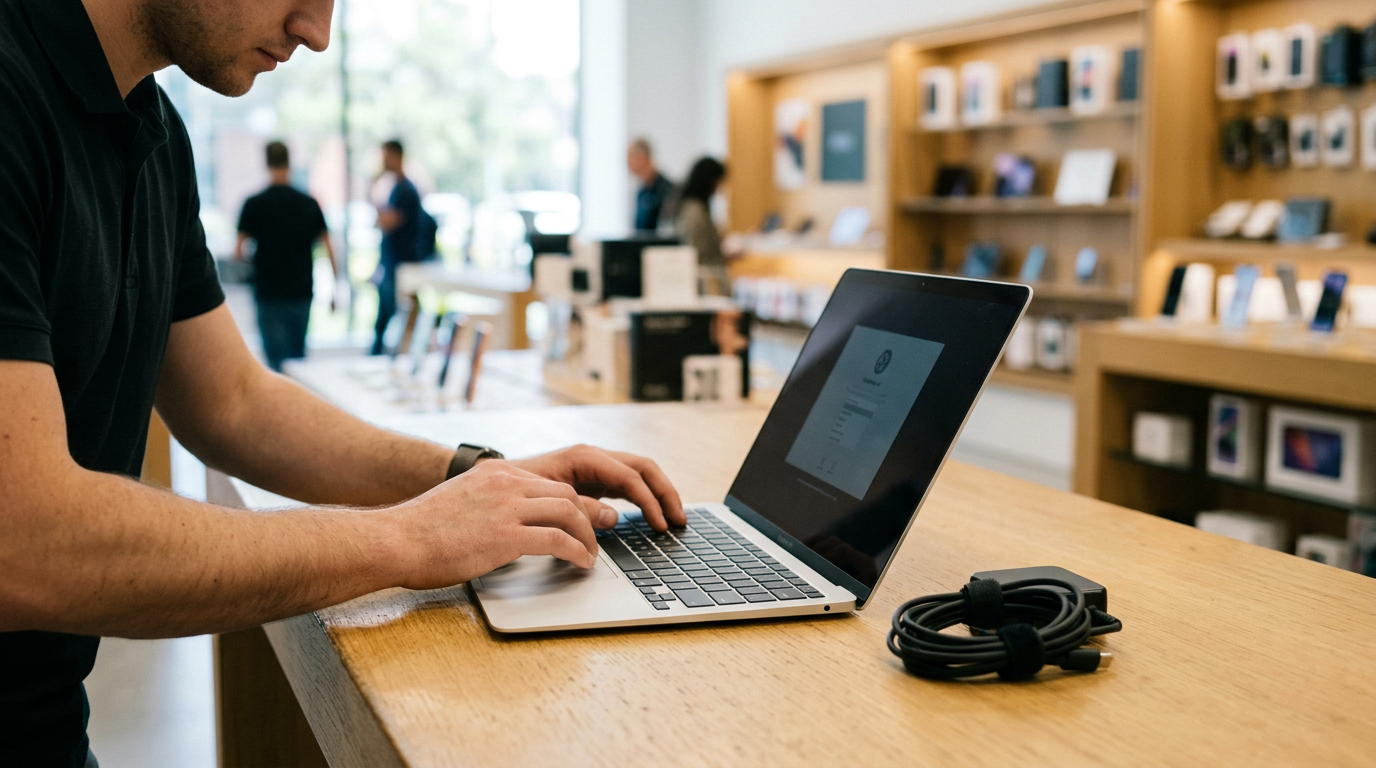
If you want to sell a laptop near Orange Park, FL, bring it to Sell Your Gadgets at 26 Blanding Blvd. We inspect it while you wait and pay cash on the spot, with no appointment needed. Your offer depends on the model, specs, and condition, so the best first step is a free quote by online form, text, or walking in.
This guide covers what makes a MacBook, Windows laptop, or gaming laptop worth more or less. It also covers the Apple and Microsoft sign-out steps that hold up sales, how to back up and reset safely, and how to walk in prepared. If you have been searching for where to sell a MacBook for cash near you, this should answer most of your questions before you leave the house.
How selling a laptop for same-day cash works in Orange Park
We are a buyback store. We pay customers for used, new, and broken electronics, and we do not sell devices to the public. That keeps the process simple. You are not negotiating with a stranger over messaging, and you are not waiting on a shipping label or an inspection report that comes back with a lower number.
- Get a free quote. Use the online form, send a text, or just walk in. Have your laptop model and basic specs handy.
- Bring the laptop in. A team member inspects the screen, keyboard, trackpad, ports, battery health, and overall condition in front of you.
- Get paid cash on the spot. If you accept the offer, you leave with cash. A valid government photo ID is required for every sale, which is the standard secondhand-dealer rule.
- We wipe the data. A free data wipe is available in store. You should still do the prep steps below, because they protect you and speed things up.
One customer review mentions being in and out quickly and getting clear information on what selling privately might bring versus what we would pay. Another came in to part ways with a laptop and got useful advice on other items too. That is the experience we aim for. Our Orange Park store page has the full details.
What drives laptop value
Every laptop is priced on the same handful of factors. Knowing them helps you judge whether your machine is a strong seller or an average one, and it helps you describe it accurately when you request a quote. We do not publish prices, because the numbers change with model, specs, and condition.
| Factor | Why it matters | Where to find it |
|---|---|---|
| Chip or processor | Newer generations and higher tiers are worth more, and they stay useful longer. | Apple menu > About This Mac, or Windows Settings > System > About |
| RAM | More memory means a more capable machine. On many modern laptops it is soldered and cannot be upgraded later. | Same About screens |
| Storage size and type | Larger solid-state drives are worth more than small ones. A dying or nearly full drive is a red flag. | About This Mac > Storage, or Windows Settings > System > Storage |
| Battery health and cycle count | A worn battery lowers the value and the usable life of the laptop. | Mac System Report > Power, or a Windows battery report |
| Screen | Cracks, dead pixels, backlight bleed, and burn-in all reduce value. | Check on a white and a black background |
| Keyboard and trackpad | Sticky, missing, or shiny worn keys and a clicking or swollen trackpad are common issues. | Test every key and click |
| Graphics card (gaming) | The GPU is often the biggest value driver on a gaming laptop. | Windows Task Manager > Performance, or dxdiag |
Chip and processor
This is usually the headline spec. On a Windows laptop, the processor family and generation matter more than the clock speed on the sticker. A recent mid-tier chip can outrank an older high-end one. On a Mac, the big divide is Apple silicon versus Intel, covered below.
RAM and storage
These two specs separate base models from well-configured ones. If you paid extra for more memory or a bigger drive, say so when you ask for a quote. A configuration that sat in the upper range when it was new often holds value better than the entry model of the same year.
Battery, screen, and keyboard
These are the wear items. A laptop used heavily on a couch every night will show it in the battery cycle count. Cosmetic condition matters too, but a working laptop with a few scuffs is very different from one with a cracked panel. We buy broken devices as well, so do not assume a damaged laptop is worthless. Just expect the offer to reflect the damage.
Selling a MacBook: Apple silicon, Intel, and Activation Lock
MacBooks are some of the most common laptops we see, and the prep is straightforward once you know the order. If you are pricing a specific model, we have pages for selling a MacBook Air in Orange Park and a MacBook Pro in Orange Park.
Apple silicon vs. Intel
Click the Apple menu and choose About This Mac. If you see a line labeled Chip (M1, M2, M3, and so on), you have Apple silicon. If you see Processor with an Intel name, it is an Intel Mac. Apple silicon models generally draw stronger interest because they are newer, run cooler, and get longer battery life. Intel MacBooks still sell, and condition and configuration matter a lot for them. Note the screen size, the year shown in About This Mac, the memory, and the storage when you request a quote.
Activation Lock and Find My
Activation Lock ties a Mac to an Apple ID. If it is still on when you sell, the next owner cannot use the machine, and we cannot buy it in that state. Before you come in:
- Sign out of your Apple ID in System Settings (or System Preferences on older macOS).
- Turn off Find My Mac.
- Sign out of iCloud, Messages, and the App Store.
- Deauthorize the Mac in Music or the Apple TV app if you authorized it for purchases.
- Unpair any Bluetooth accessories you want to keep.
You can confirm the Mac is removed by signing in at iCloud.com, opening Find My, and checking that the device is no longer listed. If you cannot remember your Apple ID password, recover it before your visit. That is the most common thing that slows down a sale.
Erasing the Mac
Recent Macs, meaning Apple silicon models and Intel models with the T2 security chip, include Erase All Content and Settings in System Settings. It signs you out and wipes the machine in one pass. Older Intel Macs are erased through macOS Recovery by using Disk Utility and then reinstalling macOS. If you run out of time or patience, bring it in as is, and our free in-store data wipe can handle the rest. You will still need to be signed out of your Apple ID.
Selling a Windows or gaming laptop
Windows laptops cover a huge range, from thin office machines to heavy gaming rigs, so accurate specs matter even more.
Finding your specs
Open Settings > System > About to see the processor, installed RAM, and device name. The storage size is under Settings > System > Storage. For the graphics card, open Task Manager, click Performance, and select GPU. You can also press the Windows key and R, type dxdiag, and look at the Display tab. Write down the brand and exact model name, which is usually printed on the underside or on the lid. For a gaming laptop, also note the screen refresh rate and whether it has a high-resolution panel, since both help a buyer judge the machine.
Removing BitLocker and your Microsoft account
Many Windows laptops ship with device encryption or BitLocker turned on. Before you reset:
- Find your BitLocker recovery key (it is saved to your Microsoft account by default) in case the reset asks for it.
- Go to Settings > Privacy & security > Device encryption, or the BitLocker control panel, and turn it off or decrypt the drive if you can. Decryption takes time, so start early.
- Sign out of your Microsoft account and remove the laptop from your devices list at account.microsoft.com.
- Remove any Windows Hello PIN, fingerprint, or face sign-in.
- Clear any BIOS or UEFI password, and turn off Find My Device if it is enabled.
A laptop still locked to your account is hard to resell, and a BIOS password can make it unusable for the next person. These are the two Windows issues that cause the most trouble at the counter.
Gaming laptop extras
If you have a gaming laptop, log out of Steam, Epic, Xbox, Battle.net, and any other launchers. Uninstall any anti-cheat or overclocking software that hooks into the system, and clean out dust if you are comfortable doing it. Bring the original power brick, since the large chargers on these machines matter. Boxes and extras help too, but they are a bonus and not a requirement. We also buy gaming PCs and monitors if you are upgrading your whole setup.
Back up your files and reset safely
Do this part at home, before the trip. A reset is permanent, and no one can recover your files afterward.
- Copy everything you care about. Documents, photos, downloads, desktop files, browser bookmarks, and saved game data. Use an external drive or a cloud service, then open a few files from the backup to confirm they work.
- Check for files in odd places. Look in Downloads, the Desktop, app folders for things like tax software, and game save folders.
- Export passwords. Make sure your password manager is synced to another device before you wipe this one.
- Deauthorize software. Sign out of Adobe, Microsoft 365, and any licensed apps that limit installs.
- Sign out of accounts. Apple ID for Macs, and Microsoft account for Windows, as covered above.
- Reset the machine. On Windows, use Settings > System > Recovery > Reset this PC and choose to remove everything. On a Mac, use Erase All Content and Settings or macOS Recovery.
If the laptop will not boot, the screen is broken, or you cannot complete the reset, bring it in anyway. We buy broken devices, and the free data wipe is done in store. Just make sure your backup is done first if the drive is still readable.
How to get the strongest offer for your laptop
You cannot change the age of your laptop, but you can avoid the things that lower an offer.
- Be accurate about specs. A quote based on the wrong RAM or storage will change at the counter.
- Clean it. Wipe the screen, keyboard, and trackpad and clear crumbs from the vents. A well-kept laptop looks better cared for, and it usually is.
- Bring the charger. A missing or wrong charger is a hassle, and on gaming laptops especially it affects value.
- Do the sign-out steps. A locked laptop cannot be bought, so this is the difference between a same-day sale and a return trip.
- Mention any problems. Flaky hinges, a failing battery, or a swollen trackpad will show up in the inspection anyway.
- Compare your options. Pawn shops, carrier trade-ins, online marketplaces, and mail-in kiosks each have trade-offs, such as waiting for a buyer, shipping risk, or a quote that shrinks after inspection. Our advantage is a quick in-person look, a cash answer, and no shipping. One reviewer said they felt the pricing was fair after getting lowballed elsewhere, and another appreciated being told what selling privately might bring compared with our offer.
If you have other devices to sell, bring them along. We also buy iPhones, iPads, Apple Watches, consoles, cameras, and more, and you can see the full list on our sell electronics in Orange Park page.
Visiting the Orange Park store
We are at 26 Blanding Blvd, Orange Park, FL 32073, near the corner of Wells Rd and Blanding Blvd. The area is also close to Argyle Forest Park, Somer's Garden, and Clarke House Park, so it is easy to fit a stop into a day out. Call (904) 870-4541 if you want to check anything before you come.
| Day | Hours |
|---|---|
| Monday through Saturday | 10:00 AM – 7:00 PM |
| Sunday | 11:00 AM – 4:00 PM |
Bring your laptop, its charger, and a valid government photo ID. Our Google rating is 4.8 from 343 reviews, and many of them describe quick, friendly, upfront service.
Selling a laptop from nearby towns
We see sellers from across Clay County, northern St. Johns County, and the beaches. Here is how the trip usually looks from each area.
Middleburg (Clay County)
Middleburg residents head up Blanding Boulevard to sell in person instead of gambling on an online lowball. A laptop is easy to bring with you on a normal errand run, and you get an answer the same day. See our Middleburg electronics selling page for more.
Green Cove Springs (Clay County)
Green Cove Springs sellers along the St. Johns River take US-17 north to a local store that pays cash the same day. It is a practical option if you would rather not list a MacBook online and field messages from strangers. Our Green Cove Springs page has more details.
Fruit Cove (St. Johns County)
Fruit Cove households on the east bank of the St. Johns River bring spare devices across the Buckman Bridge for an on-the-spot cash offer. That works well if you have a home office upgrade left over, such as an older laptop and a monitor.
St. Johns (St. Johns County)
Families in St. Johns, off County Road 210, turn last year's devices into cash at a real storefront and watch the evaluation happen in front of them. If a student laptop or a hand-me-down tablet is sitting in a drawer, bring both in a single trip.
Ponte Vedra Beach (St. Johns County)
Ponte Vedra Beach sellers with a premium iPhone, MacBook Pro, or Apple Watch get a transparent in-person offer rather than a vague online quote. For a MacBook Pro, note the chip, memory, and storage before you leave. You can also read about selling electronics from Ponte Vedra Beach.
Jacksonville Beach (Jacksonville Beach, Duval County)
Jacksonville Beach residents head inland on J. Turner Butler Boulevard for a same-day cash offer on phones, cameras, and gaming gear. If you have a gaming laptop along with a console or headset, you can take it all in one trip and do one round of ID and paperwork.
Frequently asked questions
Where can I sell my MacBook for cash near me?
In Orange Park, you can bring it to Sell Your Gadgets at 26 Blanding Blvd. We inspect it in person and pay cash the same day. Sign out of your Apple ID and turn off Find My Mac first so the sale goes smoothly.
Do I need an appointment to sell my laptop?
No. Walk in during store hours, or send in a free quote request first to get a sense of your offer. See the store page for current details.
What do I need to bring?
Bring the laptop, its charger, and a valid government photo ID. The ID is required for every sale. If you can, have your Apple ID or Microsoft account signed out and your files backed up.
Can I sell a laptop that is cracked, slow, or will not turn on?
Yes. We buy new, used, and broken devices. The offer reflects the damage, and the free quote is the quickest way to find out where you stand.
Will my personal data be wiped?
We offer a free data wipe in store. Still back up your files and sign out of your accounts beforehand, because a wipe cannot restore anything and Activation Lock or Microsoft account locks must be removed by you.
How much will I get for my laptop?
It depends on the model, chip, RAM, storage, battery health, and condition. We do not quote prices publicly, so request a free quote or bring it in for a real offer.
Ready to turn your old laptop into cash? Request a free quote online or by text, or stop by Sell Your Gadgets Orange Park at 26 Blanding Blvd, Orange Park, FL 32073. We are open Monday to Saturday from 10:00 AM to 7:00 PM and Sunday from 11:00 AM to 4:00 PM.
Hear from a real customer
Why they chose Sell Your Gadgets. Working or broken, get a free quote and walk out with cash the same day.
Compare your options
See how selling to us stacks up against other ways to sell, side by side.





