
Sell Laptop Near Me in Pearland, TX: Same-Day Cash Guide
By syedladen ·
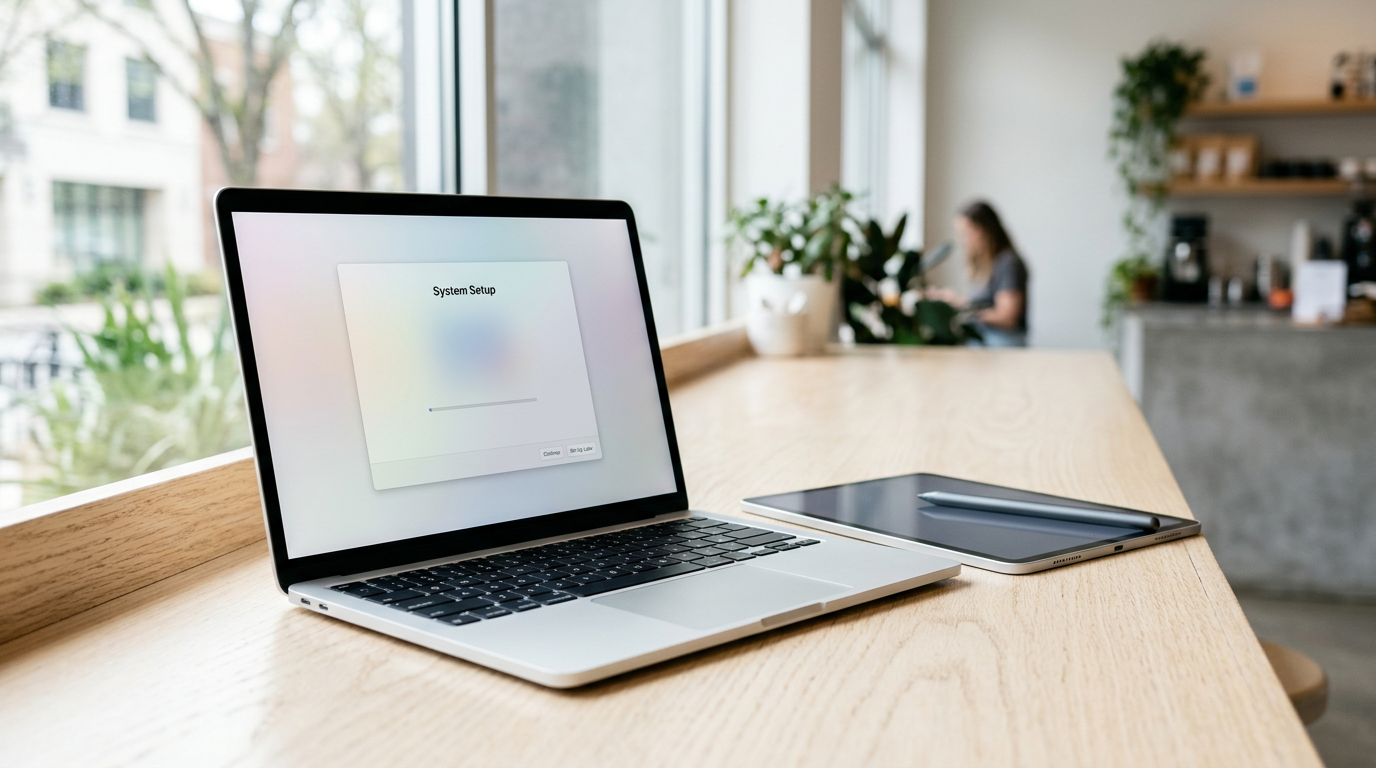
Yes, you can sell a laptop for cash in Pearland the same day. Bring your MacBook, Windows laptop, or gaming laptop and a valid government photo ID to Sell Your Gadgets Pearland at 1921 N Main Street Suite 105, get a quick in-person inspection, and walk out with cash. The strongest offers go to sellers who know their specs, have backed up their files, and have signed out of Apple, Microsoft, and other accounts before arriving.
This guide is for anyone searching "sell laptop near me" or "where can I sell my MacBook for cash near me." It covers what buyers look at, how to prep each type of machine, and what to expect at the counter. It also has notes for people driving in from Manvel, Alvin, Fresno, Webster, League City, and Missouri City.
Where to sell a laptop for cash near Pearland
When you want to sell your laptop for cash, you usually have four options besides a buyback store. Each has tradeoffs worth knowing before you commit.
| Option | What to expect | Main drawback |
|---|---|---|
| Online marketplaces | You set the ask and field messages from strangers. | Lowball haggling, no-shows, scam risk, and meeting people with a valuable machine. |
| Carrier or big-brand trade-ins | Convenient if you are buying something new from them. | Often paid as store credit, and mostly built around phones rather than laptops. |
| Kiosks | Fast and automated. | A machine cannot judge a laptop's full condition, so offers tend to be conservative. |
| Pawn shops | Cash on the spot. | Offers are often structured around loans, and staff may not specialize in current laptops. |
| Sell Your Gadgets Pearland | A real person inspects your laptop and pays cash on the spot. No appointment is needed. | You need to bring the device in and show a valid government photo ID. |
We are a buyback store. We pay you for used, new, and broken devices, and we do not sell devices from the counter. That means our only interest is in buying your laptop at a fair, condition-based offer. Customers often mention an easy process, helpful service, and an honest person behind the counter. Our Google rating is 4.8 from 103 reviews.
How selling a laptop at our Pearland store works
The process is short, and you can start before you leave home.
- Get a free quote. Use the online form, send a text, or simply walk in. Offers depend on the exact model and condition, so we do not publish prices.
- Bring the laptop in. Bring the charger if you have it, plus your government photo ID. Valid photo ID is required for every sale under standard secondhand-dealer rules.
- Quick inspection. We check the screen, keyboard, trackpad, ports, battery health, and that the machine powers on and performs as expected.
- Get paid cash on the spot. If you accept the offer, you are paid right there. No shipping and no waiting on a mailed check.
- Free data wipe in store. We wipe the device for you. You should still back up and sign out first, which we explain below.
We are on N Main Street in Pearland, and the transit note for the location is Beamer Rd at Hall Rd. The Pearland Alliance for Art and Culture, Traders Village, and Centennial Park are all close by, so it is easy to combine the trip with other errands. Hours are listed at the bottom of this page.
What drives a laptop's value
Two laptops that look identical on the outside can be worth very different amounts. These are the factors that move an offer the most.
- Chip or processor. This is the biggest single factor. For MacBooks, it is the M-series chip or Intel generation. For Windows laptops, it is the Intel Core, AMD Ryzen, or other processor family and generation. Newer generations generally hold value better.
- RAM. More memory means a more capable machine. On most modern MacBooks, RAM is soldered, so the configuration you bought is the configuration you are selling.
- Storage. Larger solid-state drives are worth more than smaller ones. Confirm the capacity rather than guessing.
- Graphics card (gaming laptops). A dedicated GPU, such as an NVIDIA GeForce RTX or AMD Radeon part, is often the main reason a gaming laptop holds value. Know the exact model.
- Battery health and cycle count. A battery with a high cycle count or a service warning lowers the offer because replacement is a real cost.
- Screen condition. Scratches, dead pixels, pressure marks, backlight bleed, and cracks all matter. A crack does not always mean the laptop is worthless, because we buy broken devices too.
- Keyboard and trackpad. Missing keys, sticky keys, shiny worn keycaps, and a swollen battery pushing up the trackpad all count.
- Body condition. Dents, bent corners, and a lid that does not sit flat are noted during inspection.
- Accounts and locks. A laptop still tied to your Apple ID, an employer's management profile, or a locked firmware password is hard to resell and may lower the offer or make a sale impossible until it is cleared.
- Extras. An original charger, box, and accessories help a little and show the machine was cared for.
Selling a MacBook: Apple silicon, Intel, and Activation Lock
If you are searching "sell MacBook near me," start by identifying which kind of Mac you have. Click the Apple menu and choose About This Mac. The chip line will say something like Apple M1, M2, M3, or M4, or it will list an Intel processor.
Apple silicon vs. Intel
Apple silicon MacBooks are generally in higher demand because of their speed, battery life, and continued software support. Intel MacBooks are still bought, but the model year, processor, and condition matter a lot. Also note the screen size, the year, and whether it is an Air or a Pro, since those details are part of how a MacBook is priced. The serial number, found in About This Mac, lets us confirm the exact model.
Activation Lock and Find My
Most modern Macs have Activation Lock when Find My Mac is turned on. If it is still on, the next owner cannot use the machine, so it has to be turned off before a sale. Do this before you come in:
- Back up your files, using Time Machine or iCloud Drive, or by copying to an external drive.
- Open System Settings, click your name at the top, and choose Sign Out. On older macOS, go to System Preferences and then Apple ID. You will be asked whether to keep a copy of data, and you will need your Apple ID password to turn off Find My Mac.
- Sign out of Messages and FaceTime if they still show your account.
- If you can, choose Erase All Content and Settings in System Settings under General and Transfer or Reset. This is available on Apple silicon Macs and on Intel Macs with the T2 security chip running a recent macOS.
- Confirm at icloud.com/find that the Mac no longer appears under your devices.
If you run into a problem, such as a forgotten Apple ID password, recover it through Apple before you sell. We can do the free data wipe in store, but we cannot bypass Activation Lock for you, and neither should anyone else.
Selling a Windows or gaming laptop
Windows laptops cover a huge range, from thin work notebooks to heavy gaming rigs. Buyers need the real specs, so find them before you come in.
How to find your specs
- Processor and RAM: Go to Settings, then System, then About. You will see the processor and installed RAM.
- Storage and graphics: Open Task Manager with Ctrl+Shift+Esc and click the Performance tab. You will see the drive capacity and the GPU model.
- Model number: Look on the bottom of the laptop or in About. Gaming laptops often have a long model name, and that helps us confirm the exact configuration.
- Battery report: Open Command Prompt and run powercfg /batteryreport. It shows design capacity vs. full-charge capacity and cycle count.
For gaming laptops, also note the screen refresh rate, whether the keyboard has working RGB lighting, and whether the fans run normally under load. Overheating and loud fans are worth mentioning. If you have the original charger, bring it, since gaming laptops use large, proprietary adapters.
BitLocker, Microsoft account, and other locks
- BitLocker or device encryption. If it is on, save your recovery key somewhere safe, then turn encryption off or simply reset the laptop using the steps below. Do not sell a laptop while you are unsure of the recovery key.
- Microsoft account. Go to Settings, then Accounts, and remove your account and any work or school accounts. Also turn off Find My Device in Settings under Privacy and security.
- BIOS or firmware passwords. Remove any password you set. If it is an employer-issued machine with management software, it is probably not yours to sell.
- Software licenses. Deactivate apps such as Adobe, Office installs, and game launchers like Steam or Epic, so your licenses are not tied to a laptop you no longer own.
Back up and reset your laptop safely
Follow this order so you do not lose files or end up locked out.
- Back up everything you want to keep. Use an external drive or cloud storage. Check that the copy opens on another device before you erase anything. Do not forget browser bookmarks, saved game files, photos, tax documents, and design or work projects.
- Export or note what needs a login. Password manager data, two-factor authentication apps, and software licenses are easy to forget.
- Sign out of accounts. Apple ID and iCloud on a Mac, Microsoft account on Windows, and any streaming, gaming, or work accounts.
- Deauthorize anything tied to the machine. This includes iTunes or Music authorizations, Adobe, and game platforms.
- Reset the computer. On a Mac, use Erase All Content and Settings. On Windows, go to Settings, then System, then Recovery, choose Reset this PC, and select Remove everything.
- Do not reinstall your own accounts. Stop at the setup screen if you can. If the reset fails, bring the laptop in anyway. We offer a free data wipe in store.
Plan for a little extra time if you are doing this on the day you sell. Backups of large photo libraries and game libraries can take a while, so it helps to start the night before.
How to get the strongest offer for your laptop
- Get a free quote first. Send the exact model, chip, RAM, storage, and an honest description of condition. Offers depend on model and condition, and accurate details mean fewer surprises at the counter.
- Be honest about flaws. A cracked corner or a weak battery will be found during inspection. Saying so up front keeps the process quick and the offer consistent.
- Clean it. Wipe the screen, keyboard, and body. A clean laptop looks cared for and is easier to inspect.
- Bring the charger and any accessories. A missing charger can reduce the offer, especially for gaming laptops.
- Sell before the next release. Laptops lose value as newer models arrive, so waiting rarely helps.
- Bundle what you have. Many people bring a laptop along with a phone, tablet, console, or headphones. We buy iPhones, Android phones, iPads, Apple Watches, game consoles, cameras, drones, VR headsets, gaming PCs, monitors, AirPods, power tools, and more, new, used, and broken.
- Do not skip the broken machine. If the laptop has a cracked screen or will not boot, still ask for a quote. It may have value as a repair or parts unit.
Selling a laptop if you are coming from a nearby town
Pearland is an easy drive from across the south Houston area. Each town below also has its own local page for our buyback service.
Manvel
As Manvel keeps growing along Highway 6, many residents bring last year's phones, consoles, and tablets north to Pearland for on-the-spot cash, and laptops fit right in. If you have a work-from-home MacBook or a gaming laptop the kids have outgrown, it is a short trip. See our page for selling electronics in Manvel.
Alvin
Alvin sellers can drive up Highway 35 and turn a drawer of old electronics into cash the same day. There is no shipping and no waiting on a mailed check, which matters for something as valuable as a laptop. Learn more on our Alvin electronics page.
Fresno
Fresno households in Fort Bend County get a free, in-person evaluation at our Pearland counter instead of trusting a valuable laptop to the mail. You can watch the inspection and ask questions as it happens. Our Fresno page has details for your area.
Webster
Between NASA-area upgrades, Webster sellers cash in phones, MacBooks, and gaming gear on a quick drive west along FM 528. If you are replacing a work laptop or upgrading a gaming setup, bring the old one in. Start with our Webster electronics page.
League City
League City is a straight shot up the Gulf Freeway, so Bay Area sellers get a real person's cash offer at our Pearland store rather than a kiosk lowball. That is useful for laptops, where condition details like battery health and keyboard wear need a human eye. Check our League City page for more.
Missouri City
Missouri City residents skip cross-town Houston traffic and head to nearby Pearland for instant cash on phones, tablets, and consoles, along with laptops and gaming PCs. Walk-ins are welcome, with no appointment needed. See our Missouri City page.
Frequently asked questions
Can I sell my laptop for cash today?
Yes. Walk in during store hours with your laptop and a valid government photo ID. After a quick inspection, you are paid cash on the spot if you accept the offer. No appointment is needed, but a free quote beforehand can save time.
Do I need to reset the laptop before I bring it in?
It is best to back up your files and sign out of your Apple ID or Microsoft account first. You do not have to finish the full reset yourself, because we provide a free data wipe in store. Activation Lock and account locks, though, must be turned off by you.
Will you buy a MacBook or laptop with a cracked screen or that will not turn on?
We buy new, used, and broken devices. A cracked screen, weak battery, or dead machine lowers the offer, but it may still have value. Ask for a free quote with a description of the damage.
How much will I get for my laptop?
We do not quote prices publicly, because offers depend on the model, specs, and condition. The chip, RAM, storage, battery, screen, and keyboard all matter. The fastest way to find out is a free quote by online form, text, or walk-in.
What do I need to bring?
Bring the laptop, your charger if you have it, and a valid government photo ID, which is required for every sale. Have your account passwords handy in case anything still needs to be signed out.
Can I sell a gaming laptop or gaming PC here too?
Yes. We buy gaming laptops, gaming PCs, and monitors, along with consoles like PS5, Xbox, and Nintendo Switch. Know your GPU model, RAM, and storage, since those drive the offer.
Ready to sell? Get a free quote online or by text, or stop by Sell Your Gadgets Pearland at 1921 N Main Street Suite 105, Pearland, TX 77581. We are open Monday through Saturday from 10:00 AM to 7:00 PM and Sunday from 11:00 AM to 5:00 PM. Call (713) 823-1269 with any questions.
Hear from a real customer
Why they chose Sell Your Gadgets. Working or broken, get a free quote and walk out with cash the same day.
Compare your options
See how selling to us stacks up against other ways to sell, side by side.





