
Sell Laptop Near Me in SoDo, FL: Same-Day Cash for MacBooks
By syedladen ·
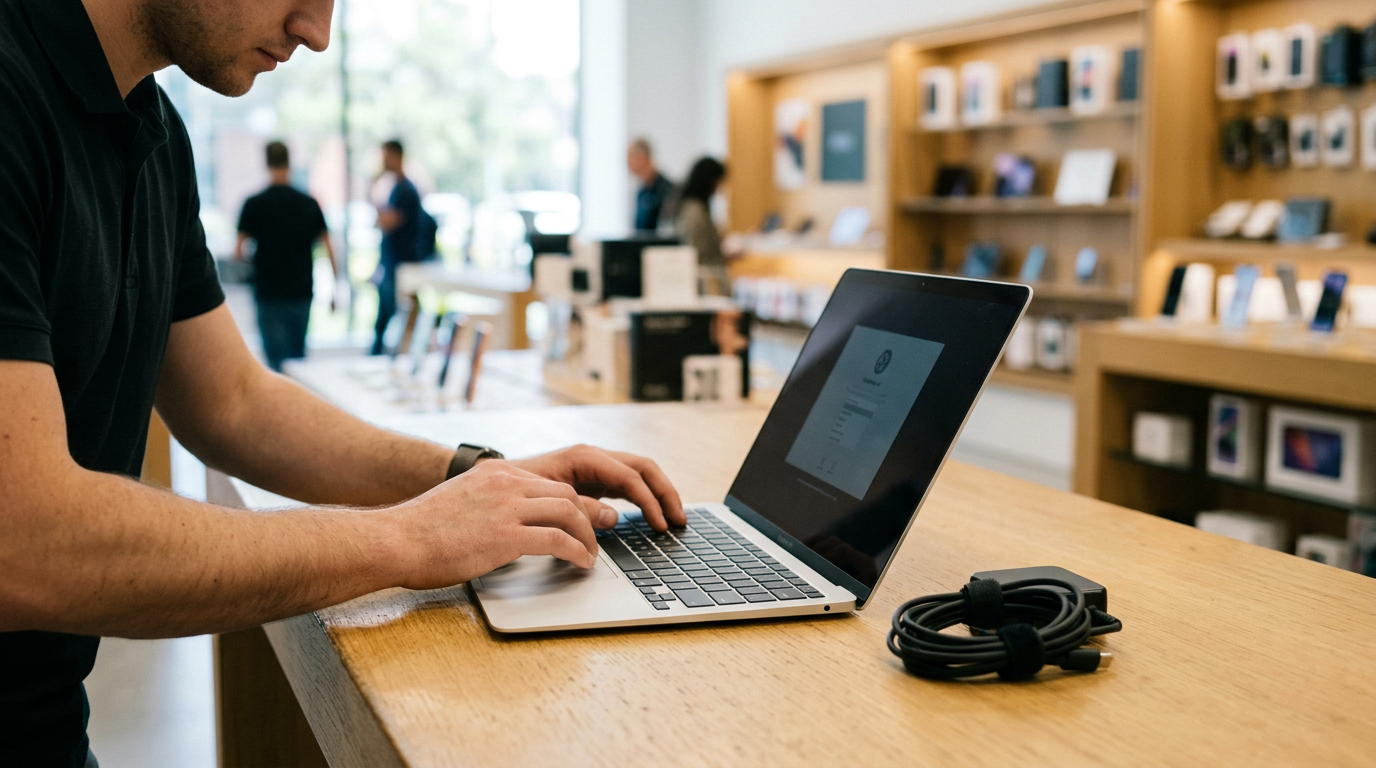
If you want to sell a laptop near you in SoDo, FL, bring it to Sell Your Gadgets SoDo at 1737 S Orange Ave Ste 300 for an inspection and cash on the spot. You can start with a free quote online, by text, or by walking in, and no appointment is needed. This guide covers how to sell a MacBook, Windows laptop, or gaming laptop and how to prepare it so you get the strongest offer.
Where to sell a laptop for same-day cash in SoDo
Sell Your Gadgets is a buyback store. We pay cash for used, new, and broken electronics, and we do not sell devices. That matters when you search for where you can sell your MacBook for cash near you, because you are dealing with a team whose job is to evaluate your machine and make you an offer, not to upsell you on something else.
The process is short:
- Get a free quote through the online form, by text, or by walking in.
- Bring the laptop in for a quick inspection.
- Get paid cash on the spot if you accept the offer.
Every sale requires a valid government photo ID. That is the standard secondhand-dealer rule, so bring yours with the laptop. We also do a free data wipe in store. You should still do your own prep (covered below) because it protects you and usually speeds up the visit.
Customers often mention that the team explains how an offer was reached rather than just naming a number. Our Google rating is 4.9 from 64 reviews, and several reviewers single out Matt for being helpful, quick, and fair when they came in to sell a PC. We do not publish prices, because a laptop's offer depends on the exact model and its condition. The fastest way to find out what yours is worth is a free quote.
What drives the value of a laptop
Two laptops that look identical on a desk can be worth very different amounts. These are the factors that matter most, roughly in the order buyers weigh them.
| Factor | Why it matters | How to check it |
|---|---|---|
| Chip / processor | The biggest driver of value. Newer generations and higher tiers are worth more. | Mac: Apple menu, About This Mac. Windows: Settings, System, About. |
| RAM | More memory makes a machine more useful and more resellable. On many modern laptops it cannot be upgraded later. | Same screens as above, or Task Manager on Windows. |
| Storage | Larger solid-state drives add value. Note whether it is SSD or an older hard drive. | Mac: Storage in About This Mac. Windows: Settings, System, Storage. |
| Battery health and cycle count | A worn battery lowers value, and a swollen battery is a safety issue. | Mac: System Information, Power. Windows: a battery report from Command Prompt. |
| Screen | Cracks, dead pixels, dim spots, and backlight bleed reduce the offer. | Open a plain white image and a plain black image at full brightness. |
| Keyboard and trackpad | Sticky, missing, or unresponsive keys and a failing trackpad are common deductions. | Test every key with a typing test page and click all four corners of the trackpad. |
| Body and ports | Bent corners, cracked hinges, and loose USB or charging ports count against the machine. | Open and close the lid, and plug something into each port. |
The original charger, the box, and any extras help a little, but they are secondary. The chip, RAM, storage, and physical condition set most of the offer.
Selling a MacBook: Apple silicon, Intel, and Activation Lock
Whether you have a MacBook Air or a MacBook Pro, the first thing to establish is which generation it is. Apple silicon models (the M-series chips) and older Intel models are valued differently, and Apple silicon Macs generally hold their value better. Click the Apple menu and choose About This Mac. If you see a chip name beginning with M, it is Apple silicon. If you see an Intel processor, it is an Intel Mac.
Note the screen size, the year, the chip, the RAM, and the storage. Those details let us quote you accurately, and they are easy to read from that same screen.
Activation Lock and Apple ID
Activation Lock is the step that most often slows down a Mac sale. If the laptop is still tied to your Apple ID through Find My, the next user cannot set it up, and it cannot be resold as a working machine. Before you come in:
- Sign out of iCloud and your Apple ID in System Settings.
- Turn off Find My Mac.
- Sign out of Messages, FaceTime, and the App Store if they prompt you to.
- Erase the Mac (see the reset section below).
You can also check from another device by going to your Apple account's device list and removing the Mac from it. If you have forgotten your Apple ID password, recover it before you visit, because we cannot bypass Activation Lock. A MacBook that is still locked to an account is one of the few situations where a sale cannot be completed, so it is worth five minutes of prep.
Cycle count and condition on Macs
Open System Information, then Power, to see your battery cycle count and condition. You do not need to replace the battery before selling. A low cycle count is simply a point in your favor. Also look for a bowed trackpad or a lid that does not sit flat, which can signal a swollen battery.
Selling a Windows or gaming laptop
Windows machines vary far more than Macs, so specs matter even more. Here is how to get them quickly.
Finding your specs
Go to Settings, System, About to see the processor, installed RAM, and system type. Open Task Manager, then the Performance tab, to see the graphics card, memory speed, and storage. For gaming laptops, the graphics card (GPU) is often the biggest value factor after the processor, so note its exact model name. Also note the screen's resolution and refresh rate if you know them, and the model number printed on the bottom of the laptop or the sticker under the battery door.
What gaming laptops need extra attention
- Thermals: Loud fans, overheating, or throttling under load can reduce an offer.
- Hinges and chassis: Gaming laptops are heavy and put stress on hinges, so check for wobble or cracks near them.
- Keyboard lighting: Dead zones in RGB or backlit keys are worth noting.
- Charger: The large power brick is expensive to replace, so bring it.
If you have a desktop gaming rig or monitors as well, we buy gaming PCs and monitors too, so you can ask about them in the same visit.
Removing BitLocker and your Microsoft account
Many Windows laptops ship with device encryption or BitLocker turned on, and it is often tied to your Microsoft account. If it stays on, it can block a clean reset. Before you come in:
- Check Settings, Privacy and security, Device encryption (or search for BitLocker) and turn encryption off or decrypt the drive. Make sure you can sign in to your Microsoft account in case a recovery key is requested.
- Remove your Microsoft account and any work or school accounts under Settings, Accounts.
- Turn off Find My Device under Settings, Privacy and security.
- Remove any BIOS, supervisor, or hard drive password you set.
- Sign out of game launchers and cloud services such as Steam, Epic, and Xbox.
A laptop locked with a password we cannot remove, or one that still belongs to a company or school, limits what we can do. If your machine came from an employer, resolve that first.
Back up your files and reset the laptop safely
Do this in order, because wiping comes last.
- Back up everything you want to keep. Copy documents, photos, and project files to an external drive or a cloud service. Check that the files open from the backup before moving on.
- Export the things people forget: browser bookmarks and saved passwords, licenses for paid software, game save files, and your two-factor authentication app.
- Deauthorize software. Sign out of and deauthorize apps such as iTunes or Music, Adobe products, and any licensed creative or engineering software.
- Sign out of your accounts. Apple ID on a Mac, Microsoft account on Windows.
- Reset the machine. On a recent Mac, use System Settings, General, Transfer or Reset, then Erase All Content and Settings. On older macOS versions, use Recovery mode to erase the drive and reinstall macOS. On Windows, use Settings, System, Recovery, then Reset this PC and choose to remove everything.
If you run out of time or a reset fails, bring the laptop anyway. Our free in-store data wipe covers the final clean-up, but having your accounts signed out and your backup finished beforehand makes the visit faster and keeps your information in your hands.
How to get the strongest offer
- Get a quote before you visit. Send the model, year, chip, RAM, and storage, and mention honestly any damage. Accurate details mean fewer surprises at the counter.
- Clean it. Wipe the screen, keyboard, and body. A clean machine signals that it was cared for.
- Bring the charger. A working original charger helps, and on gaming laptops it matters more.
- Do not fix it first. We buy broken devices, and a repair often costs more than it adds to the offer.
- Do not wait too long. Laptops lose value as newer generations arrive, so selling sooner usually helps.
- Ask how the offer was made. A good buyer will walk you through the chip, condition, and demand behind the number.
Compared with other routes, a buyback store is built for speed. Pawn shops may treat a laptop as collateral or a low-priority item, carrier trade-ins focus on phones, online marketplaces mean messaging strangers, meeting in person, and waiting, and kiosks can only judge a machine by a few basic checks. A walk-in inspection by a person who looks at the actual laptop usually gives a clearer answer, and you leave with cash.
Coming from nearby towns
The store sits on S Orange Ave, near Wadeview Park, Z L Riley Park, and Constitution Green. Orange Ave is a major north-south road, which makes the store a short drive for many neighborhoods. If you use transit or are looking for a reference point, the nearest cross street is S Orange Ave and Pennsylvania St.
Southeast Orlando
If you live in Southeast Orlando, you can usually get to us via major roads like the Beachline (SR 528) and then into the city along Orange Ave. Students and remote workers in the area often sell a laptop after upgrading. Send us the specs ahead of time and you will know what to expect before you drive over.
Belle Isle
Belle Isle is a short drive from SoDo, and the trip usually runs along Orange Ave. If you have a MacBook you no longer use, bring it with your ID and your Apple ID details. Signing out beforehand keeps the stop to a few minutes.
Clear Lake
From the Clear Lake area, you can reach our S Orange Ave location without a long trip into downtown. Many people here sell a gaming laptop or a work laptop they replaced. Bring the charger and any accessories so we can test everything at once.
Southwest Orlando
Southwest Orlando residents can get to us via I-4 or Orange Blossom Trail and then over to Orange Ave. If you are heading in after work, we are open until 7:00 PM Monday through Saturday. A quote by text first tells you whether the trip is worth it.
Fairview Shores
Fairview Shores is close enough that selling a laptop can fit into a lunch break or an errand run. If you have an older Windows laptop or one with a cracked screen, it is still worth asking for a quote, because we buy used and broken devices.
Pine Castle
Pine Castle sits along the same Orange Ave corridor as the store, so it is a straightforward drive. If you are clearing out old electronics, bring tablets, consoles, and other gear along with the laptop. You can see the full list on our SoDo electronics page.
Frequently asked questions
Do I need an appointment to sell my laptop?
No. You can walk in during store hours, or start with a free quote online or by text. Having your specs ready makes the visit faster.
What do I need to bring?
Bring the laptop, its charger if you have it, and a valid government photo ID. The ID is required for every sale under standard secondhand-dealer rules.
Can I sell a MacBook that is broken or will not turn on?
Yes. We buy new, used, and broken devices, including laptops with cracked screens or other damage. The offer depends on the model and condition, so ask for a free quote and describe the issue honestly.
Will you wipe my data?
Yes, we offer a free data wipe in store. You should still back up your files and sign out of your Apple ID or Microsoft account first, since a locked account can prevent a sale.
How much will I get for my laptop?
We do not publish prices, because the offer depends on the exact chip, RAM, storage, battery, and physical condition. A free quote gives you a real answer for your machine. You can also see our Florida locations for other ways to reach us.
Do you buy anything besides laptops?
Yes. We also buy iPhones and Android phones, iPads, game consoles, Apple Watches, cameras, drones, VR headsets, gaming PCs, monitors, headphones, power tools, and more. For example, you can look at selling an iPad or a PlayStation 5 at the same time.
Ready to sell? Get a free quote online or by text, or visit Sell Your Gadgets SoDo at 1737 S Orange Ave Ste 300, SoDo, FL 32806. We are open Monday to Saturday 10:00 AM to 7:00 PM and Sunday 11:00 AM to 4:00 PM, and you can call (321) 247-5995 with any questions.
Hear from a real customer
A real customer on their experience. Working or broken, get a free quote and walk out with cash the same day.
Compare your options
See how selling to us stacks up against other ways to sell, side by side.





