Best Time to Sell a MacBook: Release, Back-to-School Guide
By syedladen ·

The best time to sell a MacBook is usually before Apple announces a replacement for your model, before your Mac loses macOS update support, and ahead of a peak demand window like back-to-school or the holidays. If you are not planning to upgrade soon, the practical answer is simple: sell as soon as you have decided to move on, because every month of waiting pushes your Mac further down the generation ladder.
This guide explains why, using how Apple actually releases Macs, how support cutoffs hit Intel models, and when buyers are most active. It also covers the Activation Lock step that stops more MacBook sales than anything else. We never publish prices, so nothing here is a number. For what your specific Mac is worth today, a free cash quote takes a couple of minutes.
The short version: a timing cheat sheet
If you only read one section, read this one.
- Sell before the new model, not after. When a new chip generation is announced, the previous one becomes "last generation" overnight and buyers adjust what they will pay.
- Sell Intel Macs sooner rather than later. They are on the wrong side of Apple's platform shift, and each macOS release that drops them narrows their audience.
- Use demand windows for Apple silicon Macs. Late summer and the holiday stretch are when more people are shopping for laptops.
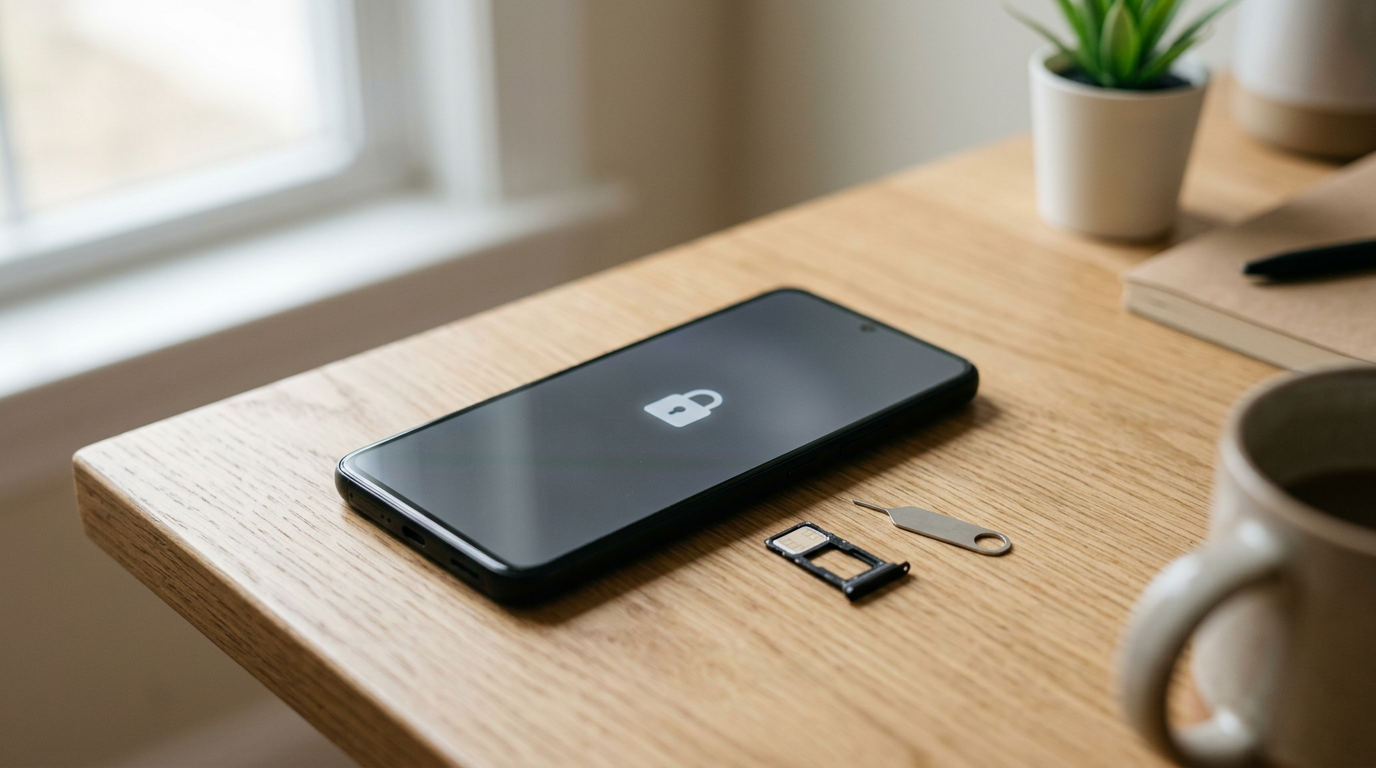
- Fix Activation Lock first. A locked Mac cannot be bought by us or by any reputable buyer, no matter the timing.
- Do not wait for a cracked or damaged Mac to "get better." Condition never improves, and age only works against it.
How Apple silicon release cadence affects older MacBooks
Apple replaced Intel processors in the Mac with its own M-series chips, and those chips now arrive in numbered generations. Each generation typically comes in tiers, such as a standard chip and higher-performance Pro, Max, or Ultra variants, and the tiers tend to reach different Mac models at different times. That matters for selling because it means there is rarely one single "launch day." Instead there is a rolling series of refreshes across the MacBook Air, MacBook Pro, and desktops.
What a new chip generation does to your Mac
When a new generation is announced, three things happen to a used Mac that carries the previous one:
- It gets relabeled. Listings and buyer searches move from "latest" to "previous generation." The Mac itself has not changed, but the comparison has.
- The upgrade crowd sells at once. People who were waiting for the new model list their old ones in the same few weeks, so supply of used Macs rises.
- The buyer pool shifts. Some shoppers who would have bought your Mac used decide to buy the new one instead, while bargain-minded shoppers get interested in the older one. The net effect is usually a softer market for the older model than before the announcement.
Why the jump between generations is not always dramatic
Apple silicon generations have generally been strong upgrades, but many everyday users will not feel a difference between neighboring generations for browsing, documents, and streaming. That is actually good news for sellers: a one-generation-old Apple silicon MacBook remains a very capable machine and tends to hold value better than a comparable Intel model of similar age. The value drop accelerates when a Mac is several generations behind and the buyer can get something meaningfully newer for not much more.
Watch for rumor cycles
Apple's pattern is predictable enough that press coverage and supply chain reports usually build for weeks before an event. You do not need to trade on rumors, but if credible reporting suggests your exact model is next in line for a refresh, treat that as your signal. Selling ahead of an announcement is the core of "sell MacBook before new model" timing.
Sell your MacBook before the new model: how to make the call
You do not need to predict Apple's exact schedule. Use this quick test instead.
- Find your chip and model year. Click the Apple menu, choose About This Mac, and note the chip (or processor) and the model name and year.
- Check how long since your model was refreshed. A Mac that has been current for a long stretch is more likely to be replaced soon than one that just launched.
- Decide if you need a replacement right away. If your next Mac is already chosen, sell the old one as soon as you can transfer your data, rather than waiting for the launch.
- Get a quote now. A free quote costs nothing and gives you a baseline to compare if you decide to hold off.
If you are undecided, selling before the announcement removes the risk of the "everyone sells at once" dip. Waiting only makes sense if you rely on the Mac daily and cannot be without it, or if you are fairly early in that model's life cycle.
Intel MacBooks and macOS support cutoffs
Intel-based MacBooks are the group where timing matters most. Apple has been moving its software forward with Apple silicon as the priority, and each new major macOS version has dropped support for some of the oldest Intel models. Apple generally keeps security updates going for a limited window on older macOS versions, but after that the Mac becomes a machine that still works yet no longer receives modern updates.
Why support cutoffs hurt resale
- Buyers check compatibility. Many shoppers look up whether a Mac can run the current macOS before they buy, and a Mac stuck on an older version looks like a riskier purchase.
- Apps follow the OS. Developers eventually require recent macOS versions, so a Mac frozen on an older release slowly loses app support.
- The audience narrows. Students, small businesses, and families gravitate toward Macs that will keep getting updates.
How to check where your Intel Mac stands
- Open the Apple menu and choose About This Mac to see your model year and current macOS.
- Open System Settings (or System Preferences) and then Software Update to see the newest macOS it can install.
- Compare that with Apple's current list of supported Macs on its website. If your model is missing from the newest macOS list, you are already past a cutoff.
Two rules of thumb follow. If your Intel Mac is still on the newest macOS, sell while that is true. If it has already been dropped, selling soon is better than waiting, because value from that point tends to flatten toward parts and basic-use demand. Either way, an old Intel MacBook often still has a buyer, which is covered below.
Back-to-school and holiday demand windows
Laptop demand is seasonal, and Macs follow the pattern. Two windows tend to matter most.
Back-to-school
Late summer is when students and parents shop for laptops, and Apple itself runs education promotions around that time. Demand for reliable, reasonably priced used MacBooks rises, particularly for MacBook Airs and lighter everyday models. If you are thinking of selling, listing or bringing in your Mac in the weeks leading up to the school rush puts you in front of the most active shoppers. The caveat is that buyback stores price based on what they can resell, so the benefit shows up as stronger overall demand rather than a guaranteed bump.
Holiday season
The end-of-year stretch brings gift shopping and year-end budgeting, both of which drive laptop purchases. It also brings people upgrading for themselves, which raises the supply of used Macs. The demand side usually wins for well-kept, recent models, while older or cosmetically worn Macs see less lift.
The quiet stretches
Early spring and the period right after holidays are typically slower. That is not a reason to hold a Mac for months, but if you are right at the edge of a demand window, a short wait for a seasonal lift can be reasonable for a newer Apple silicon Mac. For an Intel model near or past its support cutoff, do not wait for a season. Its age is the bigger factor.
| Window | What happens | Best for |
|---|---|---|
| Back-to-school | Student and family demand rises | MacBook Air and everyday Apple silicon models |
| Holiday season | Gift demand rises, but so does trade-in supply | Recent, clean, well-kept MacBooks |
| Right after a new Mac launch | Used supply rises as upgraders sell | Avoid if you can; sell before instead |
| Quiet months | Steadier, less competitive demand | Anyone who needs to sell now anyway |
MacBook resale value by year: how age changes the picture
People search for "MacBook resale value by year" expecting a chart of numbers. Real values depend on the exact model, chip, storage, memory, condition, and what buyers are paying that week, so any fixed figure would be guesswork. What you can rely on is the pattern below.
| Mac generation | Typical resale position | Main timing concern |
|---|---|---|
| Current Apple silicon generation | Strongest; holds value best | Sell before the next refresh for the best position |
| One generation back (Apple silicon) | Still solid, often a sweet spot for buyers | Gap widens once another generation arrives |
| Older Apple silicon | Moderate; capable but aging in buyer eyes | Future macOS support, battery health |
| Recent Intel, still on latest macOS | Noticeably lower than comparable Apple silicon | Sell before the next cutoff |
| Intel past macOS support | Lowest tier; value is about basic use and parts | Selling sooner is better than later |
Two things can override the table. First, configuration: more memory and storage help, and a higher-tier chip variant usually holds value better than the base model. Second, condition: a clean, dent-free aluminum body and a good screen matter a lot, and battery health and keyboard or display problems pull value down. Use a laptop quote to see where your exact configuration lands rather than estimating from year alone.
Is my old MacBook worth anything?
Usually yes, though the amount depends heavily on the model. Even Macs that cannot run the latest macOS often have buyers who want them for light use, for repair parts, or for refurbishing. Broken Macs can still be worth something, which is where a buyback store differs from a marketplace listing that assumes a perfect device.
Things that keep an old MacBook valuable
- It powers on and the screen is intact.
- The original charger and cable are included.
- The body is not badly bent or cracked.
- It is fully signed out of Apple ID and erased.
- The configuration is upgraded rather than base level.
Things that reduce value, but rarely to zero
- A cracked screen, dead pixels, or backlight trouble.
- Keyboard, trackpad, or port failures.
- A worn-out battery, including a swollen one.
- Liquid damage. We will still look at it, but expect a much lower offer.
The one thing that can make a Mac unsellable to us is a lock. Devices that are iCloud or Activation locked, reported lost or stolen, or blacklisted are not something we can buy. Everything else, including worn, dented, and non-working Macs, is worth a quote.
Activation Lock and Find My: remove them before you sell
Every Apple silicon Mac and every Intel Mac with an Apple T2 security chip supports Activation Lock, tied to your Apple ID through Find My. If it is still on, the next user cannot set the Mac up, and we cannot accept it. Fix it at home before you come in.
- Back up your data. Use Time Machine or copy files to an external drive or cloud storage.
- Sign out of iCloud. In System Settings, click your name, choose Sign Out. On older macOS, use System Preferences, Apple ID, Overview, Sign Out. This turns off Find My Mac.
- Sign out of Messages and other Apple services if they are separate, and deauthorize any apps that tie a license to the device.
- Erase the Mac. On recent macOS, use System Settings, General, Transfer or Reset, then Erase All Content and Settings. On older setups, restart into macOS Recovery and use Disk Utility and Reinstall macOS.
- Verify removal. Sign in to iCloud.com on another device, open Find, and confirm the Mac is not listed. If it still appears, choose to remove it from the account.
- Check for management profiles. A Mac enrolled in a work or school management system may be locked to that organization. Have it released by the administrator first.
We also offer a free data wipe in store, but that does not replace signing out of your Apple ID. If you forget and the Mac is still locked, we cannot complete the purchase, so it is worth a five-minute check before you travel to a store or ship it.
Sell now vs. wait: the decision table
| Your situation | Better move | Why |
|---|---|---|
| Intel MacBook already dropped from the latest macOS | Sell now | No future catch-up; age only reduces value |
| Intel MacBook still on the latest macOS | Sell now | Next macOS release may cut it off |
| Apple silicon Mac, new generation rumored or expected soon | Sell now | Avoid the wave of upgraders selling after launch |
| Apple silicon Mac just replaced by a new model | Sell soon, compare quotes | The market has already moved; waiting rarely helps |
| Recent Apple silicon Mac, early summer | Consider selling into back-to-school | Student demand is rising |
| Recent Apple silicon Mac, you still use it daily | Wait, but set a trigger | Plan to sell when your next Mac is chosen |
| Damaged or non-working MacBook | Sell now | Condition will not improve |
| Mac is Activation Locked | Fix the lock first | We cannot buy locked devices |
A practical pre-sale checklist
A few minutes of prep makes the inspection quick and avoids surprises.
- Back up, sign out of Apple ID, turn off Find My Mac, and erase the Mac.
- Note the exact model, chip, memory, and storage from About This Mac so your quote is accurate.
- Clean the screen, keyboard, and body gently. A tidy Mac is easier to grade.
- Bring the charger and cable if you have them.
- Bring a valid government photo ID, which is required for every sale.
- Be upfront about any damage. A quick inspection will find it anyway, and honest quotes are faster to finalize.
For the full process, see how selling to us works. In short, you get a free quote online, by text, or in person, we inspect the device, and you are paid on the spot. No appointment is needed at our walk-in stores, and you can find a store near you in NY, NJ, FL, TX, MD, AZ, GA, or VA. If you are far from a store, there is a mail-in option.
Frequently asked questions
What is the best month to sell a MacBook?
There is no single best month, but late summer ahead of back-to-school and the holiday stretch tend to be the most active for laptop shoppers. The bigger factors are whether a new model is about to launch and whether your Mac is near a macOS support cutoff. If either applies, do not wait for a particular month.
Should I sell my MacBook before the new model comes out?
Generally yes, if you already plan to upgrade. Once a new generation is announced, your Mac becomes previous generation and more used units hit the market. If you still need your Mac every day, it is fine to hold on, but set a clear trigger so you do not drift into a weaker market.
Will my Intel MacBook be worth less after it loses macOS updates?
In most cases yes. Buyers care about whether a Mac can run current software, and a Mac that is stuck on an older macOS is a harder sell. It usually still has some value, particularly in good condition, so a quote is worthwhile either way.
Can I sell a MacBook with a cracked screen or that will not turn on?
Yes. We buy new, used, and broken devices. A damaged MacBook will be valued lower than a clean one, but it is often worth more than people expect. The exception is a Mac with an Activation Lock, which we cannot buy.
How do I know if Activation Lock is off?
Sign out of Apple ID, turn off Find My Mac, and erase the Mac. Then log in to iCloud.com on another device, open Find, and confirm the Mac is not in your device list. If it is gone, you are clear.
What do I need to bring to sell my MacBook in store?
Bring the Mac, its charger if you have it, and a valid government photo ID. We can wipe the data for free in store, but you should still sign out of your Apple ID beforehand. No appointment is required.
Is it better to sell or trade in a MacBook for a new one?
It depends on the offers, so compare. A buyback quote gives you a cash number you can use toward any purchase, not just one retailer's. Getting a free quote first costs you nothing and lets you decide with real information.
Ready to see what your MacBook is worth? Get a free cash quote online or by text, or walk into your nearest store and get paid on the spot.
Hear from a real customer
Why they chose Sell Your Gadgets. Working or broken, get a free quote and walk out with cash the same day.
Compare your options
See how selling to us stacks up against other ways to sell, side by side.