
Who Buys Broken Electronics Near Me? Brooklyn, NY Guide
By syedladen ·
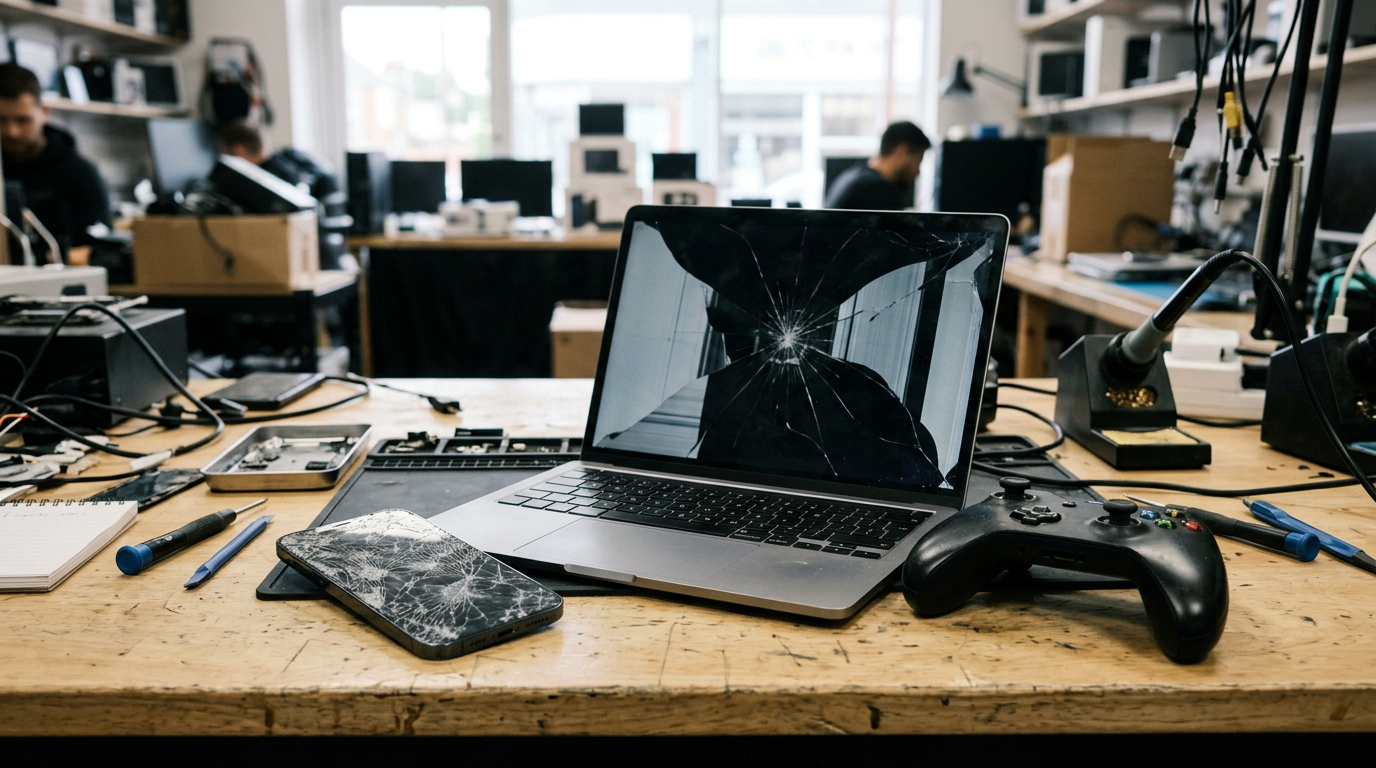
If you are wondering who buys broken electronics near you in Brooklyn, Sell Your Gadgets on Nostrand Avenue does, and we pay cash on the spot after a quick inspection. Cracked iPhones, dead laptops, water-damaged tablets and consoles that will not boot can all still get an offer, which depends on the model and its condition. Start with a free quote before you toss anything in a drawer or the trash.
This guide is for anyone in Brooklyn holding a device they assume is worthless. It explains which kinds of damage still get offers, what pulls value down, why broken gear is worth something to a buyer, what not to do before you sell, and how to handle a dead device that still holds your photos and messages. It also covers how to reach our store from nearby neighborhoods.
Who buys broken electronics in Brooklyn?
Options for damaged devices in Brooklyn are more limited than for working ones. Here is how the usual routes compare:
- Carrier trade-ins: These usually want a device that powers on and works, and they often tie credit to a new purchase rather than paying cash.
- Online marketplaces: You can list a broken device, but you write the listing, answer questions, ship it, and deal with buyers who dispute the condition. Damaged items tend to bring more back-and-forth.
- Pawn shops: Some will look at damaged electronics, but many prefer items they can resell quickly as is.
- Mall kiosks and mail-in buyers: These can work for common models, but you may wait for a final offer, and a device that arrives in worse shape than described can get its offer revised.
- A local buyback store: You walk in, someone inspects the device in front of you, and you leave with cash if you take the offer.
Sell Your Gadgets is an electronics buyback store. We pay for used, new, and broken devices, and we do not sell devices, so our only interest is in buying what you have. You can get a free quote online, by text, or by walking in to our Brooklyn buyback store at 1938 Nostrand Ave. No appointment is needed.
Which kinds of damage still get an offer
Most people assume that one serious problem makes a device worthless. In practice, many kinds of damage still leave something a buyer can work with. Here is a general view of how common issues are handled. Offers always depend on the exact model and its condition, and we do not publish prices, so use this as a guide to what is worth bringing in, not a promise of a payout.
| Problem | Can it still get an offer? | What matters most |
|---|---|---|
| Cracked screen or back glass | Usually yes | Whether the display and touch still work under the cracks, and whether the frame is bent |
| Weak or swollen battery | Often yes | Whether the battery is swollen, which is a safety issue, and whether the device otherwise works |
| Will not power on | Often yes | Model, age, and whether the body and screen are intact |
| Water damage | Sometimes | How long ago it happened, whether there is corrosion, and whether it still boots |
| Broken charging port or buttons | Usually yes | Whether the board and screen are otherwise healthy |
| Locked to an account or passcode | It depends | Whether the lock can be removed, since account locks can limit what a device is worth |
Cracked screens
If you are looking to sell a cracked iPhone or Android phone, the screen is the most common reason people think they have to fix it first. A cracked display is one of the most common problems we see, and it does not make a phone unsellable. A phone with a clean crack that still responds to touch is in a different position than one with a dead display or bleeding ink. We look at both the glass and what is underneath.
Bad batteries
A battery that drains fast or shuts the phone off at 30 percent is a normal wear issue, and it is not a dealbreaker. A battery that has swollen and is pushing the screen or case apart is different. It is a safety risk, so stop charging and using the device and bring it in carefully rather than keeping it plugged in.
Devices that will not power on
A dead phone, laptop, or console can still be sold. A buyer can test whether the problem is the battery, the charging port, or something on the board. You do not need to know what is wrong. We will check it, and you will hear plainly what we can offer.
Water damage
Water damage is the hardest category, because corrosion can keep spreading inside a device even after it dries out. That does not mean it has no value. It does mean you should not wait. The sooner a wet device is inspected, the more likely it is that some parts are still usable.
What lowers the value of a broken device
Knowing what pulls an offer down helps you set expectations and avoid making things worse. These are the main factors:
- Damage to more than one part. A cracked screen alone is one thing. A cracked screen plus a bent frame plus a damaged camera is another.
- Liquid damage with visible corrosion. Green or white residue around ports and the SIM tray is a sign that the damage has spread.
- Swollen batteries. They create safety and handling issues and can limit what can be done with the device.
- Account or passcode locks. A phone or laptop still tied to your Apple ID, Google account, or a work management profile is hard to resell. Signing out and removing the device from your account protects your privacy and helps the device keep its value.
- Missing parts. A device with missing back glass, a missing camera module, or a removed battery is worth less than one that is complete.
- Third-party or cheap repairs. A poor-quality replacement screen or battery can lower value rather than raise it, which we cover below.
- Age and model. Newer, in-demand models tend to hold value better even when damaged.
None of these automatically means there is no offer. They are the things we weigh when we inspect a device.
Why broken devices still have value
Buyers do not only think about whether a device works right now. A damaged device can still be worth something in several ways:
- Working parts. A phone with a shattered screen may have a healthy camera, speaker, board, and battery. Those components can be reused to repair other devices.
- Refurbishment. Devices with cosmetic or repairable faults can be fixed and resold. A cracked display is a routine repair for a shop with the right parts and equipment, which is why it is often not a big obstacle for a buyer the way it feels for an owner.
- Materials and responsible recycling. Even a device that cannot be repaired contains materials that are better recovered than thrown away. That is a real upside compared with leaving it in a drawer or putting it in the trash, and it is something our customers often mention when they tell us what they liked about selling here.
- Demand for specific models. Popular iPhones, MacBooks, iPads, game consoles, and cameras have steady demand for parts and repair, even when the units themselves are damaged.
This is why it is worth getting a quote instead of assuming. The inspection tells you the answer quickly.
What not to do before selling a broken device
When a device breaks, the instinct is often to fix it cheaply before selling. In most cases that is a mistake.
Do not attempt a DIY repair
Opening a phone, prying off a screen, or swapping a battery with a kit can damage ribbon cables, bend the frame, or tear adhesive seals. A device that was a simple cracked-screen case can turn into a multi-fault device. If you have already started and stopped, bring it in as is, and keep any loose parts.
Do not buy a cheap replacement screen
A low-cost aftermarket screen can have weaker colors, poor touch response, or a missing sensor. It also costs you money up front with no guarantee that an offer will rise to cover it. If you are planning to sell anyway, it usually makes more sense to sell the device as it is and put the money toward a replacement.
Do not keep charging a swollen or hot battery
If the back is lifting, the screen is bulging, or the device gets hot while charging, unplug it and stop using it. Bring it in for inspection.
Do not try to dry a wet device with heat or rice
Rice does not reliably pull moisture from the inside of a device, and a hair dryer or oven can push water deeper or damage components. Power the device off if it is still on, do not plug it in, and get it inspected soon.
Do not leave your accounts signed in
If the device still works enough to do so, sign out of iCloud, your Google account, and any other services. If it does not, do not worry. See the next section.
Do not throw away accessories or the box
Chargers, cases, original boxes, and cables are not required, but they can help. Bring what you have.
If the device will not turn on but still has your personal data
This is the most common worry we hear about dead phones, laptops, and tablets: the screen is black, but your photos, messages, banking apps, and saved passwords may still be inside. A few practical steps:
- Check whether your data is backed up. For iPhones and iPads, look at your iCloud account from another device. For Android, check Google backup. For laptops, check cloud storage or a recent backup drive. If the files are backed up, you can sell the device without worrying about losing them.
- Try a different charger and cable. Leave it on a known-good charger for a while. Sometimes a device that looks dead is simply drained or has a bad cable.
- Remove the device from your accounts from another device. Use your Apple ID or Google account on a computer or another phone to remove the old device from your list of trusted devices, and change your passwords if you are concerned.
- Bring it in as is. We offer a free data wipe in the store. We will inspect the device, and if you accept the offer, it gets wiped as part of the process. If a device cannot be wiped because it will not power on, tell us before you sell so we can explain what happens with it, and you can decide whether you are comfortable.
- Decide whether the data matters more than the sale. If there are irreplaceable photos on a dead phone, a professional data recovery service may be worth trying first. Once a device is sold, the data is not coming back.
Whatever you decide, do not sell any device with personal data on it to a buyer you do not trust. Ask how data is handled, and get an answer you are comfortable with.
How selling a broken device works at our Nostrand Avenue store
The process is simple:
- Get a free quote. Use the online form, send a text, or walk in. Tell us the model and describe the damage honestly.
- Bring the device in. No appointment is needed. We inspect it at the counter.
- Get an offer. It is based on the model and the condition we find, and it may be different from a rough quote if the damage is worse than described.
- Get paid cash on the spot if you accept.
You will need a valid government photo ID for every sale. That is a standard secondhand-dealer rule, and it applies to everyone. Bring your ID, the device, and any accessories you have.
Customers often tell us that the process feels clear and unhurried, and that they appreciate having each step explained. Our Google rating is 4.8 from 1,232 reviews, and many of the comments mention friendly service and straightforward transactions.
Besides phones, we buy iPads and tablets, MacBooks and laptops, Apple Watch and smartwatches, game consoles such as PS5, Xbox, and Nintendo Switch, cameras and lenses, drones, VR headsets, gaming PCs and monitors, AirPods and headphones, and power tools. If you want to sell a broken laptop, a cracked tablet, or a console that will not read discs, the process is the same. You can see our store details and hours any time.
Coming from nearby neighborhoods and towns
We are at 1938 Nostrand Ave, at Nostrand Ave and Foster Av, in the Flatbush and East Flatbush area, close to Paerdegat Park, Blueberry Village, and Flatbush Town Hall. Here is how it looks from the places we hear from most.
Madison
If you are in Madison, you are in south Brooklyn, and our store is a short trip across the borough along main routes such as Flatbush Avenue or Nostrand Avenue. Many people in Madison have an older phone or laptop sitting around after a cracked screen. Bring it in and find out whether it is worth more than you assumed.
Gravesend
From Gravesend, the trip to Nostrand Avenue is a manageable drive or bus ride through central Brooklyn. Gravesend households often have several older devices, including tablets and game consoles, and it is worth bringing them together so you can get one set of quotes at once.
New York
If you are coming from elsewhere in New York City, Nostrand Avenue is reachable from many parts of the city by subway, bus, or car. Because we have more than one location across the state, you can also look at all of our New York buyback locations and choose the one that is easiest for you.
Crown Heights
Crown Heights is close, with Nostrand Avenue running through much of the neighborhood, so it is a straightforward trip for many residents. If a roommate or family member has a dead laptop or a phone with a shattered screen, the trip is short enough to do on a lunch break or after work.
Brownsville
From Brownsville, you can get to our store by heading toward Flatbush and Nostrand Avenue. If you have a broken phone or console, walk in with it and your ID. You do not need to book anything ahead of time.
Canarsie
Canarsie residents can reach us by going toward Flatbush, using the Belt Parkway or local avenues, depending on traffic. Paerdegat Park is nearby, so a trip to our store can be combined with other errands in the area.
Frequently asked questions
Who buys broken electronics near me in Brooklyn?
Sell Your Gadgets at 1938 Nostrand Ave buys used, new, and broken devices for cash. You can get a free quote online, by text, or by walking in.
Can I sell a cracked iPhone for cash?
Yes. A cracked iPhone can still get an offer. The amount depends on the model and on the condition of the screen, the frame, the cameras, and the battery. Bring it in for a quick inspection.
Can I sell a broken laptop that will not turn on?
Often yes. We buy MacBooks and other laptops even when they do not power on. We will check the body, the screen, and the model to tell you what we can offer.
What should I do with my data if the device is dead?
Check whether you have a backup first. Remove the device from your accounts from another device if you can. We offer a free data wipe in the store for devices we buy, and you can ask how it applies to your device before you decide to sell.
Should I fix my device before I sell it?
Usually not. DIY repairs and cheap replacement parts can lower the value of a device. It is better to get a quote on it as is.
What do I need to bring?
Bring the device, a valid government photo ID, and any accessories you have. No appointment is needed.
Do not assume a broken device is worthless. Get a free quote or visit Sell Your Gadgets at 1938 Nostrand Ave, Brooklyn, NY 11210. We are open Monday to Friday 10:00 AM to 7:00 PM, Saturday 11:00 AM to 6:00 PM, and Sunday 10:00 AM to 5:00 PM. You can call us at (347) 365-5209 with questions before you come in.
Hear from a real customer
Why they chose Sell Your Gadgets. Working or broken, get a free quote and walk out with cash the same day.
Compare your options
See how selling to us stacks up against other ways to sell, side by side.





